





























































































































![[Add-on] Jackery SolarSaga 500 X - Jackery](http://www.jackery.com/cdn/shop/files/add-on-jackery-solarsaga-500-x-1493607.webp?v=1786503068&width=324)





![[Add-on] Jackery Battery Pack 5000 Plus - Jackery](http://www.jackery.com/cdn/shop/files/add-on-jackery-battery-pack-5000-plus-6713401.webp?v=1786503068&width=324)


























































A scheduled power outage is a planned interruption to your electric service that your utility announces ahead of time, usually for repairs, upgrades, or maintenance work. Unlike a sudden outage caused by a storm or equipment failure, a scheduled outage comes with advance notice, and that notice is the entire difference: it is what turns "the power just went out" into "I already knew this was coming, and I'm ready."
The advance notice gives you time to do the things a surprise outage does not allow. For example, you can charge your devices, plan meals around what needs to be eaten first, protect sensitive electronics, and arrange a home battery backup power source before the interruption ever starts. This guide covers what a scheduled outage actually is, how to check whether one is planned for your address, how to start preparing for a power outage, and what backup power options make the most sense once you know a specific date is coming.
Key Takeaways
- A scheduled power outage is a planned utility interruption announced in advance, unlike a sudden, unannounced outage.
- Utilities schedule outages mainly for equipment repairs, grid upgrades, vegetation management, and preventing larger unplanned failures later.
- Checking your specific utility's outage center is the only reliable way to confirm a scheduled outage near your address.
- A ZIP code can identify your utility, but most outage tools need your exact address or account number for details.
- Estimated restoration times can shift, so treat every scheduled outage window as an estimate.
What is a Scheduled Power Outage?
A scheduled power outage is a temporary loss of electric service that a utility plans and communicates to affected customers before it happens. The utility chooses the timing, notifies the households and businesses that will be affected, and typically provides an estimated start time and restoration window.
The utility that serves your area is the one that schedules and manages the work. A scheduled outage can affect a single street, a neighborhood, or a much larger service area, depending on the scope of the work involved. And while utilities try to be as accurate as possible, both the start time and the restoration estimate are just estimates. Equipment issues, weather, or the discovery of additional problems mid-repair can push the timeline in either direction.
Why Do Utilities Schedule Power Outages?
Utilities schedule outages for a handful of recurring reasons, and none of them are about inconveniencing customers. They are almost always about keeping the grid safe and functional over the long run.
Repairing and Replacing Electrical Equipment: Transformers, utility poles, switches, and cables all have a service life. When a component nears the end of that life or needs a targeted repair, the utility often needs to de-energize the line to work on it safely.
Upgrading the Local Power Grid: Growing communities need more capacity. Utilities schedule outages to install new equipment, expand capacity, or modernize monitoring systems that improve how quickly they can detect and respond to problems in the future.
Vegetation Management: Trees and other vegetation growing too close to power lines are a leading cause of both planned and unplanned outages. Utilities schedule outages so qualified crews can safely trim or remove vegetation near energized equipment.
Preventing Larger, Unplanned Failures: Sometimes a scheduled outage is proactive: the utility has identified a piece of equipment likely to fail and would rather address it on a planned timeline than wait for it to fail unexpectedly, often during worse conditions.
Are Scheduled, Planned, and Maintenance Outages the Same?
No, scheduled, planned, and maintenance outages are not exactly the same. These terms overlap heavily, but they are not perfectly interchangeable, and naming conventions vary somewhat from one utility to the next. The table below lays out how these terms are generally used.
|
Term |
What It Usually Means |
Advance Notice? |
|
Scheduled Outage |
Planned interruption communicated in advance |
Usually |
|
Planned Outage |
Broad term for an intentionally arranged interruption |
Usually |
|
Maintenance Outage |
Planned outage specifically for maintenance or repair work |
Usually |
|
Unplanned Outage |
Unexpected loss of electricity |
No |
|
Public Safety Power Shutoff (PSPS) |
Preventive outage during elevated wildfire or weather hazard |
Depends on circumstances |
In practice, "scheduled," "planned," and "maintenance" outages are often used to describe the same basic situation: your utility intentionally cuts power, on purpose, with advance warning. A Public Safety Power Shutoff is a related but distinct category. It is a preventive measure tied to hazardous conditions (like high fire risk during dangerous wind and weather), and while utilities try to give notice, the timeline can compress if conditions change quickly.
Are There Any Scheduled Power Outages in My Area?
There is no single nationwide database that lists every scheduled power outage by address. The only reliable way to check scheduled power outages is through a specific electric utility's official outage center. Here's the general workflow to check scheduled power outages by ZIP code:
Step 1: Identify your electric utility. If you are not sure who supplies your electricity, check a recent bill, your utility account portal, or your state's public utility commission website.
Step 2: Visit the utility's official outage center. Most utilities maintain some combination of an outage map, a dedicated planned-outage or "scheduled maintenance" page, a service-alerts section, or a customer account portal that lists upcoming work.
Step 3: Search using ZIP code, address, or account number. Some tools accept a ZIP code right away, others need your full address, and some require you to log into your account to see outage details tied specifically to your service location.
Step 4: Check the estimated start and restoration window. Note that both are estimates and can shift as the work progresses.
Step 5: Sign up for official alerts. Most utilities offer some combination of SMS text alerts, email notifications, automated phone calls, mobile app push notifications, or account-based alerts. Signing up means you will hear about scheduled work (and any changes to it) directly, rather than needing to check the outage map repeatedly.
How Can You Find a Scheduled Power Outage by ZIP Code?
A ZIP code can tell you which utility serves your area, but most utilities need your exact address or account number to show outage details specific to your home. In other words, a ZIP code is a good starting point for identifying who to check with.
The tools available also vary quite a bit by provider. Some utility outage maps let you type in a ZIP code and immediately see a color-coded map of affected areas. Others require you to sign into your account before showing anything beyond general service-area information.
Third-party outage-tracking websites and apps can sometimes show currently active outages crowd-sourced from customer reports, but they do not reliably capture planned maintenance work that has not started yet.
A simple way to think about the process:
ZIP code → identify your utility → utility's official outage center → enter address or account number → view scheduled outage details
One important caution: there is no universal "enter your ZIP code here" lookup tool that works across every utility in the country. If you come across a tool that claims to check outages nationwide by ZIP code alone, treat it with some skepticism and verify anything it tells you against your own utility's official page.
How Long Does a Scheduled Power Outage Usually Last?
The exact duration of a scheduled power outage depends on the scope of the work. A straightforward repair might be resolved in an hour or two. However, a larger project, like replacing aging equipment across a wider area, could take the better part of a day or longer.
Several factors affect how long a given outage actually runs:
- The type of work being performed
- How many customers and how large an area are affected
- The specific equipment involved
- Crew size and available resources
- Weather conditions during the work window
- Unexpected issues discovered once crews are on-site
It is worth distinguishing between an estimated restoration time and a guaranteed one. The estimate your utility provides, whether in a mailed notice, an app alert, or an outage map, is the best available information for that specific event, but it is still an estimate. If you need to know precisely how long a specific outage in your area is expected to last, your utility's own notice or outage center is the most accurate source.
How Should You Prepare for a Scheduled Power Outage?
Because you know the date of a scheduled power outage in advance, preparation can be organized by how much lead time you have left.
1–2 days before:
- Charge phones, laptops, power banks, and any portable power stations you plan to use.
- Download any files, maps, or documents you might need offline.
- Plan around work or school schedules if the outage falls during the day.
- Do any grocery shopping or meal prep you want to finish before the fridge and freezer go untouched.
- Think through your fridge/freezer plan, including what needs to be eaten first and whether you'll need a cooler.
- Gather flashlights, batteries, and any manual tools you might need.
- Handle any medication or household-specific needs that depend on refrigeration or powered equipment.
- Check garage doors, gates, and electronic locks, and know how to operate them manually if power drops.
- Watch for updates from your utility in case the schedule changes.
The evening before:
- Finish charging everything.
- Unplug sensitive electronics where it makes sense to, to avoid any risk from power fluctuations during restoration.
- Stage flashlights and other essentials somewhere easy to find in the dark.
- Confirm any backup-power equipment is charged and ready to go.
- Double-check the confirmed outage start time.
- Make sure everyone in the household knows the plan.
Just before the outage:
- Finish any last-minute charging.
- Save your work and close out anything running on a computer.
- Close refrigerator and freezer doors and try to avoid opening them unnecessarily once the outage starts.
- Connect priority devices to backup power if you have a power station or UPS in place.
- Keep your utility's notification channel (app, text, email) accessible in case of updates.
What to Do During a Scheduled Power Outage?
When the power goes off, confirm it is the scheduled outage (rather than a separate, unrelated issue) against your utility's official source, minimize how often you open the fridge and freezer, use flashlights instead of candles to avoid fire risk, conserve phone battery for essential communication, and route any backup power you have toward priority devices first.
During the outage, keep an eye on utility updates in case the restoration estimate changes, avoid unnecessary energy draw if you are relying on a battery or generator, follow the manufacturer's instructions for any backup equipment you are using, and stay aware of how the outage is progressing relative to what was originally communicated.
If it runs longer than expected, re-check the latest information from your utility, reassess how much longer your food can stay safely refrigerated, check how much backup-power capacity you have left, reconsider any household needs that depend on continuous power, and consider alternative arrangements if conditions genuinely call for it.
What to Do After a Scheduled Power Outage?
Do not assume power is fully restored and stable the instant the lights come back on. Brief fluctuations can happen in the first few minutes. Reconnect devices gradually rather than all at once, both to avoid overloading a circuit and to make it easier to notice if something is not working correctly.
Once things have settled, check your refrigerator and freezer, verify that alarms and security systems are functioning, and reset any clocks or timers that have lost power. If you notice signs of electrical damage anywhere in your home, like a burning smell, unusual buzzing, or a breaker or outlet that keeps tripping, contact a qualified electrician rather than attempting a DIY fix.
How Does the 2026 Bulk-Power-System Executive Order Relate to Power Outages?
On August 26, 2026, the President signed an executive order titled "Declaring a National Emergency To Secure the United States Bulk-Power System." The order addresses the security of equipment used in the US bulk-power system and directs federal action concerning certain foreign-produced grid equipment, including restrictions on future transactions involving that equipment and authority to address equipment already in service.
As published in the Federal Register on August 31, 2026, the order is numbered Executive Order 14421. This is a grid-level national security action concerning equipment sourcing and supply chains and does not cause, schedule, or predict any individual household's scheduled power outage. A scheduled outage is a utility-level event planned for routine maintenance, repair, or upgrade work, and is unrelated to this order.
Which Jackery Solar Generators are Recommended for a Scheduled Power Outage?
A scheduled outage gives you something an unplanned one doesn't: time to size backup power correctly instead of grabbing whatever is on hand. Choosing the right size of solar generator depends mainly on two things: how long the utility expects the work to take, and which appliances you actually need to keep running for that window. The three Jackery Solar Generators below cover a compact single-household option, a mid-size solar generator option, and a high-capacity option for longer or larger-load outages. Here is how to use your Jackery during a power outage emergency and which options are recommended:
Jackery Solar Generator HomePower 3000
The Jackery Solar Generator HomePower 3000 is one of the smallest and lightest 3kWh LFP home battery backups in its class, with a ≤20-millisecond UPS-style switchover so compatible devices barely notice the transfer. For a scheduled outage specifically, the combination of fast switchover and large capacity means a household can plan to keep a refrigerator, router, and lighting circuit running for the better part of a day without needing to ration power minute to minute. It is useful for a few hours to one full day of outage that most scheduled maintenance work actually falls into.
Appliances Running Time
- Refrigerator (300W) = 8.1H
- WiFi router (10W) = 81.6H
- LED lighting (20W) = 62.2H
- Laptop (65W) = 30.0H
- Microwave (1000W) = 2.6H
Who Should Buy This
The Jackery Solar Generator HomePower 3000 is ideal for households with one primary appliance to protect (typically the fridge) plus a handful of small essentials, and outages expected to run from a few hours up to about a day.

Customer Review
The HomePower 3000 is a great unit. It does everything as advertised. Have charged it with 120 AC, 400 watts of solar as well as 12v DC. Have run a number of different kinds of AC and DC equipment. Very pleased with the unit.
— Scott S.
Jackery Solar Generator HomePower 3600 Plus
The Jackery Solar Generator HomePower 3600 Plus is built for households that want to cover more than just the fridge. Its expandable design, up to roughly 21kWh with add-on batteries or 43kWh when two units are linked in parallel, means it can keep appliances running during a scheduled outage expected to stretch into a full day or two. You can keep a refrigerator, a home office setup, and basic comfort appliances running during scheduled power outages. The sub-10-millisecond UPS switchover matters most here for anyone running a home office through a scheduled maintenance window, where an uninterrupted transfer avoids restarting sensitive electronics mid-task.
Appliances Running Time
- Refrigerator (300W) = 9.5H
- WiFi router (10W) = 95.2H
- LED lighting (20W) = 72.5H
- Laptop (65W) = 35.0H
- Microwave (1000W) = 3.0H
Who Should Buy This
The Jackery Solar Generator HomePower 3600 Plus is ideal for households planning to run several essential circuits at once (fridge plus office) through a scheduled outage lasting most of a day, with the option to expand if outages in the area tend to run long.

Customer Review
I was thrilled to find the unit was with a 20+% charge on it. We had lost power and the sump pit was filling up. We plugged the sump pump in and it took care of the water. It ran over an hour and still had power. The rain had stopped but more was on the way. I took the unit to a neighbor's house to fully charge it. In about 2.5 hours it was ready to go.
— Cathy.
Jackery Solar Generator 5000 Plus
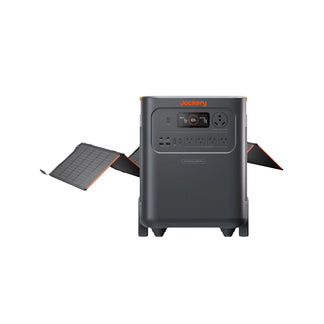
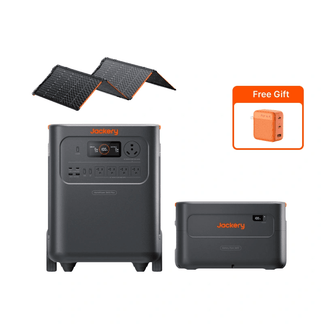
The Jackery Solar Generator 5000 Plus is an essential home backup solution sized for scheduled outages that last for days. Its dual-voltage support and expandability up to 60kWh make it the option for households who want to run a well pump, a window AC unit, or multiple large appliances simultaneously rather than choose between them. Because higher-capacity scheduled maintenance work can run longer or affect a wider area, the added solar-recharging capability with the Jackery SolarSaga 500X Solar Panels also means a household can recharge the power station during a daytime outage without needing grid power at all.
Appliances Running Time
- Refrigerator (300W) = 12.2H
- WiFi router (10W) = 71.4H
- LED lighting (20W) = 61.2H
- Laptop (65W) = 37.3H
- Microwave (1000W) = 4.1H
Who Should Buy This
The Jackery Solar Generator 5000 Plus is ideal for larger households, homes with well or septic systems, multiple large appliances, or anyone in an area where scheduled outages tend to run a full day or longer.

Customer Review
What an easy set up for a whole house backup. Had our first test of the system lost power while we were watching TV, and heard the unit click was the only thing we noticed. I thought it may be charging but then a notification came on my phone that power was out. It was amazing, didn't lose internet TV, didn't shut down, or even the stove clock stayed on.
— Wayne A.R.
FAQs
What's the difference between a scheduled and an unscheduled power outage?
A scheduled outage comes with advance notice from the utility and a planned timeframe, while an unscheduled (or unplanned) outage happens without warning, usually due to equipment failure, severe weather, or an accident.
How much notice do utilities give for a scheduled outage?
There is no universal notice period given by utilities for a scheduled outage. It varies by utility and by the type of work involved, and utilities typically notify customers through some combination of mail, phone calls, texts, emails, or account alerts.
What should I do if a scheduled outage runs longer than expected?
If a scheduled outage runs longer than expected, check for updated information from your utility, reassess your food safety timeline and any backup-power capacity you are relying on, and consider alternative arrangements if the situation genuinely requires it.
Can a scheduled outage turn into an unplanned one?
The type of outage does not change, but a scheduled outage's estimated restoration time can shift if crews discover additional issues or conditions change. It is worth having a contingency plan even though most scheduled outages finish close to their original estimate.
Conclusion
A scheduled power outage is the easiest kind of power interruption to prepare for, simply because the date is known in advance. That advance notice is worth more than it might seem at first glance. It is the difference between scrambling in the dark and calmly working through a plan you already put together. Jackery Solar Generator turns that advance notice into real protection: instead of reacting once the lights go out, a household with the right-sized unit already charged can keep the refrigerator cold, the router up, and essential devices running through the entire planned window, then recharge from solar or grid power well before the next one comes around.


![Guía definitiva de los mapas de apagones de EE. UU. por compañías eléctricas [2024]](http://www.jackery.com/cdn/shop/files/ultimate-guide-to-us-power-outage-maps-by-energy-companies-2024-4243327.jpg?v=1786014262&width=90)

