






























































































































![[Add-on] Jackery Battery Pack 5000 Plus - Jackery](http://www.jackery.com/cdn/shop/files/add-on-jackery-battery-pack-5000-plus-6713401.webp?v=1786503068&width=324)

























































The short answer to “how to use a power station” is to turn it on, plug in your most critical devices first, and monitor the remaining capacity on the display. If you have your power station charged and ready before the outage begins, it will be ready to take over from the moment the grid goes down, without any setup, complicated steps, or fumbling in the dark. But using a power station well during an outage is not just about turning it on. It is about knowing what to connect, in what order, and how to stretch the available energy across the hours or days ahead.
A power station running a refrigerator, and a WiFi router will last far longer than the same unit trying to power all of those, plus a space heater, a television, and a coffee maker simultaneously. The difference between a power station that runs out in three hours and one that keeps going for fifteen is almost entirely about prioritization.
This guide walks you through what to do the moment the power goes out, how to prioritize what gets plugged in, how to calculate how long your Jackery Portable Power Station will last, which power station models are best suited for outage use, how to recharge when the grid is unavailable, and how to prepare before the next outage ever arrives.
Key Takeaways
- The moment the power goes out, locate your Jackery Portable Power Station, power it on, and check the remaining charge on the display before plugging anything in. Do not connect everything at once.
- Prioritize in order: life-safety and medical devices first, food preservation second, communication and lighting third. Hold off on high-draw appliances until Tier 1 and Tier 2 are stable.
- Most portable power stations, such as those from Jackery, show remaining capacity and estimated runtime automatically on display. You can also use the Running Time Calculator on the Jackery Buying Guide page to estimate how long specific appliances will run.
- If the outage extends beyond your power station’s stored capacity, solar panels, car charging, and gas generators are all viable recharging options, depending on your unit and what is available.
- The single most important preparation step is keeping your home battery backup charged before a storm or outage. A power station at 80% capacity sitting in a closet protects nothing. A power station at 80% in an accessible place, with your priority appliance list already in mind, protects everything.
What Should You Do the Moment the Power Goes Out?
When the lights go out, the first instinct is often to reach for the phone to check the outage map, call the utility, or text the neighbors. If you have a Jackery Portable Power Station, the second move should be deliberate and calm: locate the power station, turn it on, and read the display before you start connecting anything.
The First 60 Seconds
Do not panic or rush. A power outage is disorienting, especially if it happens at night, but a Jackery Portable Power Station gives you time. A refrigerator that has just lost power will stay safe for approximately four hours if you keep the door closed.
A freezer that is fully loaded will hold safe temperatures for 24 to 48 hours. You have time to think clearly and act strategically, and acting strategically in the first 60 seconds will give you significantly more backup time over the next several hours.
Locate your power station. If you have stored it in an accessible place, beside the fridge, in the living room, or in a nearby hallway, it should take less than 30 seconds to reach. If it is stored in the garage with seasonal items, this outage is a good reminder to move it to a more accessible location. Press the power button to turn the unit on.
Check the Remaining Charge on the Display
Once the power station is on, the LCD or touchscreen display will immediately show you the remaining battery percentage and, on most models, an estimated runtime based on current or recent load. Do not skip this step. Knowing whether you have 100%, 60%, or 30% capacity changes every decision you make in the next few minutes.
If the power station is below 50% and you have access to a working wall outlet at a neighbor's home, a gas generator, or solar panels, now is the time to think about supplemental charging alongside your usage. If you are at or near full charge, you can proceed with confidence.
Do Not Plug Everything in at Once
This is the most common mistake people make with a power station during an outage: they plug in the refrigerator, the TV, the fan, the phone chargers, the coffee maker, and the router all at once, and then watch the capacity drain in a few hours. Every watt you add to the load reduces the estimated runtime proportionally. Instead, start with Tier 1 only. Connect your most critical devices, check the display to see how the estimated runtime responds, and then make deliberate decisions about what else to add.
How Do You Prioritize What to Power First During an Outage?
You should prioritize your power usage using a three-tier system: must-haves (life safety), should-haves (preservation), and nice-to-haves (convenience). You need to categorize devices by their electrical requirements (Watts) and runtime capabilities so you don't overload your power station.
Which Appliances Should You Run First When Power is Out?
The right prioritization framework makes the difference between a power station that lasts four hours and one that lasts sixteen. Think in tiers. You can connect the highest-priority devices first, confirm the remaining runtime, and add lower-priority devices only when you are confident the essentials are covered.
Tier 1: Life-Safety and Medical Devices
This is non-negotiable and should be the first thing connected regardless of your power station’s remaining capacity. BiPAP machines, oxygen concentrators, powered wheelchairs, insulin refrigeration, and hearing aid chargers all fall into this category. These devices typically draw very little power, but they are the appliances where a power interruption creates a genuine health risk.
Tier 2: Food Preservation
Once medical devices are running and stable, connect your refrigerator and/or chest freezer. Remember that a closed refrigerator stays food-safe for approximately four hours without power, and a fully loaded chest freezer holds safe temperatures for 24 to 48 hours. This means you have a meaningful window before spoilage becomes a risk, but connecting the fridge to your Jackery Portable Power Station sooner rather than later extends that window significantly.
Tier 3: Communication and Light
Phone chargers, a WiFi router, and one or two LED lights are low-draw, high-value additions that should run continuously in the background once Tier 1 and Tier 2 are stable. A WiFi router draws approximately 10W. Phone chargers draw 20W or less. A pair of LED lights might add 30W combined. The cumulative draw from all of these together is typically under 60W to 80W. It is a negligible addition to your total load that keeps you connected, informed, and able to move safely around your home.
Hold Off On
Coffee makers (800W to 1500W), fans (50W to 100W), televisions (100W to 300W), and space heaters (750W to 1500W) should wait until Tier 1 and Tier 2 devices are running stably and you have a clear picture of remaining capacity. None of these are life-safety items, and all of them carry meaningful power draws that will shorten your runtime. Add them selectively, only when you are confident you have enough capacity to power them without compromising the essentials.
How Do You Know How Long Your Jackery Will Last With Everything Plugged In?
Most portable power stations from Jackery show an estimated runtime directly on the display based on the current load. You do not need to do the math manually. The display updates in real time as you add or remove devices, so you can see immediately how each new connection affects your remaining window.
You can also use the Running Time Calculator available on the Jackery Buying Guide page to understand how long will Jackery last with the appliance plugged in. Choose the Jackery model from the dropdown, enter the wattage of the appliance or appliances you want to run, and the calculator instantly shows estimated runtime. It is particularly useful for pre-outage planning: run the numbers for your refrigerator and your router together, and you will know exactly how much capacity you need before you ever need it.
Michelle Brown has been a Jackery customer since 2014, long before portable backup power became a household staple. What started with a compact power bank her brother brought on a visit grew into a whole-family system spanning everything from commute-ready pocket units to larger backup stations that saw the family through Superstorm Sandy and the storms that followed. Today, Jackery products live in her kids' bags, at her parents' house, and on the back deck during New Jersey heat waves. Read more such Jackery Stories that showcases how power stations have become a reliable companion during unexpected outages.
Recommended Jackery Portable Power Stations for Power Outages
Jackery Portable Power Stations are home battery backup solutions that can run most household appliances, such as refrigerators, ACs, TVs, etc., when the grid goes down. Power stations with large battery capacities can not only power essential appliances but also run comfort appliances, such as water heaters and portable fans. Here are the three essential home backup solutions from Jackery that ensure you stay comfortable during power outages:
Jackery HomePower 3600 Pro Max
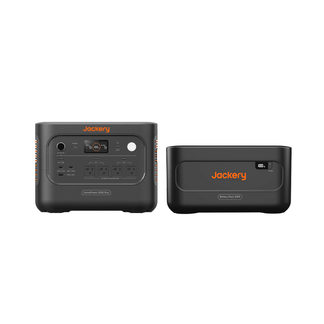
The Jackery HomePower 3600 Pro Max is Jackery's most advanced automatic home backup solution, built specifically around the kind of outage scenario where you have no time to manually plug anything in. With a built-in Auto Transfer Switch, it switches selected circuits to battery power in under 10ms when the grid drops. The Jackery HomePower 3600 Pro Max can be paired with a Manual Transfer Switch to keep your entire home running automatically before you have even noticed the outage has begun.
Appliances Running Time
- Refrigerator (100W) = 25.0H
- WiFi Router (30W) = 58.6H
- AC (1000W) = 3.0H
- TV (150W) = 17.7H
Who Should Buy This
The Jackery HomePower 3600 Pro Max is ideal for homeowners who want automatic, hands-free multi-room backup that activates the moment the grid fails without setting up or plugging in anything during an outage.

Jackery HomePower 3600 Plus
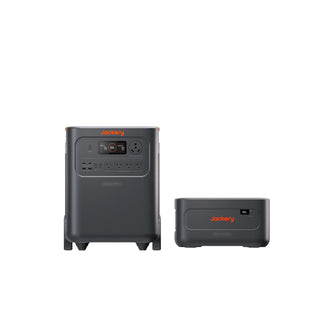
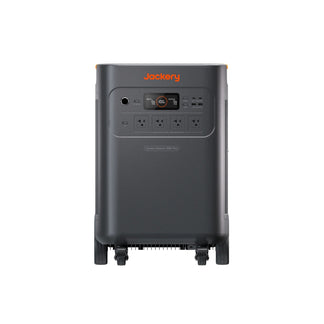
The Jackery HomePower 3600 Plus is the plug-and-play home backup option for families who want serious outage coverage without the complexity of circuit-level integration. It can run a refrigerator, a portable AC, a coffee maker, lights, a WiFi router, and device chargers simultaneously. Its sub-10ms UPS switching means any device connected before the outage stays on without interruption, and its built-in wheels and pull handle make it easy to roll from room to room as your needs shift.
Appliances Running Time
- Refrigerator (100W) = 25.0H
- WiFi Router (30W) = 58.6H
- AC (1000W) = 3.0H
- TV (150W) = 17.7H
Who Should Buy This
The Jackery HomePower 3600 Plus is ideal for families who want a large-capacity plug-and-play home backup that covers multiple rooms and days of outage without wiring it into the home's electrical system.

Jackery Explorer 5000 Plus
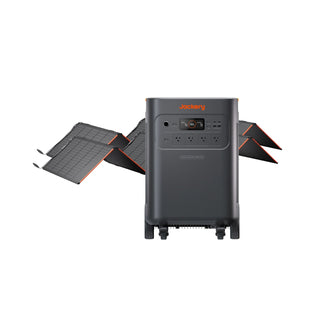
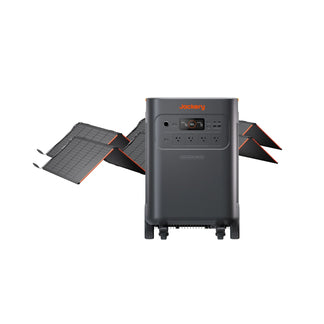
The Jackery Explorer 5000 Plus is one of the most powerful and scalable portable power stations designed for homeowners and families who need essential home backup power. It can easily run a 5-ton air conditioner, a water heater, and a washing machine. Its true 0ms Online UPS switching (enabled via the Jackery app) keeps computers, medical devices, and critical home equipment running without a single flicker. When paired with the Smart Transfer Switch, it can power up to 12 circuits at 120V or 6 circuits at 240V automatically during an outage.
Appliances Running Time
- Refrigerator (100W) = 28.6H
- WiFi Router (30W) = 53.5H
- AC (1000W) = 4.1H
- TV (150W) = 21.4H
Who Should Buy This
The Jackery Explorer 5000 Plus is ideal for households that need essential home backup coverage for 240V heavy appliances, or for anyone who wants the most scalable and powerful portable backup system.

Customer Review
I love my Jackery 5000 units. I have two now, and the power they provide during an outage makes it feel like we can live almost normally until the power comes back on. Also had the Jackery ATS and a manual interlock switch w/30-amp plug put in (since the ATS only covers 12 switches, the interlock switch can power the remaining switches).
— Anonymous.
How Do You Recharge Your Jackery During a Long Outage When the Grid is Down?
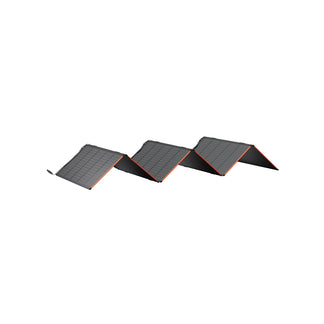
If you want to recharge your Jackery Portable Power Station during a long-term grid outage, you can plug it into the compatible Jackery SolarSaga Solar Panels, a car charger while driving, or use a gas generator.
Solar Recharging: Solar panels are the cleanest and most self-sustaining recharging option for a long outage. With enough panels and good sunlight, you can recharge your power station fully in a few hours and repeat the cycle daily, making the solar generator bundle genuinely indefinite backup power as long as the sun is available.
Car Charging: Every Jackery Portable Power Station supports car charging via a standard 12V car outlet (cigarette lighter socket). This is slower than solar or wall outlet charging, but it provides a steady, reliable recharge whenever you have access to a running vehicle. Keep your car's engine running while charging via the car outlet to avoid draining the vehicle battery.
DC-DC Alternator Charging: Some Jackery Portable Power Stations support DC-DC alternator charging at up to 600W using a compatible Jackery DC-DC Alternator Charger. This method draws power directly from your vehicle's alternator rather than the 12V socket, delivering significantly more charging wattage without draining the car battery.
For more information about this recharging method, you can check out the detailed guide: Complete Guide to Jackery DC to DC Alternator Charger.
Gas Generator: A gas generator provides fast, high-wattage recharging for almost any Jackery Portable Power Station that supports AC input. Connecting a power station to a gas generator's AC output via the included AC charging cable typically delivers the same charging speed as a wall outlet. The critical safety rule: always run the gas generator outdoors or in a well-ventilated area.
What Should You Do to Get Your Jackery Ready Before an Outage Hits?
The biggest factor in how well your Jackery Portable Power Station performs during an outage is what you did or did not do before it arrived. Here is the complete pre-outage checklist:
Keep the Unit Charged to 80%: When in storage, LFP batteries are best maintained at 80% when stored for extended periods rather than at 100%. This preserves long-term battery health. Practically, keeping it at 80% means that when an outage warning arrives, you only need a brief recharge to reach full capacity. If the outage arrives without warning, you are already at 80% and ready.
Know Your Priority Appliance List Before You Need It: Write it down if necessary. Which medical devices does your household rely on? What is your refrigerator's wattage? Do you have a chest freezer? What is the combined draw of your Tier 1 and Tier 2 devices? Having this list ready means you are not trying to calculate wattages in the dark during an emergency. You already know exactly what to connect, in what order, and what your estimated runtime will be.
Store It Somewhere Accessible, Not Buried in a Garage: A power station in a garage, buried under seasonal items, behind a shelf, or in a storage unit, is a future inconvenience. Store your essential home backup solution in a location you can reach in under 60 seconds without a flashlight: beside the refrigerator, in a living room corner, or in a hallway near the bedroom.
Download and Set Up the Jackery App in Advance: The Jackery app gives you real-time monitoring of battery level, input and output wattage, estimated runtime, and smart features like TOU Mode and Priority Routing™ (on supported models). Download it, connect it to your power station, and familiarize yourself with the interface before an outage.
Check Charge Level Monthly: Even a fully charged Jackery Portable Power Station will slowly self-discharge over time when stored. Check the battery level on the display once a month and recharge it to 80% if it has dropped below 60%. This takes less than five minutes and ensures you are never caught with a depleted power station when you need it most.
Conclusion
Jackery Portable Power Station is one of the most practical investments a household can make for outage preparedness, but only if you know how to use it when the moment arrives. The difference between a power station that gets you through a 16-hour outage comfortably and one that runs dry in four hours is almost entirely about preparation and prioritization: knowing your appliance tiers, reading the display, making deliberate decisions about what to connect, and having the unit charged and accessible before the grid ever goes down. You can use this "How to Use a Power Station” guide as your reference before, during, and after an outage. Keep it saved somewhere you can access without an internet connection, or print it out and store it with your power station.


