

































































































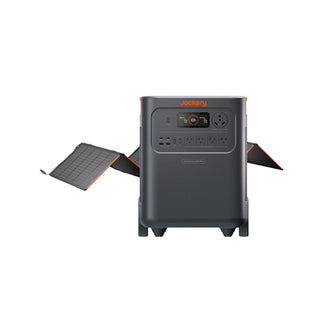



























![[Add-on] Jackery SolarSaga 500 X - Jackery](http://www.jackery.com/cdn/shop/files/add-on-jackery-solarsaga-500-x-1493607.webp?v=1786503068&width=324)





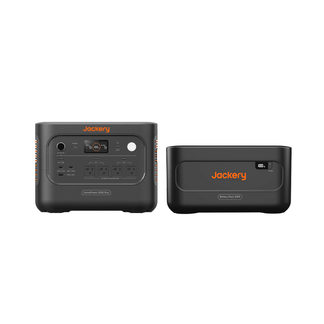
![[Add-on] Jackery Battery Pack 5000 Plus - Jackery](http://www.jackery.com/cdn/shop/files/add-on-jackery-battery-pack-5000-plus-6713401.webp?v=1786503068&width=324)


























































Explorer 1000 Basic Information
Product Model |
\ |
Battery Capacity |
1002Wh |
Type of Battery Used |
Lithium-ion Battery (NCM) |
Battery Cycle Life (Durability) |
500 cycles |
Type of Product Output Current |
Pure Sine Wave |
Product Dimensions (cm) (W)Length × (D)Width × (H)Height |
33.2*23.3*24.3 |
Product Weight |
Around 10.6kg |
Product Color |
Black |
Product AC Input Specification |
24V / 7.5A (Max. Input Power: 180W) |
Minimum Power Required for Product AC Input |
Over 180W |
DC Input Specification (Solar Power Input Specification) |
Supports 12–30V Current Limit: 7.5A~8.33A |
DC Input Specification (Car Charger Input Specification) |
Supports 12-30V Current Limit 7.5A |
Number of Input Ports When Charging Product with DC (Panel Charger/Car Charger) |
2 |
Input Port for Charging Product with Solar Panel |
One DC7909 and one Anderson |
Input Port for Charging Product with Car Charger Port |
DC7909 |
Product AC Charging Time |
Around 7.5H |
Product Charging Time with Car Charger Port |
Around 14H |
Product Charging Time with Solar Panel Solarsaga40 |
No Verified Data |
Product Charging Time with Solar Panel Solarsaga80 |
1 Panel: Around 17H 2 Panels: Around 9H |
Product Charging Time with Solar Panel Solarsaga100 |
1 Panel: Around 13.5H 2 Panels: Around 10H |
Product Charging Time with Solar Panel Solarsaga200 |
1 Panel: Around 9.5H |
Product Charging Time with Solar Panel Solarsaga 500 X |
/ |
Product Charging Time with Roof High Voltage Solar System |
/ |
Product AC Output Specification |
110V, Max. 1000W Per Port; Max. 1000W Total For 3 Ports. |
Maximum Instantaneous Output Power |
2000W |
Number of Product AC Output Ports |
3 |
AC Output Frequency |
60HZ |
Product Car Charger Port Specification |
12V/10A |
Number of Product Car Charger Ports |
1 |
Number of Product USB Ports |
4 |
Product USB-A Port Output Specification |
5V/2.4A |
Product Specification for Input via USB-C Port |
No USB-C Input Port |
Product USB-C Port Output Specification |
Max. 18W |
Temperature Range for Product Charging |
0°C-40℃ |
Discharge Temperature Range |
-10°C-40℃ |
Storage Temperature Range |
0°C-40℃ |
Material of Product Housing |
PC + ABS High-Strength Plastic |
Product Warranty Period |
Standard Warranty: 2 Years. Extendable 1 Year If Registered (For Purchases After 2022), Total 3 Years. |
Accessories |
1 * AC Adapter 1 * AC Charging Cable (1.2m) 1 * Car Charger Cigarette Lighter Socket (7909) 1 * Carrying Case 1 * User Manual |
Noise Level of Product Cooling Fan |
≤ 55dB |
Standby Power Consumption |
10W ~ 15W |
Are additional accessories required to connect the solar panel? |
Connecting 1 Panel: No additional purchase required. Connecting 2 Panels: Requires 1 × Jackery Solarsaga Parallel Connection Cable (For E1000 only). |
Does the AC charging cable include a grounding wire, and how should it be used? |
Grounding wire included. |
Maximum Number of Solar Panels That Can Be Connected |
Supports parallel connection for 1 or 2 panels. |
Supports Charging with Jackery Products? |
When charging this unit from the AC output of portable power station A, it is supported if A's "AC output" is 180W or higher. |
Maximum AC output power during simultaneous charging and discharging |
1000W |
Maximum DC output (car charging port output) power during simultaneous charging and discharging |
12V, 10A, Max. 120W |
Can the product connect to 2 solar panels |
Supported. By using the Jackery Solar Saga Parallel Connection Cable (For E1000 only), 2 solar panels can be connected. |
Can the product connect to 3 or more solar panels |
Due to voltage limits, a maximum of 2 solar panels can be connected in parallel; connecting 3 panels is not supported. |
Are the two DC input ports parallel or independent |
The two DC input ports cannot be used at the same time. |
Connection rules when both DC ports are used simultaneously |
Simultaneous use not supported. |
Can the product be charged by a solar panel and a car charger at the same time? |
Not supported. |
Can the product be charged using two car charging cables at the same time? |
Not supported. |
Does the product support battery packs? |
Not supported. |
Does the product support app control? |
Not supported. |
Does it have waterproof and dustproof? |
Not supported. |
Can the AC output frequency be switched |
Not supported. |
Does the product support parallel operation |
Not supported. |
Is the AC charging cable UL certified? |
Yes, the AC charging cable included with the portable power supply bears the UL certification mark, ensuring safe use. |
Does it have LED lighting |
Not supported. |
Can it be charged using a car fast charger? |
Not supported. |
Can wall charging and Solar charging be performed simultaneously |
Not supported. |
Can the Energy Saving Mode be turned off |
Not supported. |
Can the device status be monitored via the app |
Not supported. |
Can the AC/DC output be turned on/off via the app |
Not supported. |
Can the LED display be turned on or off and scheduled via the app |
Not supported. |
Can the LED light be turned on or off via the app? |
Not supported. |
Does the app allow setting auto-shutdown? |
Not supported. |
Is it possible to set Battery Saving Mode in the app |
Not supported. |
Is it possible to set Quiet Charging Mode in the app |
Not supported. |
Can product specifications be viewed in the app |
Not supported. |
Can the user manual be accessed through the app |
Not supported. |
Can the device be shared using a QR code |
Not supported. |
Can the temperature display be set in the app |
Not supported. |
Is it possible to configure the system language through the app |
Not supported. |
Is it possible to set the Battery saving mode (15% to 85%) in the app |
Not supported. |
Can the charging range for Battery saving mode be adjusted via the app |
Not supported. |
Is it possible to set the emergency charging mode in the app |
Not supported. |
Does it have solar power generation analytics? |
Not supported. |
Does it have a timed charging (charging plan) function |
Not supported. |
Does this system have a Self-powered Mode |
Not supported. |
Can the Wi-Fi MAC address be viewed in the app |
Not supported. |
Is it possible to set AC charging speed in the app |
Not supported. |
Can the AC/DC output time be set through the APP? |
Not supported. |
Plug type and usage scenario for the 30A output port on Power Station |
/ |
Plug type and usage scenario for the 50A output port on Power Station |
/ |
Does it support pass-through charging? |
Yes, supported. |
Location of the SN |
The SN is located on the back or bottom of the device. |
How to reset the device |
Press and hold the DISPLAY button for 10 seconds until the display briefly shows “8888”, then returns to the normal interface — this confirms a successful reset. |
Can Wi-Fi/Bluetooth be reset separately |
/ |
How to reset Wi-Fi/Bluetooth |
/ |
How to activate the Bluetooth/Wi-Fi module after it has been turned off. |
/ |
How much battery capacity is typically lost due to self-discharge when the power station is not in use? |
Around 5% per month |
About app settings when the battery is fully depleted For example, if the current app settings are “Battery Saving Mode |
Disabled” and “Auto Power-Off: Never,” will these settings remain the same after the battery is drained and then recharged? Or will they be reset to default?: / |
Is the neutral wire floating or Bonded? |
floating |
Disclaimer:
The runtime mentioned for appliances powered by Jackery is for reference only. Actual runtime may vary under different conditions. Please refer to real-world performance for accurate results.