






























































































































![[Add-on] Jackery Battery Pack 5000 Plus - Jackery](http://www.jackery.com/cdn/shop/files/add-on-jackery-battery-pack-5000-plus-6713401.webp?v=1786503068&width=324)

























































An Xbox Series X pulls a small trickle of power at almost every stage, and not just when a game is loading on screen. When left plugged in but switched off, the Xbox Series X still draws about 2-3 watts. When sitting on the dashboard, it draws roughly 40W. Once a game is actually running, the power draw jumps to somewhere between 190W and 220W, depending on the title and display settings.
The wattage range matters for two very different groups of people. The first is anyone trying to reduce a home electricity bill, where an always-on console adds up over a full year, even in standby. The second is anyone who wants to run a console away from a wall outlet entirely, whether that's a camping trip, a tailgate, a van build, or a blackout at home. Both questions come back to the same core number: watts.
Microsoft has continued refining Series X firmware since launch, and the console's idle and standby figures today are noticeably lower than they were in its first year on the market. That's good news for anyone leaving it in "instant-on" mode around the clock, but active gameplay wattage hasn't changed much, since that number is driven mostly by the GPU workload a given title demands rather than software efficiency alone.
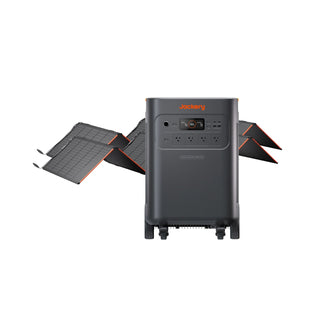
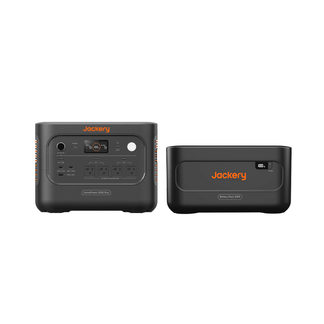
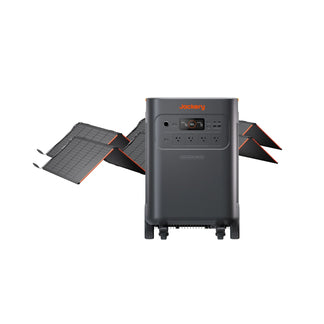
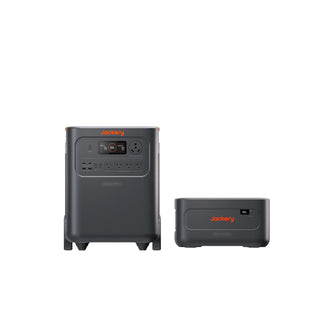
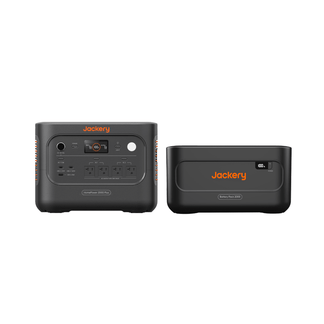
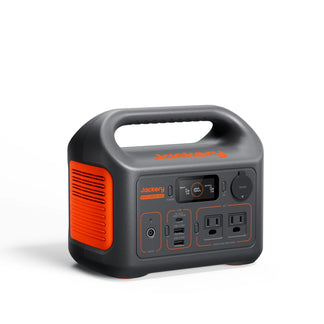
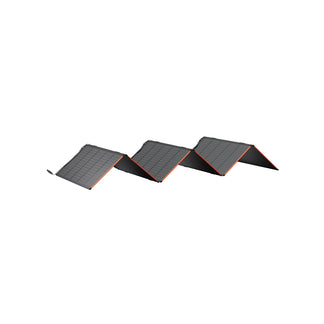
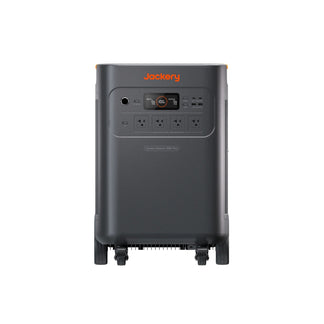
Jackery Solar Generators are available in different sizes and can keep gaming devices running for long hours. Whether you are planning to play games during power outages or when you are away from the grid, these solar generators provide a reliable power supply.
Key Takeaways
- Powered off but plugged into a wall outlet, an Xbox Series X still draws about 2-3W.
- Standby mode (the default "instant-on" setting) pulls around 29W around the clock.
- Sitting idle on the dashboard menu, the Xbox Series X’s power consumption rises to about 40W.
- Active gameplay typically falls between 190W and 220W, with graphically demanding titles pushing closer to the top of that range.
- Jackery Solar Generators can run an Xbox Series X for anywhere from about an hour to days per charge, depending on the model's capacity.
How Many Watts Does Xbox Series X Consume by Mode
Xbox Series X power shifts constantly based on what the system is doing. Microsoft has made real updates in reducing idle consumption on recent Xbox firmware, but active gameplay still requires the bulk of the console's power budget.
|
Operating Mode |
Typical Wattage |
Est. Cost per Hour (at $0.1883/kWh) |
|
Powered Off (plugged in) |
2-3W |
$0.0003-$0.0005 |
|
Standby / Instant-On |
27-29W |
$0.0050-$0.0054 |
|
Dashboard / Idle Menu |
40-45W |
$0.0075-$0.0084 |
|
Active Gameplay |
190-220W |
$0.035-$0.041 |
|
Peak Load (demanding titles) |
up to 230W |
$0.0433 |
A few things that affect the wattage between the low and high ends of the gaming range: resolution and frame-rate targets, whether HDR is active, how much the GPU is being taxed by a given title, and whether an external hard drive or headset is drawing power through the console's ports.
How to Measure Your Own Xbox Series X's Power Draw
Published wattage ranges are a solid starting point, but the exact number for any individual console depends on the games being played, the TV or monitor it's paired with, and which accessories are plugged in. Anyone who wants an exact figure rather than an estimate has a couple of straightforward options.
A plug-in wattage meter (sometimes sold as a "Kill A Watt" style monitor) is the simplest route. It sits between the wall outlet and the console's power cable and displays real-time draw, letting you watch the number rise as a game loads and settle once you're actively playing. Running this over a full week also gives a much more accurate cost estimate than a generic average, since it captures how much time the console actually spends in standby versus active use in your specific household.
For anyone already using a Jackery Portable Power Station, the built-in LCD display serves the same purpose. It shows live output wattage while the console is connected, which is a convenient way to confirm a console is drawing what's expected and to find any accessory, such as an external SSD, a capture card, or a headset dongle, that's adding more load than anticipated.
What an Xbox Series X Actually Costs to Run
Numbers on a spec sheet don't mean much until they are translated into dollars. Using a national average residential rate of about 18.83 cents per kWh, here's what different usage patterns look like over time, assuming roughly one hour of active play per day.
|
Usage Pattern |
Wattage |
Cost Per Week |
Cost Per Month |
Cost Per Year |
|
1 hr/day gaming |
200W |
$0.26 |
$1.04 |
$12.48 |
|
1 hr/day gaming + 4 hrs/day standby |
312W |
$0.41 |
$1.64 |
$19.68 |
|
3 hrs/day gaming (heavy use) |
600W |
$0.79 |
$3.16 |
$37.92 |
Standby mode is the part people tend to overlook. Because it runs continuously in the background, often 20+ hours a day for consoles left in "instant-on" mode, it can quietly account for more of the annual electricity cost than actual gameplay does. Switching to "Energy Saving" shutdown mode in the Xbox settings menu drops that background draw to just a few watts, at the cost of a slightly longer boot time.
What Factors Affect How Many Watts an Xbox Series X Draws
The 190-220W gaming range isn't a fixed number so much as a band, and several variables push individual sessions toward either end.
Game Genre and Graphics Load: A visually simple 2D platformer or a turn-based strategy title rarely pushes the GPU hard, often landing closer to 130-160W. A demanding open-world title running at 4K with ray tracing enabled can push toward the top of the range, and occasionally even more during especially intensive scenes.
Display Resolution and Refresh Rate: Targeting 4K output at a high refresh rate asks considerably more of the GPU than running the same title at 1080p or with a capped frame rate. Dropping resolution or frame rate targets in a game's settings menu is one of the more effective ways to reduce draw without changing what's actually being played.
HDR and Variable Refresh Rate (VRR): Both features improve visual quality but add a small yet measurable amount to power draw, generally in the range of a few extra watts each.
Connected Accessories: External hard drives, capture cards, wired headsets, and USB-powered accessories all pull power through the console itself rather than a separate outlet, which is easy to overlook when estimating total load.
Online Multiplayer vs. Offline Single-Player: Network activity itself uses negligible power, but multiplayer titles tend to run more demanding server-side rendering and physics calculations that can nudge draw slightly higher than a comparable single-player session.
For Leslie Williams, a long-haul trucker who logs 577 miles a day and has spent decades learning to plan for the unexpected, downtime with his granddaughter isn't something he takes for granted, especially given the toll years on the road and his service in Somalia have taken. That's part of what makes his video game setup so meaningful: powered by his Jackery Solar Generators, it gives him a reliable way to sit down and play with her, mixing a hobby he's had since his "band geek" days with the kind of steady, tech-savvy bonding he didn't always get the chance for on the road. Explore more such Jackery Stories to see how a Jackery Solar Generator could power more of what matters in your own home, from essentials to family fun.
How Long Can a Jackery Run an Xbox Series X?
You can estimate how long will a Jackery run an Xbox Series X by using the Running Time Calculator available on the Jackery Buying Guide page. Gaming doesn't have to stop when there's no wall outlet nearby. Whether it's a power outage at home, a weekend at a campsite, or a setup in an RV or van, a portable power station with solar panels or solar generator can keep an Xbox Series X running on stored solar or grid power. Below are three Jackery Solar Generators sized for different needs, from ultra-light backup to extended off-grid sessions.
Jackery Solar Generator 240 v2
The Jackery Solar Generator 240 v2 is built for anyone who wants backup power without adding real bulk to a bag. It offers enough capacity to run a console along with a monitor or a few smaller accessories. What makes it stand out at this size is the charging speed, so it can go from empty to full in about an hour on a standard wall outlet. Its lightweight design and small carbon footprint make it easy to toss in a backpack or car trunk without a second thought.
Xbox X Series Running Time
- Active Gaming (200W) = 1.0H
- Dashboard/Idle (42W) = 4.0H
- Standby (29W) = 5.4H
Who Should Buy This
The Jackery Solar Generator 240 v2 is ideal for gamers who want a lightweight, grab-and-go backup for short sessions rather than all-day power or anyone who needs compact emergency power for a console, router, and a few devices.

Customer Review
Used for a weekend camping trip. powered air mattresses, charged 2 phones, and powered a projector to watch a movie, all at an unpowered site. lasted the entire weekend with no recharge.
— Tyler C.
Jackery Solar Generator 600 v2
The Jackery Solar Generator 600 v2 is the world’s lightest and smallest LFP solar generator, ideal for powering appliances during camping or other outdoor adventures. The large output and capacity ensure you can easily run an Xbox Series X alongside a TV or monitor. A built-in UPS function with a sub-0.01-second switchover time is a bonus for gaming specifically: it means a brief power blip at home won't interrupt a session or risk a save-file corruption the way an unprotected outlet might.
Xbox X Series Running Time
- Active Gaming (200W) = 2.5H
- Dashboard/Idle (42W) = 10.1H
- Standby (29W) = 13.5H
Who Should Buy This
The Jackery Solar Generator 600 v2 is suitable for households that want UPS-style protection, so a console doesn't lose power mid-session during a grid hiccup, or campers and RV travelers who need several hours of console time alongside charging phones, lights, or a fan.

Customer Review
The Jackery 600 v2 was tested on something small such as a 34in tv, a router and a PS4 from a surge protector plugin with minimal game play mostly YouTube just to see power consumption. At just a little bit over 100 volts the Jackery 600 v2 lasted 6 hours, and charged in 2 1/2 hours. Thank you Jackery for this little powerhouse.
— Forever G.
Jackery Solar Generator 1000 v2
If you are someone who wants a console setup to run through an entire evening, the Jackery Solar Generator 1000 v2 is an ideal home battery backup. It can run an Xbox Series X, a TV, and a small fridge or space heater at the same time if needed. Dual 100W USB-C ports mean it can fast-charge two laptops or handhelds at once, on top of running the console itself. With a compact design and foldable handle, it's still portable enough for camping and van life, while offering enough headroom for serious multi-day off-grid use.
Xbox X Series Running Time
- Active Gaming (200W) = 4.1H
- Dashboard/Idle (42W) = 15.4H
- Standby (29W) = 19.9H
Who Should Buy This
The Jackery Solar Generator 1000 v2 is ideal for families or households that want a home backup option that also happens to keep a game console running during outages. It is also suitable for RV and van-life users who need one unit to cover a console, small appliances, and device charging simultaneously.

Customer Review
Works great. I needed a battery pack to power a 12V fridge and the Starlink Mini and the Jackery works great powering both.
— Timothy C.
Frequently Asked Questions
Does an Xbox Series X use a lot of electricity?
No, Xbox Series X does not use a lot of electricity compared to most household appliances. Even at its peak gaming draw of around 220W, running it for an hour costs a few cents. The bigger factor over a year is standby mode left in "instant-on," which runs continuously in the background.
How many watts does an Xbox Series X need to turn on?
Booting the console briefly spikes above its typical dashboard wattage before settling into its normal idle range of 40-45W, well within what any of the three power stations above can supply.
Can a portable power station damage an Xbox Series X?
No, a portable power station does not damage an Xbox Series X, as long as the unit's continuous AC output exceeds the console's power draw (roughly 220W at peak) and it delivers pure sine wave power. Pure sine wave output matches grid power quality and is safe for sensitive electronics.
Is it better to leave an Xbox Series X on standby or turn it off?
For lowering electricity use, fully powering off (or using Energy Saving shutdown mode) is significantly more efficient than standby, which draws close to 30W continuously. The trade-off is a longer boot time versus a near-instant resume.
Will running an Xbox Series X on battery power void its warranty?
No, an Xbox Series X running on battery power will not void its warranty. The console doesn't distinguish between power delivered from a wall outlet or a pure sine wave power station. As long as voltage and frequency match standard household power, there's no added risk to the console's warranty.
Conclusion
An Xbox Series X's power draw can range from a near-negligible 2-3W when fully off to around 220W during demanding gameplay, with standby and dashboard modes sitting comfortably in between. For most households, the electricity cost of gaming itself is minor. It's standby mode left running around the clock that adds up over a year, and it's the easiest one to fix with a quick settings change.
For anyone who wants that same console experience away from a wall outlet, matching battery capacity to actual playtime is what matters most. A lightweight option like the Jackery Solar Generator 240 v2 covers quick sessions, whereas the Jackery Solar Generator 1000 v2 supports extended off-grid play or full home backup duty. Whichever fits, the underlying math stays the same: watts tell you if a device can run, and watt-hours tell you for how long.


![How to Charge Xbox Controller [Ultimate Guide 2024]](http://www.jackery.com/cdn/shop/files/how-to-charge-xbox-controller-ultimate-guide-2024-1799310.jpg?v=1786014904&width=90)


