





























































































































































































Quick Answer: A power bank is a portable battery pack that stores DC energy and recharges smartphones, tablets, and laptops when a wall outlet is unavailable. Real-world usable capacity is 20–30% lower than the rated mAh due to voltage conversion and heat losses, making watt-hours (Wh) the more accurate metric. Lithium-ion or lithium-polymer cells deliver power via USB-A or USB-C ports, with a Battery Management System (BMS) preventing overcharge, short circuits, and thermal runaway.
Key Takeaways:
- Usable capacity is roughly 70–80% of the rated mAh because voltage conversion (3.7V to 5V/9V) wastes 10–18% and heat dissipates another 10%.
- Watt-hours (Wh) is the true energy storage metric: multiply mAh by 3.7V and divide by 1,000 to compare capacity accurately across devices.
- Charging speed depends on wattage and protocol — USB-C PD 3.0 delivers 18W–100W, while standard USB-A outputs only 5–12W.
- UL 2056 certification is the gold standard for lithium battery power banks — never buy one without it.
What Is a Power Bank and How Does It Work?
A power bank stores DC energy in internal cells and recharges devices via USB without a wall outlet. The process is straightforward: a wall charger fills the lithium-ion or lithium-polymer cells, then the internal voltage regulator steps up the cell's native 3.7V to 5V, 9V, or 20V — whatever your connected device requires.
The Battery Management System (BMS) is the unsung hero inside every safe unit. It monitors temperature, voltage, and current continuously, cutting power if it detects overcharge conditions, short circuits, or thermal runaway. Without a functioning BMS, a power bank becomes a fire hazard.
Here's where most people get tripped up: voltage conversion from 3.7V to 5V or 9V creates what engineers call the "mAh illusion."
- Only about 70–80% of the rated mAh actually reaches your device.
- A 10,000mAh bank doesn't deliver 10,000mAh to your phone — it delivers roughly 6,000–7,000mAh.
- The rest disappears as heat during the voltage step-up process.
This is why understanding how to use portable power effectively matters. The same physics apply whether you're charging a phone from a pocket-sized bank or running essential home backup equipment from a larger station.
How Many Watts Do You Need? (mAh, Wh, and Charging Speed Explained)
mAh (milliamp-hours) measures charge at the battery's nominal 3.7V — and it's a terrible comparison metric. Two different banks rated at 20,000mAh can deliver wildly different real-world energy because mAh ignores voltage entirely.
Wh (watt-hours) fixes this problem. The formula is dead simple:
mAh × 3.7V ÷ 1,000 = Wh
A 10,000mAh bank at 3.7V holds exactly 37Wh. A 20,000mAh bank holds 74Wh. This number doesn't change regardless of output voltage, making it the only honest way to compare capacity across devices.
The "83% Rule" gives you a realistic estimate of usable energy. Multiply the rated Wh by 0.83. A 74Wh unit delivers roughly 61Wh to your devices. The missing 13Wh becomes heat during voltage conversion and cable resistance losses.
Charging speed depends on wattage, not mAh. Wattage follows a simple relationship:
Volts × Amps = Watts
- USB-C PD 3.0 delivers anywhere from 18W to 100W depending on the implementation.
- Standard USB-A ports output 5V at 1–2.4A, giving you just 5–12W.
- That's why your phone charges in 90 minutes from USB-C but takes 4 hours from an old USB-A port.
For laptops, the wattage requirement jumps significantly. A 13-inch MacBook Pro needs 65W+ PD output to charge while in use. A 45W port might maintain the battery level under light loads but won't add meaningful charge if you're running demanding applications.
How Do I Choose a Power Bank Capacity? (10,000mAh vs. 20,000mAh)
The 10,000mAh (37Wh) category is the sweet spot for daily carry.
- Weight: 180–250g, fits in a jeans pocket.
- Real-world usable capacity: roughly 6,000–7,000mAh — enough for one full smartphone charge plus a partial top-up.
- Best for: morning-to-evening outings needing one emergency recharge.
The 20,000mAh (74Wh) category doubles the energy but triples the bulk.
- Weight: 350–500g, brick-like form factor that belongs in a backpack, not a pocket.
- Real-world usable capacity: roughly 12,000–13,000mAh — two full laptop charges or three complete phone cycles.
- Trade-off: recharge time of 4–8 hours depending on input wattage.
Multi-day campers and off-grid users should consider 40,000mAh+ units with removable cells. Some designs accept spare 18650 batteries, letting you swap in fresh cells instead of hunting for a wall outlet. This approach works well for extended trips where portable power for outdoor use becomes essential.
The recharge time trap catches beginners constantly. A 20,000mAh bank charging at 5V/2A (10W) takes 7.5 hours to refill. The same bank with 20W USB-C PD input finishes in under 4 hours. Input wattage matters as much as output wattage — check both before buying.
Capacity |
Real-World Usable |
Weight |
Best For |
Recharge Time (10W) |
Recharge Time (20W PD) |
10,000mAh (37Wh) |
~6,000–7,000mAh |
180–250g |
Daily carry, one phone charge |
3.5 hours |
2 hours |
20,000mAh (74Wh) |
~12,000–13,000mAh |
350–500g |
Weekend trips, laptop backup |
7.5 hours |
3.5 hours |
40,000mAh+ (148Wh+) |
~24,000–28,000mAh |
600g+ |
Multi-day camping, group charging |
15+ hours |
7+ hours |
For a deep dive into capacity planning and practical selection tips, see this EnergySage guide.
What Safety Certifications Should I Look For?
UL 2056 certification is the gold standard for lithium battery power banks — and you should never buy one without it. This isn't a marketing sticker. UL 2056 testing covers:
- Overcharge protection
- Short circuit response
- Thermal runaway containment
- Drop shock durability
Each test simulates real failure modes that cause fires in uncertified units.
Budget power banks frequently skip thermal cutoff circuits. The result is predictable: during pass-through charging — where the bank charges itself while powering a connected device — heat builds up with nowhere to go. Without thermal regulation, cells can swell, vent, or ignite. This happens more often than manufacturers admit.
PPS (Programmable Power Supply) certification matters specifically for Samsung and Google Pixel fast charging. PPS allows real-time voltage negotiation in 20mV steps, which these phones require for maximum charging speed. Without PPS support, a Samsung Galaxy S24 might refuse to charge above 15W even on a 45W-capable port.
"Smart" pass-through charging with active thermal monitoring exists on higher-end units, but most budget models lack it entirely. Check the manufacturer's specifications explicitly before attempting overnight pass-through charging. If the manual doesn't mention thermal regulation during pass-through, assume it's not supported.
What Are the Most Common Beginner Mistakes?
Trusting mAh alone. A 20,000mAh bank at 3.7V delivers only 12,000–13,000mAh to your devices after 20–30% conversion losses. The label number describes the internal cell capacity, not what reaches your phone.
Using the wrong cable. A USB-C to USB-C cable rated for 60W cannot deliver 100W even if the power bank supports it. The cable contains an e-marker chip that tells both devices its maximum wattage. Using an under-rated cable throttles charging speed silently. Always match cable wattage ratings to your fastest device.
Ignoring indicator calibration. If the display shows 30% remaining but the bank dies moments later, the battery gauge has drifted. Recalibrate by fully discharging until the unit shuts itself off, then charging uninterrupted to 100%. Do this every 3–4 months for accurate readings.
Storing at temperature extremes. Leaving a power bank in a hot car above 95°F (35°C) accelerates lithium cell degradation permanently. Freezing temperatures below 32°F (0°C) trigger BMS shutdown and can cause internal damage. Store at room temperature, ideally at 50% charge.
Letting it hit 0%. Lithium cells degrade faster when fully discharged. Recharge when the indicator hits 20–30% rather than running it to zero. This habit extends cycle life by hundreds of charges.
Limitations / What to Know Before
Real-world capacity is always 20–30% lower than advertised mAh. Plan for fewer device charges than the label suggests — a "two-charge" bank might deliver 1.5 charges in practice.
Battery degradation is unavoidable. Lithium-ion and lithium-polymer cells lose 10–20% of their original capacity after 300–500 full cycles. With regular use, expect noticeably reduced runtime after 2–3 years. LiFePO4 cells in larger portable stations last significantly longer — 3,000–5,000 cycles — which is why larger backup systems use that chemistry.
Not all ports fast-charge. Only USB-C PD or Quick Charge-labeled ports deliver high wattage. USB-A ports max out at 5V/1–2.4A (5–12W) regardless of what the power bank's total capacity suggests. Read the port labels, not just the headline specs.
Pass-through charging generates extra heat and may not be supported at all. Check the manual — repeated pass-through use on uncertified units degrades batteries faster and creates safety risks.
Self-discharge happens even when unused. Lithium cells lose 2–5% of their charge per month sitting on a shelf. Store at 50% charge in a cool, dry place to slow this process and prevent deep discharge damage.
Product Recommendation: Jackery Portable Power Stations
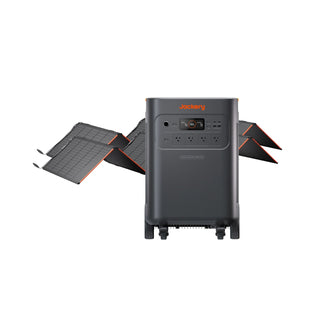
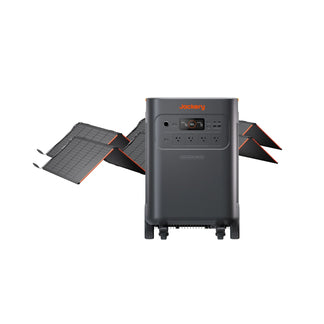
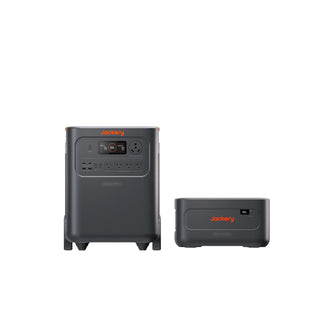
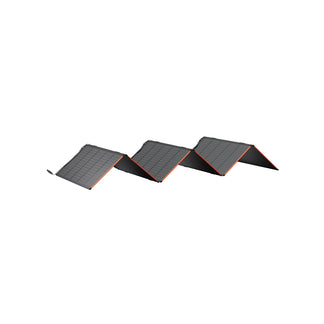
When a pocket-sized power bank isn't enough — for camping trips, extended outages, or running small appliances — portable power stations bridge the gap. These units combine high-capacity batteries with AC outlets and multiple USB ports in a single transportable package. For essential home backup scenarios where stationary home storage isn't practical, portable stations offer immediate plug-and-play power.
Model |
Capacity |
Key Feature |
Best For |
Jackery Explorer 100 Plus |
99Wh (~27,000mAh) |
Airline carry-on compliant, 1.1 lbs |
Travel, single-day device charging |
Jackery Explorer 600 v2 |
640Wh (~173,000mAh) |
LiFePO4 6,000+ cycles, multiple ports |
Car camping, home office backup |
Jackery Explorer 1000 v2 |
1,070Wh (~289,000mAh) |
1,500W output, 1-hour recharge |
Essential home backup, multi-day outages |
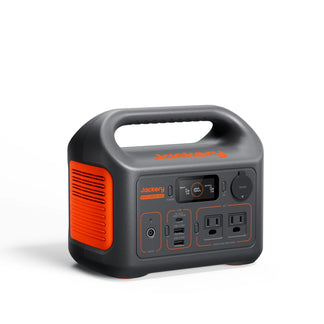
Jackery Explorer 100 Plus (99Wh / ~27,000mAh)
- Capacity: 99Wh (~27,000mAh) — airline carry-on compliant, ideal for travel charging of phone, tablet, and small laptop.
- USB-C PD Output: 45W charges a MacBook Air rapidly.
- Safety: Built-in UL-certified BMS for overcharge and short-circuit protection.
- Weight & Portability: 1.1 lbs, fits in a backpack pocket — enough energy for a weekend of essential device charging.
Jackery Explorer 600 v2 (640Wh / ~173,000mAh)
- Battery: 640Wh LiFePO4 with 6,000+ cycles (~10-year lifespan), charges an iPhone 13 Pro Max 21 times or runs a portable refrigerator 6 hours.
- Ports & Outlets: USB-C, USB-A, and dual AC outlets — charge multiple devices simultaneously while powering small appliances (fan, portable AC).
- UPS Backup: Instant switchover (20ms) with pass-through charging for uninterrupted power during brief outages.
Jackery Explorer 1000 v2 (1,070Wh / ~289,000mAh)
- Capacity & Output: 1,070Wh, 1,500W continuous (3,000W surge) — runs a refrigerator 12 hours or recharges a laptop 15+ times; designed for essential home backup, not whole-home.
- Ports: Dual PD 100W USB-C (charges MacBook Pro to 50% in under 40 minutes), plus two USB-A ports for additional devices.
- Fast Recharge: Emergency Super Charge refuels to 100% in 1 hour via wall outlet, minimizing downtime.
- Portability: Compact 23.8 lbs with foldable handle for easy transport.
Frequently Asked Questions (FAQ)
What is the difference between lithium-ion and lithium-polymer?
Lithium-polymer offers thinner, more flexible shapes and a lower risk of leakage, while lithium-ion provides higher energy density and is more common in high-capacity banks.
Do power banks support wireless charging?
Most power banks do not support wireless charging, but some models include a built-in Qi pad for cable-free phone charging.
How do I know if my device supports fast charging?
Check your device's specifications for supported protocols like USB-C PD, Quick Charge, or PPS, then match them to the power bank's output port labels.
Can a power bank run a mini fridge or small appliance?
Yes, but only if the power bank has an AC outlet and a continuous power rating of at least 50–80W to run a small 12V compressor fridge.
What happens if I use a lower wattage charger to recharge the bank?
Using a lower wattage charger will still recharge the bank but significantly extends the recharge time and may not trigger fast charging protocols.


