


































































































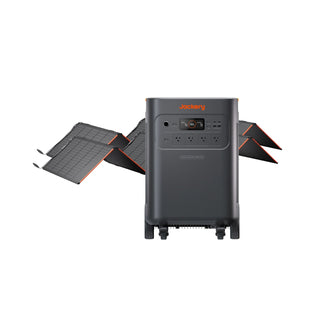












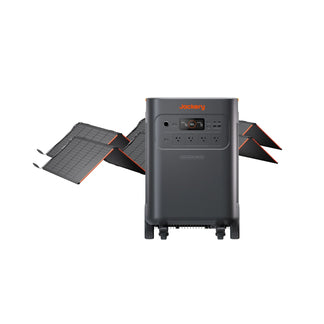
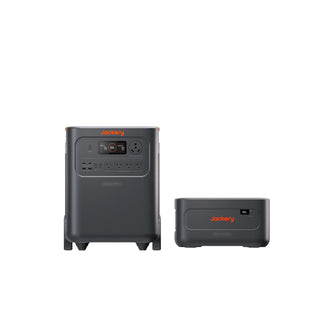











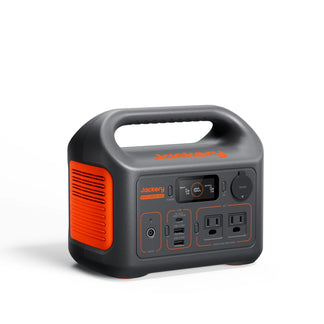


































































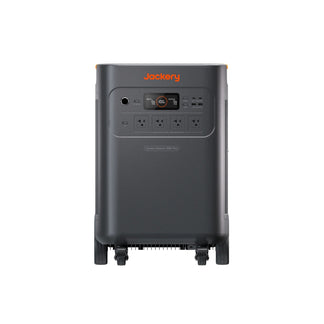



HomePower 3600 Pro Max
$1,799.00
$2,099.00
$300 OFF

Up to 100 available for a cash deduction.
Login
- Automatic Backup Power
- 3584Wh Capacity
- 4000W Output
5-Year Warranty ONLY at jackery.com
Turn your 3600 Pro Max into a home energy hub using a manual transfer switch. Enjoy the comfort of 4kW–8kW at 240V or 2kW–4kW at 120V auto backup power, at a fraction of the cost.
- Save up to $3,000 vs. standard Automatic Transfer Switch setups.
- Faster, simpler installation in half the time.
Experience True Seamlessness
Thanks to a sub-10ms UPS switch that operates faster than a blink, your computers and appliances keep running without a hitch, saving you from manual restarts forever.
True 240V Performance from a Single Unit
Get 4000W of 240V or 2000W of 120V power from one unit. Expandable up to 21.5 kWh for a single unit, and up to 43 kWh in parallel, able to run both 240V and 120V appliances in your home simultaneously.
Safe Inside & Out: Home Storage You Can Trust
Experience the gold standard in safety with EV-grade LFP cells designed to last 16+ years (6,000 cycles). With UL 9540 certification, 5VA-grade fireproofing, and a dedicated EPO emergency stop, the unparamounted attention to detail allows you to power your home with total confidence.
Stay Quiet, Stay Powered
Operating at under 30dB to stay as quiet as a library, the 3600 Pro Max keeps things peaceful for you and the neighborhood. With 8 ways to recharge, including gas generator compatibility, you’ll always have a backup for your backup.
Slash Your Utility Bills by $4,238/Year
Take control with Time-of-Use Mode. Our system automatically charges when rates are lowest and powers your home when rates spike. This smart peak-shaving strategy allows you to save up to $4,238 every year on energy costs.
Select Options

5-Year Warranty on Jackery.com (3 + 2 years FREE, $300 value) — Auto-activated, not for Sale.


Free Shipping on All Products | 2-Day Delivery
Order by 7 AM (PDT) for 2-Day Delivery! — see if your city qualifies below.
Limited-Time Offer — Members Earn 2X Points
Special Add-Ons
-

Grounding Adapter
$49.00
-

40A Charging Cable
$100.00
-

Parallel Communication Cable
$19.00 $29.00
-

Manual Transfer Switch
$399.00 $499.00
-

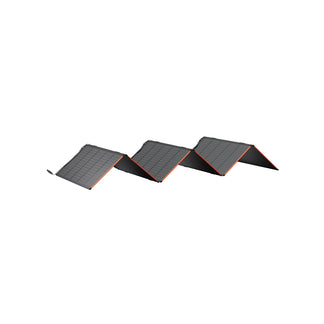
[Add-on] SolarSaga 500 X
$799.00 $999.00
-

10m DC Extension Cable Plus
$59.00
Special Add-Ons
-
Grounding Adapter
$49.00
-
40A Charging Cable
$100.00
-
Parallel Communication Cable
$19.00 $29.00
-
Manual Transfer Switch
$399.00 $499.00
-
[Add-on] SolarSaga 500 X
$799.00 $999.00
-
10m DC Extension Cable Plus
$59.00
Special Add-Ons
-
Grounding Adapter
$49.00
-
40A Charging Cable
$100.00
-
Parallel Communication Cable
$19.00 $29.00
-
Manual Transfer Switch
$399.00 $499.00
-
[Add-on] SolarSaga 500 X
$799.00 $999.00
-
10m DC Extension Cable Plus
$59.00
Special Add-Ons
-
Grounding Adapter
$49.00
-
40A Charging Cable
$100.00
-
Parallel Communication Cable
$19.00 $29.00
-
Manual Transfer Switch
$399.00 $499.00
-
[Add-on] SolarSaga 500 X
$799.00 $999.00
-
10m DC Extension Cable Plus
$59.00
Special Add-Ons
-
Grounding Adapter
$49.00
-
40A Charging Cable
$100.00
-
Parallel Communication Cable
$19.00 $29.00
-
Manual Transfer Switch
$399.00 $499.00
-
[Add-on] SolarSaga 500 X
$799.00 $999.00
-
10m DC Extension Cable Plus
$59.00
Special Add-Ons
-
Grounding Adapter
$49.00
-
40A Charging Cable
$100.00
-
Parallel Communication Cable
$19.00 $29.00
-
Manual Transfer Switch
$399.00 $499.00
-
[Add-on] SolarSaga 500 X
$799.00 $999.00
-
10m DC Extension Cable Plus
$59.00
Special Add-Ons
-
Grounding Adapter
$49.00
-
40A Charging Cable
$100.00
-
Parallel Communication Cable
$19.00 $29.00
-
Manual Transfer Switch
$399.00 $499.00
-
[Add-on] SolarSaga 500 X
$799.00 $999.00
-
10m DC Extension Cable Plus
$59.00
Special Add-Ons
-
Grounding Adapter
$49.00
-
40A Charging Cable
$100.00
-
Parallel Communication Cable
$19.00 $29.00
-
Manual Transfer Switch
$399.00 $499.00
-
[Add-on] SolarSaga 500 X
$799.00 $999.00
-
10m DC Extension Cable Plus
$59.00


The Next-Gen Backup Power
The Next-Gen
Backup Power


Automatic Backup Power for Multi-Room Essentials.
HomePower 3600 Pro Max + Manual Transfer Switch

Multi-Space Backup
Break free from single-room limits. Provide simultaneous backup for the whole family, enjoy a hot shower while the game stays on in the living room. Power without compromise.

Automation Made Affordable
Unlock sophisticated auto-backup for less. Our built-in Auto Transfer Switch technology paired with a Manual Transfer Switch ensures your home stays powered without the high costs of traditional external Auto Transfer Switch installations.

You’ll Never Even Notice The Outage
You’ll Never Even
Notice The Outage
Ultra-fast 10ms switching ensures a truly seamless power experience.
Ultra-fast 10ms switching ensures a truly seamless power experience, so you’ll never even notice the outage.
Works Well In Every Room
Works Well
In Every Room


Choose Your Setup

Choose Your Setup

Unleash the Power of 240V
Power your 240V heavy-hitters (like dryers, ACs, and EV chargers) while your 120V everyday devices like laptops and lamps continue running too. No switching, no setup, no compromise. Plug into a standard 120V outlet and run 240V heavy-duty appliances. No extra 240V wiring or electrician needed.
Check 240V Appliances
Sump Pump
1000–5000W
EV Charger
250–7000W
Electric Oven / Electric Range
2000–5000W
Water Pump / Well Pump
500–3000W
Drill Press / Power Saw
500–2000W
Electric Heat Pump Water Heater
1000–4000W
Domestic Water Circulator Pump
500–2000W
Electric Grill / Countertop Oven
2000–5000W

Get Your Estimated Runtime
Get Your Estimated Runtime
Input power does not exceed the maximum AC output of 3600 Pro Max
Input power does not exceed the maximum AC output of 3600 Pro Max
Input Your Appliances Wattage
Device:
W
Add More Device
Runs for:
00
hrs
Note: This is a calculation for reference. Please take the actual use for accuracy.


7 Ways To
7 Ways To
Recharge 3600 Pro Max
Recharge 3600 Pro Max


Upgrade to Solar Power
Upgrade to Solar Power


How To Use
How To Use
Get 7.2 kWh. Pay for Just 5 kWh.
Get 7.2 kWh. Pay for Just 5 kWh.
Best-Selling. Most Reviewed. Most Trusted.
Best-Selling. Most Reviewed. Most Trusted.

Compare with Others
*Figures shown are estimates; actual usage varies.
Product Details
Ports and Dimensions

- Main Power Button
- USB-C Output
- USB-A Output
- USB Power Button
- LCD
- AC Output(NEMA 14-50R)
- AC Output(NEMA 5-20R)
- AC Power Button
HomePower 3600 Pro Max

- Parallel Communication
- DC Expansion Port
- DC Input (2×DC8020 Ports)
- AC Expansion Port
- EPO (Emergency Power Off)
- AC Input
HomePower 3600 Pro Max(Right View)

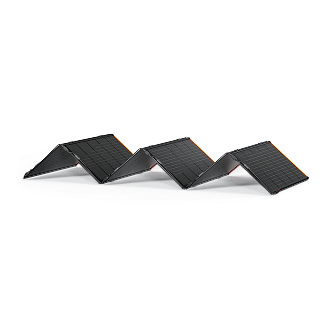
SolarSaga 500 X

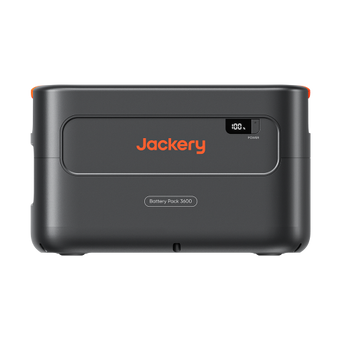
Battery Pack 3600
Tech Specs
What's in The Box

HomePower 3600 Pro Max
X1
AC Charging Cable
X1




User Manual
[1] When connected to the exsiting Maunal Transfer Switch, Jackery Automatic Transfer Switch or Jackery Smart Transfer Switch, the 3600 Pro Max supports automatic backup power. A single unit provides automatic backup of up to 2,000W at 120V and 4,000W at 240V, while a parallel setup doubles output to 4,000W at 120V and 8,000W at 240V.
[2] The 30dB noise level is measured at a distance of 1 meter while operating in Quiet Mode.
[3] 1.3 hours is achieved by wall charging using the optional 40A fast charging cable.
[4] Based on a configuration of 1 main unit and 5 expansion batteries, this estimated annual savings is achieved using Time-of-Use mode, calculated at California electricity rates.
[5] Based on a daily cycle of one charge and discharge, the 6,000-cycle battery cells are projected to last 16 years.
[6] Cost savings are calculated based on the average purchase and installation price variance between ATS and MTS in the US. Time savings reflect the average difference in installation duration between the two systems.
[7] "Support for high-power-draw devices" refers to adding heavy-duty 240V appliances—such as high-capacity air conditioners, clothes dryers, and water heaters—on top of the equipment already covered by "Flexible backup power for multiple appliances." This solution is tailored for those who want their daily lives to carry on completely uninterrupted during a power outage.
[8] Flexible backup power for multiple appliances includes additional cooking appliances (such as microwaves, electric kettles, and coffee makers) and climate control devices (such as window air conditioners) on top of the devices covered by Basic home power protection. This is better suited for users seeking a certain quality of life during a power outage.
[9] Basic home power protection refers to the backup power duration reference for a mix of multiple devices based on a power consumption model. In this model, based on common household electricity habits, refrigerators, freezers, Wi-Fi, and lights are classified as long-term appliances, while cell phones and computers are classified as intermittent appliances.
[10] 3 years free standard warranty, 2 years extension ONLY at Jackery.com. To activate the 2-year warranty extension, you must register your product online or contact our customer service team at hello@jackery.com to extend.
[11] EV Charging: Jackery Grounding Adapter Recommended.
[2] The 30dB noise level is measured at a distance of 1 meter while operating in Quiet Mode.
[3] 1.3 hours is achieved by wall charging using the optional 40A fast charging cable.
[4] Based on a configuration of 1 main unit and 5 expansion batteries, this estimated annual savings is achieved using Time-of-Use mode, calculated at California electricity rates.
[5] Based on a daily cycle of one charge and discharge, the 6,000-cycle battery cells are projected to last 16 years.
[6] Cost savings are calculated based on the average purchase and installation price variance between ATS and MTS in the US. Time savings reflect the average difference in installation duration between the two systems.
[7] "Support for high-power-draw devices" refers to adding heavy-duty 240V appliances—such as high-capacity air conditioners, clothes dryers, and water heaters—on top of the equipment already covered by "Flexible backup power for multiple appliances." This solution is tailored for those who want their daily lives to carry on completely uninterrupted during a power outage.
[8] Flexible backup power for multiple appliances includes additional cooking appliances (such as microwaves, electric kettles, and coffee makers) and climate control devices (such as window air conditioners) on top of the devices covered by Basic home power protection. This is better suited for users seeking a certain quality of life during a power outage.
[9] Basic home power protection refers to the backup power duration reference for a mix of multiple devices based on a power consumption model. In this model, based on common household electricity habits, refrigerators, freezers, Wi-Fi, and lights are classified as long-term appliances, while cell phones and computers are classified as intermittent appliances.
[10] 3 years free standard warranty, 2 years extension ONLY at Jackery.com. To activate the 2-year warranty extension, you must register your product online or contact our customer service team at hello@jackery.com to extend.
[11] EV Charging: Jackery Grounding Adapter Recommended.
[1] When connected to the exsiting Maunal Transfer Switch, Jackery Automatic Transfer Switch or Jackery Smart Transfer Switch, the 3600 Pro Max supports automatic backup power. A single unit provides automatic backup of up to 2,000W at 120V and 4,000W at 240V, while a parallel setup doubles output to 4,000W at 120V and 8,000W at 240V.
[2] The 30dB noise level is measured at a distance of 1 meter while operating in Quiet Mode.
[3] 1.3 hours is achieved by wall charging using the optional 40A fast charging cable.
[4] Based on a configuration of 1 main unit and 5 expansion batteries, this estimated annual savings is achieved using Time-of-Use mode, calculated at California electricity rates.
[5] Based on a daily cycle of one charge and discharge, the 6,000-cycle battery cells are projected to last 16 years.
[6] Cost savings are calculated based on the average purchase and installation price variance between ATS and MTS in the US. Time savings reflect the average difference in installation duration between the two systems.
[7] "Support for high-power-draw devices" refers to adding heavy-duty 240V appliances—such as high-capacity air conditioners, clothes dryers, and water heaters—on top of the equipment already covered by "Flexible backup power for multiple appliances." This solution is tailored for those who want their daily lives to carry on completely uninterrupted during a power outage.
[8] Flexible backup power for multiple appliances includes additional cooking appliances (such as microwaves, electric kettles, and coffee makers) and climate control devices (such as window air conditioners) on top of the devices covered by Basic home power protection. This is better suited for users seeking a certain quality of life during a power outage.
[9] Basic home power protection refers to the backup power duration reference for a mix of multiple devices based on a power consumption model. In this model, based on common household electricity habits, refrigerators, freezers, Wi-Fi, and lights are classified as long-term appliances, while cell phones and computers are classified as intermittent appliances.
[10] 3 years free standard warranty, 2 years extension ONLY at Jackery.com. To activate the 2-year warranty extension, you must register your product online or contact our customer service team at hello@jackery.com to extend.
[11] EV Charging: Jackery Grounding Adapter Recommended.
[2] The 30dB noise level is measured at a distance of 1 meter while operating in Quiet Mode.
[3] 1.3 hours is achieved by wall charging using the optional 40A fast charging cable.
[4] Based on a configuration of 1 main unit and 5 expansion batteries, this estimated annual savings is achieved using Time-of-Use mode, calculated at California electricity rates.
[5] Based on a daily cycle of one charge and discharge, the 6,000-cycle battery cells are projected to last 16 years.
[6] Cost savings are calculated based on the average purchase and installation price variance between ATS and MTS in the US. Time savings reflect the average difference in installation duration between the two systems.
[7] "Support for high-power-draw devices" refers to adding heavy-duty 240V appliances—such as high-capacity air conditioners, clothes dryers, and water heaters—on top of the equipment already covered by "Flexible backup power for multiple appliances." This solution is tailored for those who want their daily lives to carry on completely uninterrupted during a power outage.
[8] Flexible backup power for multiple appliances includes additional cooking appliances (such as microwaves, electric kettles, and coffee makers) and climate control devices (such as window air conditioners) on top of the devices covered by Basic home power protection. This is better suited for users seeking a certain quality of life during a power outage.
[9] Basic home power protection refers to the backup power duration reference for a mix of multiple devices based on a power consumption model. In this model, based on common household electricity habits, refrigerators, freezers, Wi-Fi, and lights are classified as long-term appliances, while cell phones and computers are classified as intermittent appliances.
[10] 3 years free standard warranty, 2 years extension ONLY at Jackery.com. To activate the 2-year warranty extension, you must register your product online or contact our customer service team at hello@jackery.com to extend.
[11] EV Charging: Jackery Grounding Adapter Recommended.
Mixed customer feedback on this power station. Customers said it "worked great" for sump pumps and refrigerators when tested. However, significant delivery issues reported including slow piecemeal shipping, late arrivals (almost a month), and poor placement. Customer service unable to provide shipping updates. Product performance positive for those who received it.
R
After spending 46 hours without power during the July 4th holiday limping along with a gas generator that could not meet our needs I started looking for a reliable power system to power critical loads in our home for an extended period.
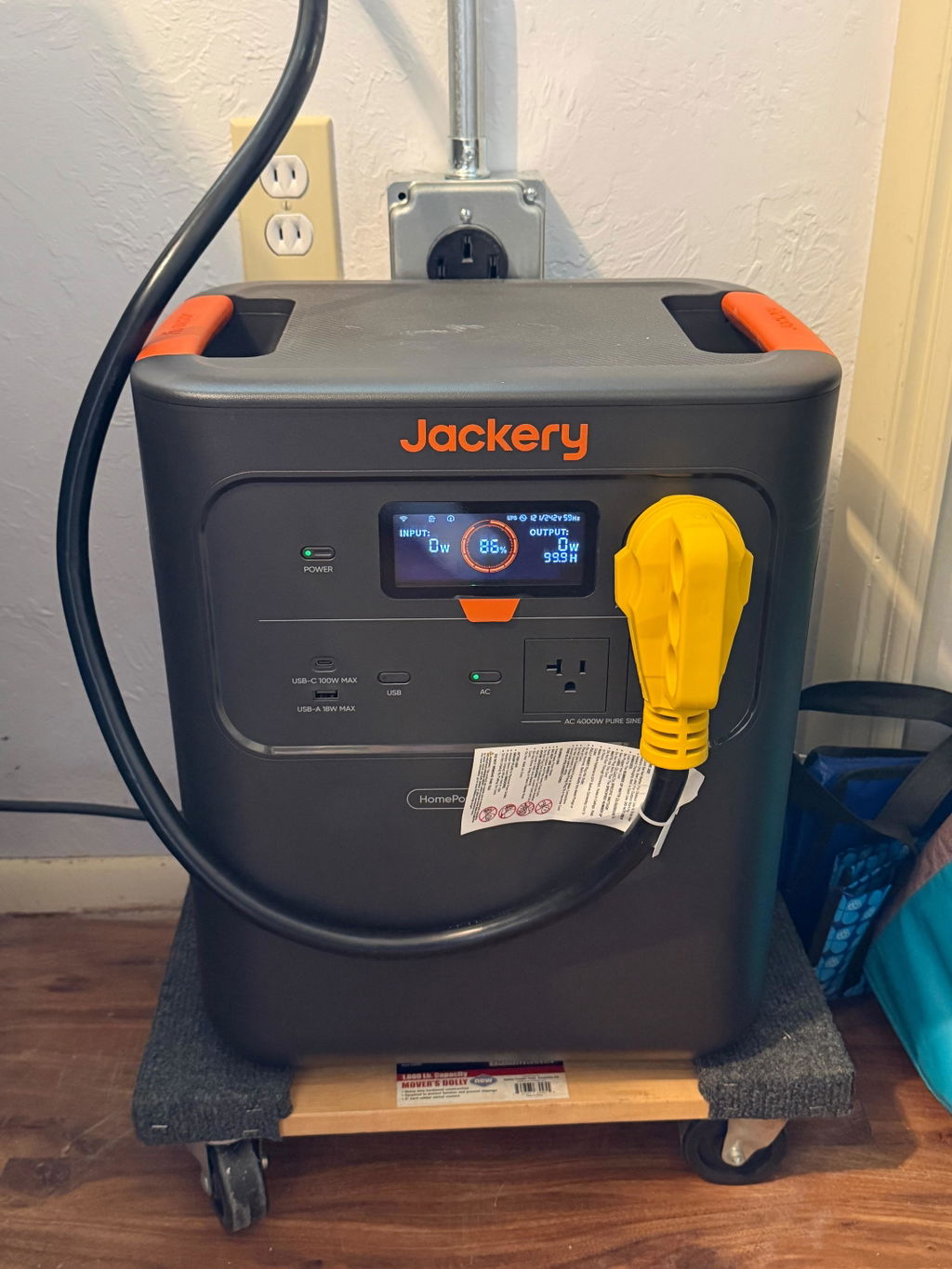
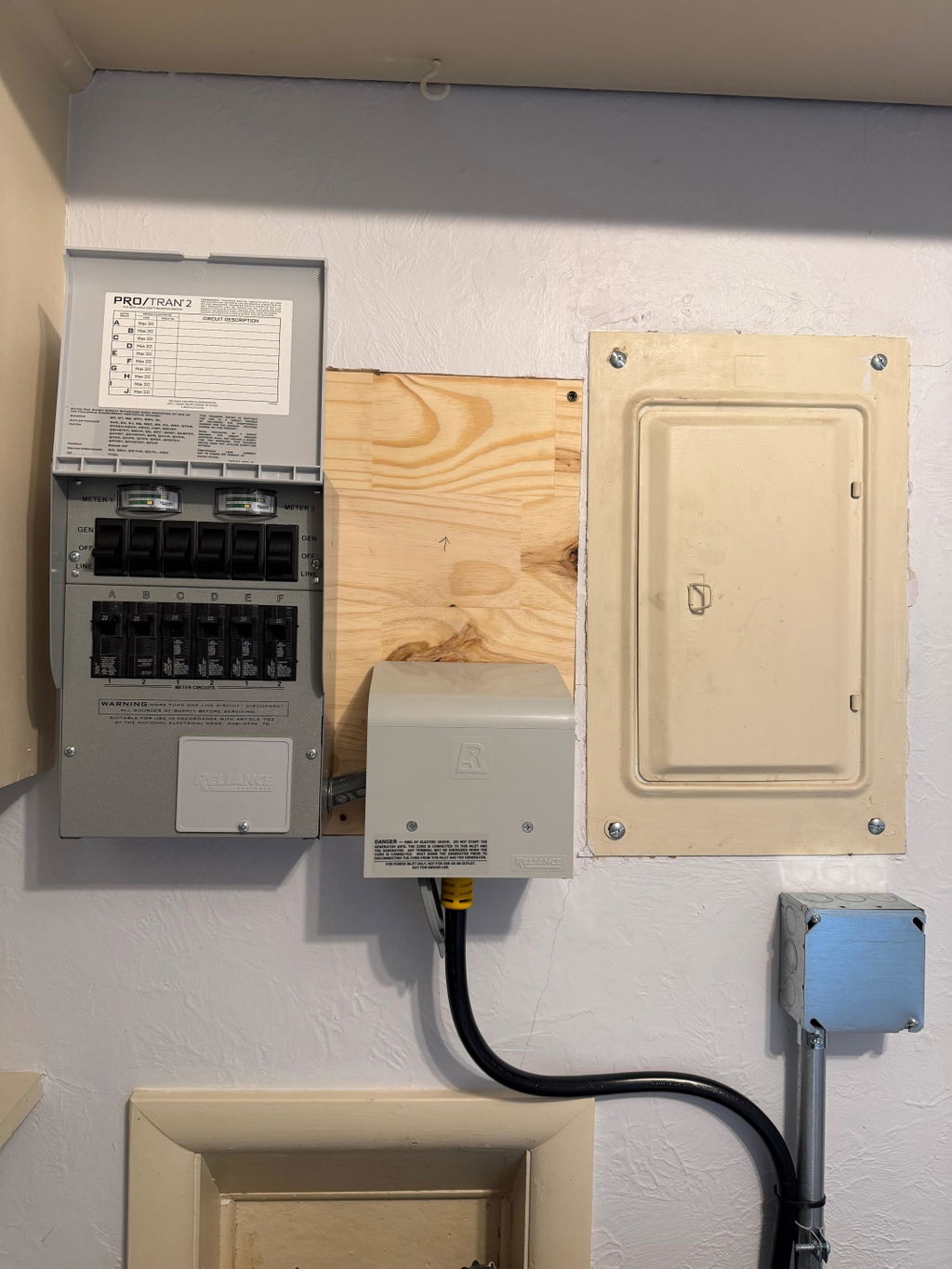
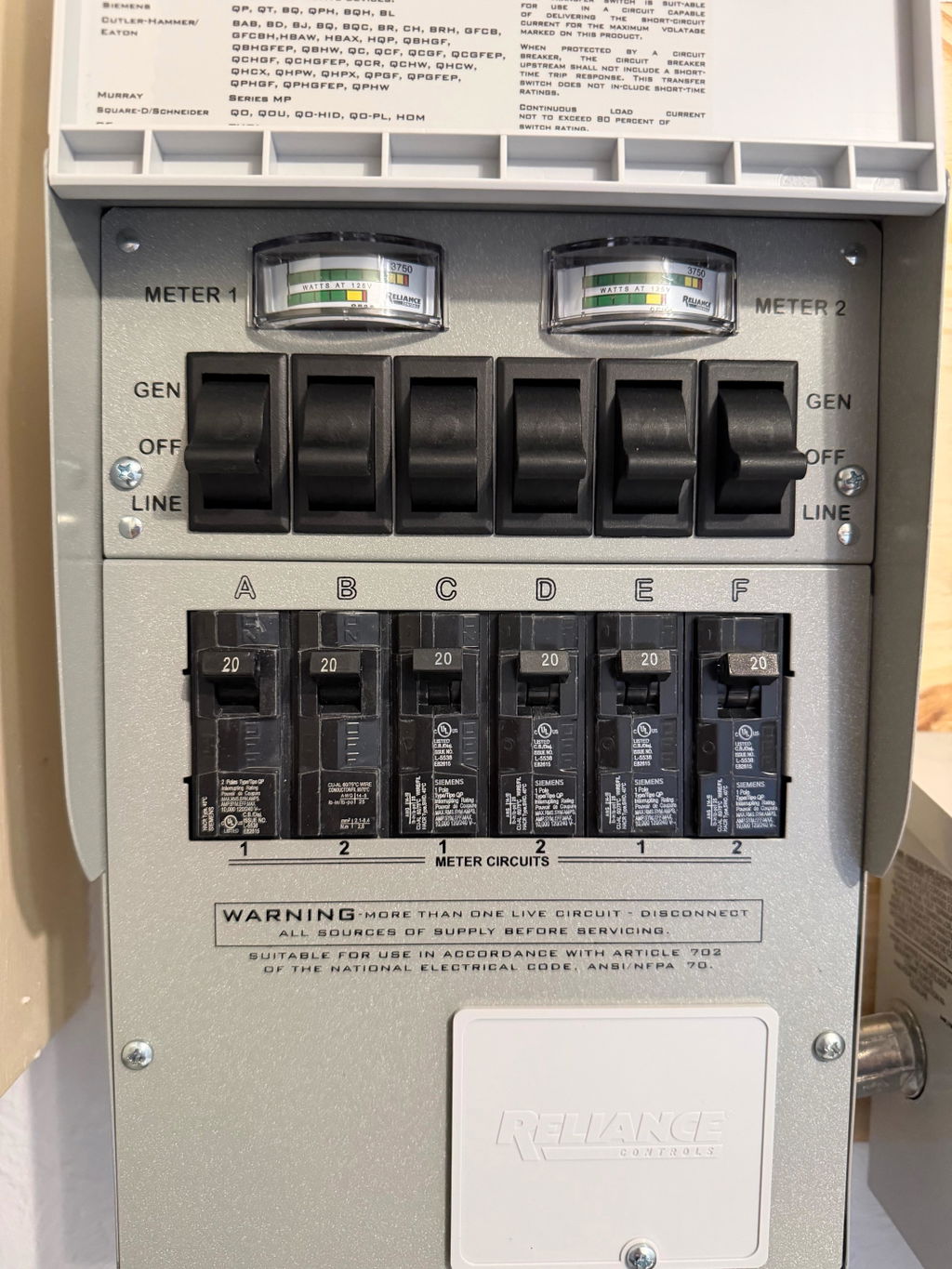
The relatively new Jackery 3600 Pro Max is a system targeting home power backup. The system can carry both 240v & 120v loads, provides USB outlets, and is compatible with manual transfer switches and Jackerys ATS. The Jackery 3600 Pro Max acts as an auto-transfer system when connected with a manual transfer switch. The system supports additional batteries to extend supply during an outage.
During an outage I will power six critical loads and plan on charging the Jackery 3600 Pro Max daily as needed. I have tested the system by failing grid power and the Jackery 3600 Pro Max kept power to my critical loads perfectly.
I will add additional batteries in the future and may add a Jackery 5000 Solar Generator to my house as well.
R
I am not an electrician so I have been doing a lot of research on all of the expensive modular pieces that can go into a Jackery system.
It has been 30 years since last I installed a solar system.
I like that the inverter, controller and battery are now a single unit. Awesome.
I like the modular peices
I do not like the pricing. The Jackery stuff may make things simple to assemble but that comes at a premium price.
Perhaps it would have been best if I had called a sales rep and explained my needs. That way I could have seen the enormous price tag for the entire system requirements.
Still cheaper than what we used to install.
So I have received several requests for a review.
I am still waiting my 240V cord to install a manual transfer switch. The one from jackery is too expensive.
When I get my well running I will edit this post.
P.S
I have run across discount codes in doing research. That would have been nice to know prior to ordering.
UPDATE : Jackery was kind enough to send me an $80.00 U.S refund/discount.
I would definitely call a sales rep to assist in your ordering. Be prepared with a list of your load requirements and overall wants from your system
Thank you Jackery.
T
Easy to use. Very quiet! Love it so far!
j
For a medium size home around 1250 sq. ft. The 3600 Pro Max is ideal for backup power and it may also be used power for the house off grid.
S
HomePower 3600 Pro Max
D
HomePower 3600 Pro Max
R
Wouldn’t know. I haven’t been able to interconnect my Jackery system until Jackery figures out what are all the correct connections and cables needed. So far, Jackery is not scoring very high for equipment knowledge and being able to understand the statements and pictures I have sent. If you are going to sell new items, you need to insure you list everything that is or might possibly be used to interconnect that equipment. As the customer, I should not be the one to point out deficiencies and correct incorrect equipment connections.
G
Just got another piece this week. Really slow piecemeal shipping.
Customer service could tell when anything was getting shipped.
E
Great to have lfp battery rather than Lithium. Battery is easy to maneuver with the carry handle and operate with display or App. Still have to connect it to the main panel with my electrician to see how well the install instructions and operations work. Difference of auto panel to manual switch operation seems to be explained ok. Since the manual switch was the only available for sale went with that option with extra cable. May try add on battery packs in future
A
So far I charged it up tested it for what my main concern was a sump pump and refrigerator it worked great didn't get to try out the solar panels yet but so far so good T Y
W
Delivery was almost a month late. Then it was delivered to my side entry garage even after I complained about the extra battery also being delivered there. I have a circular driveway adjacent to my front door where Amazon and others make deliveries almost daily.
N
Jackery HomePower 3600 Pro Max
S
So far it's really great. We have tried charging with the solar panels and even on a coudy day we had good charging.
It's really holding the charge too.
The only drawback is that it is not on wheels, but we have it on a platform with wheels so we can move it as needed.
We're really glad we have it!
A
Pleased so far except my unit does not have wheels nor a telescopic handle. Several pics that I saw when I ordered mine, showed my model having both.
P
Jackery HomePower 3600 Pro Max
A
This is much better than my delta 2. The software is much better, the 10ms transfer is quick enough to not trip my connected sources, and the app actually works.
K
How to check the battery life on my smart phone?
Hi Kelvin,
Thank you for reaching out! If you are looking to check the battery information for your Jackery unit using your smartphone, you can easily do that by downloading and connecting to the Jackery app.
Through the app, you can view the current battery level (the real-time charge percentage) of your power station. However, if you are looking to check the overall battery health or the number of charging cycles the unit has gone through over its lifespan, we do not currently have a feature in the app that displays that specific information.
If you have any other questions, feel free to let me know. Wishing you a wonderful day!
Best Regards,
J
Can i put in my motorhome bay ,and use it out of the bay ? Does it have to stay cool and dry or is it a all weather we do alot of boon docking so we are in the heat cold,wet,dry how do you store it?
Thank you for contacting Jackery.
1. Outdoor use and motorhome bay use
Yes. Jackery power stations can be used outdoors. However, most Jackery portable power stations are not waterproof, as the outlets and ventilation ports are exposed and should be kept away from water.
To avoid damage, we do not recommend using the power station in rainy or wet conditions. Always keep the unit dry and protected from water exposure.
2. Heat, cold, wet, and dry conditions
Please use within the specified temperature ranges:
Output operating temperature: -10°C to 40°C
Charging temperature: 0°C to 40°C
Storage temperature: 10°C to 40°C
3. Storage precautions
If you are preparing for emergencies or will not use your Jackery portable power station for an extended period, please follow these precautions:
1. Do not store the battery at 0% charge
Leaving the battery fully discharged for a long time can cause rapid degradation and may make it impossible to recharge.
2. Store with battery level around 80%
It is recommended to keep the remaining battery capacity above 80% during storage.
3. Check the unit periodically
Power on and check the device approximately once every three months.
4. Store in a cool, dry place
Avoid high temperatures and direct sunlight.
5. Avoid long-term storage in vehicles
Interior car temperatures in summer may exceed the recommended storage range.
6. Protect from water, dust, and humidity
Jackery products are not fully waterproof or dustproof. Do not charge, use, or store the unit in dusty, wet, or high-temperature/high-humidity environments.
Thank you for your cooperation.
Kind regards,
Jackery
K
Can the 3600 version be used to for a gas fire place? The fireplace unit uses a standard wall plug for power to ignite and run the blower fan while operating.
Dear customer,
Thank you for reaching out.
If your gas fireplace is powered through a standard 120V wall outlet and uses electricity only for ignition and the blower, the HomePower 3600 Plus can provide AC power for it, provided that the fireplace's power requirements are within the unit's output specifications.
The HomePower 3600 Plus provides 120V/60Hz pure sine wave AC output, with a rated output of up to 3600W and a peak output of up to 7200W.
For safety, please check the fireplace's rated power or power consumption before connecting it to the HomePower 3600 Plus.
Could you please provide the following information?
The rated wattage of your gas fireplace.
The startup/surge power, if available.
The expected runtime you would like to achieve during a power outage.
Once we have this information, we can better evaluate whether the HomePower 3600 Pro Max would be suitable for your setup.
Thank you for your cooperation. We look forward to assisting you further.
Best regards,
B
Can this fast charge a tesla? Does it fit in a model 3 trunk? Can it be charged via solar panel?
Dear customer,
Thank you for your questions.
For charging an electric vehicle such as a Tesla, please note that the vehicle requires ground detection for safety. The Jackery Explorer 3600 Pro Max can support EV charging when used together with a proper grounding adapter.
Regarding the size, the dimensions of the unit are:
14.76 x 10.83 x 17.72 in (37.5 x 27.5 x 45.0 cm)
You may compare these measurements with your Tesla Model 3 trunk space to confirm whether it will fit.
Yes, the unit can also be charged via solar panels. It uses DC8020 input ports with the following solar input specifications:
DC Input: 2 × DC8020 Ports
12–16V: 8A Max (combined)
16–60V: 12A Max per port, up to 24A combined
1200W Max solar input
Please feel free to let us know if you have any other questions. We’ll be happy to assist.
Best regards,
A
Can this unit be used as a true UPS for computers? Meaning, a computer would always be plugged to the unit for the uninterrupted power during the outages.
Hi Alexander,
Thank you for reaching out.
Yes, the HomePower 3600 Plus supports UPS functionality, so a computer can remain connected to the unit and receive uninterrupted power during an outage.
Sub-10ms UPS-style switching - fast enough that computers, routers, and other sensitive electronics keep running without restarting or losing unsaved work during a blink or outage
Please note: This function is not a 0 ms (no interruption) switching UPS. Do not connect devices that require a true uninterruptible power supply, such as data servers or workstations.
We hope the above information will be helpful to you.
If you have any further questions, please feel free to contact us again.
Best regards,