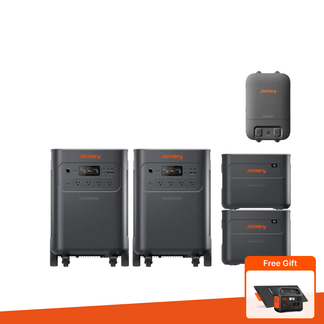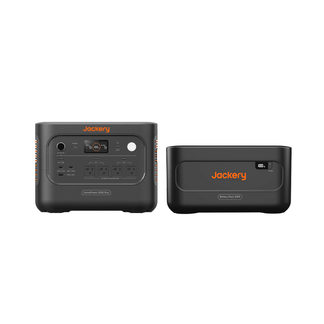











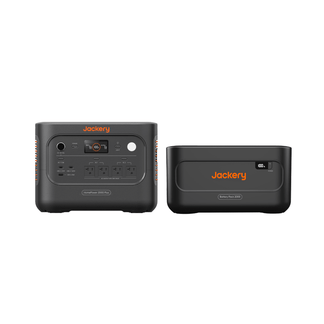








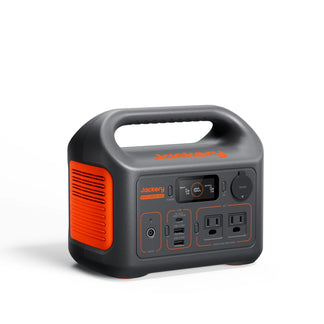




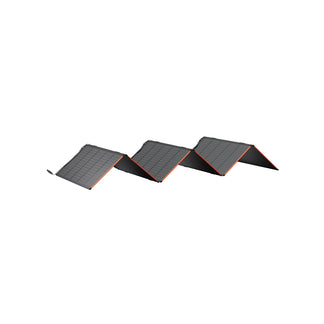





Jackery Explorer 5000 Plus (10kWh)

$5,699.00 $7,999.00 $2,300 OFF
  • Image Red Dot Design Award
  • Image A’ Design Award
  • No More Spoiled Food or Wet Clothes Even During Hurricanes, Thunderstorms, and Blackouts: 5-60kWh capacity & 7200-14400W output supports multiple devices for up to 30 day
  • Your Fridge Stays Cold, Your Zoom Call Stays On: 0ms Power Transition, Zero Worries
  • Always Power Your Essential Rooms: Smart Transfer Switch Ensures Uninterrupted Power Where It Matters Most, Learn More >
  • From Indoors to Outdoors: 120V/240V Dual Voltage Enhances Compatibility, Supporting More Loads and More Scenarios
  • Fully Charged in 1.7 Hours: 4000W Solar Input, 5 Ways to Charge, Never Run Out of Power
  • Learn more about Jackery Explorer 5000 Plus>

  • 5040 Wh Capacity
  • 7200W Output
  • 10+ Years of Use
Select Option
Image

Free Gift: 2-Year Extended Warranty ($350 Value)

  • Image 5+2 Years Warranty ONLY at jackery.com
  • Image 2-5 Business Days Free Shipping
  • Image 30-Day Money Back Return
  • Free Shipping on All Products | 2-Day Delivery

    Order by 7 AM (PDT) to enjoy 2-Day Delivery in select cities across 36 states.

Special Add-Ons

  • [Add-on] Solar Generator 1000 V2 | 100W Mini

    $599.00 $999.00

  • Explorer 300D Portable Power Station(Explorer 300D Portable Power Station)

    $179.00 $219.00

  • [Add-on] Battery Pack 5000 Plus

    $2,299.00 $2,999.00

  • [Add-on] SolarSaga 500 X

    $799.00 $999.00

  • [Add-on] Smart Transfer Switch

    Smart automatic backup for your home circuits.

    $999.00 $1,699.00

  • [Add-on] Manual Transfer Switch (240V 50A) for Explorer 5000 Plus

    Connect to your home grid to power your circuits.

    $550.00

  • 2-year Extended Warranty Fee for Explorer 5000 Plus

    $350.00

  • Explorer 5000 Plus Protective Cover

    $99.99

  • 10m DC Extension Cable Plus

    $59.00

  • Power Input/Output Cable

    $149.00

  • 2-year Extended Warranty Fee for Battery Pack 5000 Plus

    $250.00

  • 2-year Extended Warranty Fee for Smart Transfer Switch

    $230.00

  • Anderson Connector & Cable(Anderson Y Parallel Connector)

    $39.00

  • Anderson Connector & Cable(Anderson Y Series Connector)

    $39.00

Got Questions? Call our Power Experts (Mon-Fri, 5:30 AM - 5:00 PM PST)

1-888-787-1654
  • Worry about installation?

  • Explorer 5000 Plus + Battery Pack 5000 Plus
  • Explorer 5000 Plus + SolarSaga 500 X x 2
  • Explorer 5000 Plus
  • Explorer 5000 Plus + SolarSaga 500 X x 2 + Smart Transfer Switch
$5,699.00 $7,999.00 $2,300 OFF

Dependable.

Scalable.

Image
Image
Image
POWER YOUR COZY HOME
Supporting 99% Home Devices*
* Figures shown are estimates; actual usage varies.

Get Your Estimated Runtime

Input power does not exceed the maximum AC output of Explorer 5000 Plus

Input Your Appliances Wattage
Device:
W
Add More Device
Calculate
Runs for:
00
hrs
Note: This is a calculation for reference. Please take the actual use for accuracy.
Powerful in Both Ways
PEACE OF MIND
When Connect to Transfer
Plug & Play

Instant Circuits-Level Backup

Smart App Control

Scalable

Affordable

Plug & Play

Dependable

Smart App Control

Comfort without Compromise

Fit Your Lifestyle

Plug-and-play backup power to keep your essentials running during outages.
Basic
Jackery Explorer 5000 Plus Portable Power Station
Explorer 5000 Plus
$2,899.00 $4,299.00
Image

Included
1 x Explorer 5000 Plus
1 x AC Charging Cable
1 x MC4 Wrench

Pair with solar panel for daytime solar top-ups, extending backup power.
Recommended
Jackery Solar Generator 5000 Plus - Jackery
Explorer 5000 Plus + SolarSaga 500 X x 2
$4,299.00 $5,699.00
Image

Included
1 x Explorer 5000 Plus
1 x AC Charging Cable
1 x MC4 Wrench
2 x SolarSaga 500 X

Combine circuit-level backup with solar energy for independent power.
Complete
Jackery Solar Generator 5000 Plus - Jackery
Explorer 5000 Plus + SolarSaga 500 X x 2 + Smart Transfer Switch
$4,999.00 $6,499.00
Image

Included
1 x Explorer 5000 Plus
1 x AC Charging Cable
1 x MC4 Wrench
1 x Smart Transfer Switch
2 x SolarSaga 500 X

*Figures shown are estimates; actual usage varies.

CERTIFIED SAFE.

TRUSTED POWER.

Product Image

ChargeShield™ 2.0

The Safest Power Yet

Engineered with ceramic battery cells tested up to 302 °F and strong performance down to -4 °F, Jackery stays safe in any climate.

Surge protection up to 2000 V and UL-certified fire safeguards keep your home protected.

LiFePO₄

A durable 4,000-cycle battery designed for up to 10 years of reliable use, supported by a 5-year warranty for added peace of mind.

5-Year Warranty

You’ll receive a full 5-year warranty, available exclusively when you buy directly from Jackery.com.

5 Ways To

RE-CHARGE 5000 PLUS

Choose Your Homepower

Additional
Jackery Explorer 5000 Plus (10kWh) - Jackery
Explorer 5000 Plus + Battery Pack 5000 Plus
$5,699.00 $7,999.00
Recommended
Jackery Explorer 5000 Plus (10kWh) - Jackery
Explorer 5000 Plus + SolarSaga 500 X x 2
$4,299.00 $5,699.00
Basic
Jackery Explorer 5000 Plus (10kWh) - Jackery
Explorer 5000 Plus
$2,899.00 $4,299.00
Complete
Jackery Explorer 5000 Plus (10kWh) - Jackery
Explorer 5000 Plus + SolarSaga 500 X x 2 + Smart Transfer Switch
$4,999.00 $6,499.00
Image
*Figures shown are estimates; actual usage varies.

Are Your Solar Panels Compatible?

To maximize the power output of the SolarSaga 500X, please do not connect more than six 85W solar panels in parallel to a single DC8020 input port.

Choose Your Solar Panel Type
Number of Solar Panels
Is it Compatible?

YES

Mixing different models of solar panels is not recommended. When connecting more than two solar panels simultaneously, the Jackery Solar Panel Connector is required.

Compare with Others

General
*Figures shown are estimates; actual usage varies.

Use our guide to find the right fit

Help Me Select

PRODUCT DETAILS

Ports and Dimensions

Tech Specs

What's in The Box

User Manual

FAQ

About 5000 Plus
About Solar Panel
About Battery Pack 5000 Plus
About Smart Transfer Switch
About Installation
  • Can the E5000 Plus be used in parallel with the E2000 Plus, E1000 Plus, or their additional power packs simultaneously?

    No, they are distinct products with varying voltage, current, and power specifications, rendering them incompatible for simultaneous parallel use.

  • Does the E5000 Plus support compatibility and connection with the E2000 Plus and similar models?

    The E5000 Plus and E2000 Plus can charge each other by connecting each unit's AC input to the other’s AC output.

  • Can the E5000 Plus be used in parallel with other Jackery products that support parallel usage? Can products from other brands be used in parallel with Jackery products?

    The E5000 Plus supports parallel usage of two E5000Plus units via STS. It does not support parallel usage with other Jackery power station products or with products from other brands.

  • How would I integrate the E5000 Plus into my existing system? Can the E5000 Plus be connected to our home circuit system and work as UPS?

    Yes, E5000 Plus supports connecting to your home circuit system and you can insert it into by TS/Inlet box/STS.If the E5000 Plus is solely connected to home circuits and the Online UPS mode is selected in the APP, it will immediately power on upon detecting a power outage. If the E5000 Plus is connected to the Jackery Smart Transfer Switch, the response time in the event of a power failure will be 20 milliseconds due to the Transfer Switch's capabilities.

  • Is the E5000 Plus expandable? How to increase the capacity of the E5000 Plus?

    The Jackery E5000 Plus is expandable, offering an initial 5kWh. Connecting one 5000 Plus unit with a E5000 Plus Battery Pack provides 10kWh, expandable up to 5 Battery Packs for a total of 30kWh. With two E5000 Plus units and 10 Battery Packs, you can reach a maximum of 60kWh. Please look up the maximum capacity allowed in your jurisdiction prior to ordering.

  • Is the exterior material fireproof? What is the fire-proof level?

    It uses the highest 94V-0 fireproof material required by American UL

  • Why can't the 5000 Plus charge via AC input?

    When connected to the STS, the 120V AC input cannot be used to charge the E5000 Plus.

  • How long can the 5000 Plus power common household appliances?

    The runtime of the Jackery 5000 Plus depends on the power consumption of the appliances being used.

    For example, a 170L household refrigerator (15–520W) can run for approximately 8 hours in freezing mode and up to 110 hours in insulation mode. A compact refrigerator (90W) can operate for about 26 hours.

    A central air conditioner (2200–3050W) can run for around 2 hours in cooling mode and 1.7 hours in heating mode, while a wall-mounted AC unit (900W) can run for about 4.5 hours.

    These figures are based on Jackery lab tests and may vary depending on the actual power draw of the appliances and environmental conditions. The data is for reference only.

  • Can the Explorer 5000 Plus be connected to third-party solar panels, generators, or fuel-powered devices?

    Yes, the Explorer 5000 Plus can be connected to third-party solar panels or fuel-powered generators, provided they meet the required input interface and connection standards. For safe and efficient operation, please ensure the voltage, current, and connector type are compatible with the Explorer 5000 Plus. Detailed input specifications can be found in the product’s technical parameters.

    While third-party access is possible, Jackery recommends using official accessories to ensure optimal performance and maintain warranty coverage.

  • Can I use this power station with medical devices, life-support equipment, business-critical systems, or other essential equipment?

    For safety reasons, Jackery portable power stations are not recommended for use with medical devices, life-support equipment, data servers, or other applications where a power interruption could result in personal injury, loss of life, or significant property damage.

    We do not recommend using this product to power equipment such as:

    Medical devices or any equipment related to life support or personal safety.

    Critical public infrastructure or public service equipment.

    Business-critical equipment, including data servers and other systems that require uninterrupted power.

    Any other equipment where a power interruption could lead to serious safety risks or significant property damage.

    Although Jackery products are designed to provide reliable power, interruptions may occur due to battery depletion, overload protection, environmental conditions, or other unexpected factors. For this reason, we do not recommend using the product for life-critical, safety-critical, or mission-critical applications.

    In addition, individuals with an implanted cardiac pacemaker or other implanted medical devices are advised not to use this product, as stated in our safety instructions.

    For your safety, we do not recommend using Jackery products for any of the applications listed above.

  • Is E5000 Plus compatible with all the Jackery Solar Panels?

    The charging port of the E5000 Plus has dimensions of 8020, making it compatible with all the solar panels we currently have on sale. If you have older versions of solar panels with capacities of 60W/100W/200W, you will need to use a 7909-to-8082 adapter.

  • Can the Explorer 5000 Plus be used with outdoor solar panels while the main unit stays indoors? Are extended cables available, and is there a recommended length limit?

    Yes, you can extend the connection indefinitely by purchasing the Jackery 5M DC extension cable, though longer connections may reduce solar charging efficiency.

  • Can the E5000 Plus Battery Pack charge my device separately?

    No, the Battery Pack need to be connected to the E5000 Plus power station for charging.

  • Can I use this power station with medical devices, life-support equipment, business-critical systems, or other essential equipment?

    For safety reasons, Jackery portable power stations are not recommended for use with medical devices, life-support equipment, data servers, or other applications where a power interruption could result in personal injury, loss of life, or significant property damage.

    We do not recommend using this product to power equipment such as:

    Medical devices or any equipment related to life support or personal safety.

    Critical public infrastructure or public service equipment.

    Business-critical equipment, including data servers and other systems that require uninterrupted power.

    Any other equipment where a power interruption could lead to serious safety risks or significant property damage.

    Although Jackery products are designed to provide reliable power, interruptions may occur due to battery depletion, overload protection, environmental conditions, or other unexpected factors. For this reason, we do not recommend using the product for life-critical, safety-critical, or mission-critical applications.

    In addition, individuals with an implanted cardiac pacemaker or other implanted medical devices are advised not to use this product, as stated in our safety instructions.

    For your safety, we do not recommend using Jackery products for any of the applications listed above.

  • How much does it cost for installation of the Smart Transfer Switch?

    The cost is typically 1500-2000 USD, but it may vary depending on your location and specific home conditions. For details, you can discuss with our certified installer after placing an order or consult a local electrician.

  • Does the Smart Transfer Switch accomodate more than one E5000 Plus?

    Yes, the Jackery Smart Transfer Switch supports connecting two Explorer 5000 Plus units in parallel, allowing for increased power capacity and redundancy in your home power system.

  • Why doesn't the E5000 Plus start charging immediately after connecting to the Smart Transfer Switch?

    By default, the Smart Transfer Switch automatically charges the E5000 Plus only when its battery level drops below a preset value. To charge immediately, please use the app: App > Smart Transfer Switch > Power Station > Charge now. To change the default preset value, use the app: App > Smart Transfer Switch > Working Modes > Set Backup Reserve.

  • Why do some circuits not have power after the mains power is restored?

    After the mains power is restored, the circuits that were disconnected based on backup power priority during the outage will not be automatically turned on to reduce the risk of electric shock. Customers need to manually turn on the disconnected circuits.

  • Can I use my own electrician or by myself?

    Yes, you may use your own certified electrician, or handle the STS installation yourself (if you are certified), at your own expense. We highly recommend contacting Jackery for training and certification before proceeding with the installation. You can also refer to the STS User Guide, FAQs, and installation videos available on our website.

  • I’ve completed the STS Installation Request Form and contacted the installation company but haven’t received a response. What should I do?

    Ensure that the email and phone number you provided are correct. Also, check your Spam folder. If you still don’t receive a response, contact the installation company or Jackery again. A representative will reach out to you.

  • What information do I need for my installation?

    Jackery or a third-party company will send you a STS Installation Request Form to begin the installation process. You should prepare your order information, contact information including your email, phone number and address for the installation.

  • Who should I contact for my installation—Jackery or a third-party company?

    If you choose to use Jackery’s resource for your installation, please fill out the online STS Installation Request Form or contact our Customer Service at hello@jackery.com or 888.502.2236. STS Installation Request Form link: https://docs.google.com/forms/d/1ZIFnrwCOq6X9QsRPvP_VyLhHgLE5IyzM4wMMFVOgBD8/viewform?edit_requested=true

  • What should the electrician do if the on-site conditions differ from expectations?

    The electrician should immediately contact both the customer and the installation company to discuss solutions and adjust the installation plan accordingly.

  • What should I do if I have concerns or I'm dissatisfied with the quote?

    The customer can discuss the details of the quote with the electrician or the installation company to seek reasonable adjustments.

  • What if the electrician is unable to provide service on time or cannot be contacted?

    The customer should contact Jackery or the installation company, who will assist in reaching the electrician or assign a new one.

  • The installation company scheduled an electrician for me, but I haven’t heard from them. What should I do?

    Check your Spam folder first. If there’s still no response, contact the installation company or Jackery again for assistance.

  • Does Jackery provide installation services for the STS?

    Jackery does not install the STS but we’ve partnered with third-party companies to provide installation services for U.S. customers in over 40 states.

  • Where Can I Find More Information About Installing the Jackery Smart Transfer Switch (STS)?

    If you need detailed guidance on installing the Jackery Smart Transfer Switch (STS), please visit installation service page at: https://www.jackery.com/pages/smart-transfer-switch-installation-service. This page provides service options, and additional support to ensure a smooth setup process.