



















































![[Add - on] Jackery Manual Transfer Switch for Explorer 5000 Plus - Jackery](http://www.jackery.com/cdn/shop/files/add-on-jackery-manual-transfer-switch-for-explorer-5000-plus-9017324.png?v=1754016782&width=350)















![[Add - on] Jackery Manual Transfer Switch for Explorer 5000 Plus - Jackery](http://www.jackery.com/cdn/shop/files/add-on-jackery-manual-transfer-switch-for-explorer-5000-plus-9017324.png?v=1754016782&width=324)


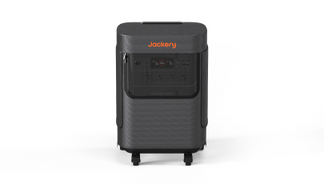
When a Jackery Portable Power Station doesn’t charge, it doesn't mean that the battery is damaged. Most charging problems are far more likely to come from the power source, the connection method, or the conditions under which the battery is being charged. These power stations are built with safety guidelines. If the incoming power doesn’t meet specific requirements, such as stable voltage, correct input range, or consistent flow, the battery backup simply refuses to charge.
This article walks through the most common charging problems related to a Jackery Portable Power Station and explains how to identify and easily fix them one by one. Each section focuses on a specific charging method, such as wall power, solar panels, or car outlets, so you can narrow down the cause and understand what the display, indicators, and input readings are actually telling you.
Takeaways
- Most Jackery charging issues are caused by unstable power sources, loose connections, or incompatible inputs.
- The input wattage on the display of the Jackery Portable Power Station is the most reliable way to confirm whether charging is actually happening.
- Wall charging problems usually come down to the adapter, cable condition, or wall outlet.
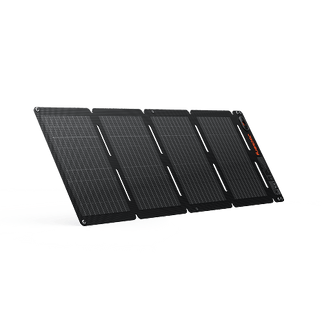
- Solar charging depends heavily on sunlight quality, panel angle, and the power station's compatibility with solar panels.
- Car charging is slow and may fail if the vehicle battery or outlet voltage is unstable.
Why is My Jackery Not Charging from Wall Power?
Charging from a wall outlet is the most stable and predictable way to power a Jackery Portable Power Station. That is why, when wall charging doesn’t work, you might assume something serious is wrong. In practice, wall-charging failures are usually caused by simple issues outside the power station itself.
For wall charging to work, three things must happen at the same time: the outlet must supply stable electricity, the AC adapter must convert that power correctly, and the Jackery Portable Power Station must recognize the input as safe and usable. If any one of these fails, charging will not start, even though the power station may look properly connected.
What Should I Check If the AC Adapter or Power Cord isn't Working?
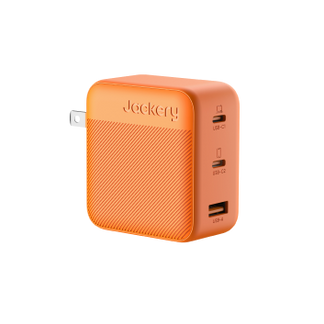
The first thing to verify is the AC adapter itself. Jackery Portable Power Stations are designed to work with specific voltage and current ranges. Using the original Jackery AC charging cable matters because it meets those requirements. Next, inspect the entire power cord and adapter carefully. Look for visible damage such as:
- Cracks or fraying along the cable
- Bent or loose connector pins
- Burn marks or discoloration near the plug
Even minor damage can interrupt power flow or cause the battery backup to reject the input.
If the AC adapter is working, you need to check the wall outlet. You can plug another device into the same wall outlet and confirm it works consistently. If the outlet is controlled by a wall switch, make sure it’s turned on.
Loose or unstable outlets can supply power intermittently, which prevents charging from starting. Finally, firmly reconnect the AC adapter to the Jackery Portable Power Station's input port. The connection should feel solid. If the plug is slightly loose, the display may show no input wattage at all.

Can a Faulty Internal Fuse or Power Brick Cause Charging Failure?
Yes, a faulty internal fuse or power brick can cause charging failure. However, this is far less common than cable or outlet issues. If you’ve confirmed that the wall outlet works, the power cord is undamaged, the adapter is correctly connected, and the Jackery Portable Power Station still shows 0W input, the issue may be inside the power brick itself.
Some signs of an internal adapter problem include the adapter staying completely cold while plugged in, producing no response across multiple outlets, or failing after a power surge or electrical fluctuation. These components are sealed and not designed for user repair. At this stage, troubleshooting should stop. This is the point where manufacturer support is required.
Why is My Jackery Not Charging with Solar Panels?
Solar charging is where most confusion happens. Many users assume that if the solar panels are in sunlight, charging should start automatically. However, solar charging depends on whether the solar panels are producing usable electrical input.
Jackery Portable Power Station will only accept solar input when the voltage and current fall within a specific range. If the input is too weak, unstable, or incompatible, the battery blocks charging to protect itself.
How Can I Tell If My Solar Panels Are Connected Correctly?
You can start by connecting the solar panel cables firmly to the input port of the Jackery Portable Power Station. The connectors should feel secure. Loose or partially inserted connectors are one of the most common reasons you see no charging activity.
Once connected, place the solar panels in direct sunlight before checking the display. Then look at the screen. If the solar panels are connected correctly and producing usable power, the Jackery Portable Power Station will show incoming wattage within a few seconds.
If the display shows 0W, the power station is not receiving usable solar input, regardless of how bright it looks outside.
Can Poor Sunlight or Weather Affect Solar Charging?
Yes, poor sunlight or weather can affect solar charging. Solar panels are extremely sensitive to conditions. Partial shade from trees, railings, or nearby buildings can drop output drastically. Thin cloud cover can reduce input below the minimum level required to start charging. Early morning and late afternoon sunlight may appear strong, but it often produces insufficient voltage.
Solar panel positioning also plays a major role. Panels that are lying flat or poorly angled may receive light, but not enough to generate stable power. For best results, solar panels should face the sun directly and be tilted so sunlight hits the surface as straight-on as possible. If the sunlight is inconsistent, the Jackery Portable Power Station may start and stop charging or show fluctuating input wattage.

Is My Solar Panel the Right Match for My Jackery Model?
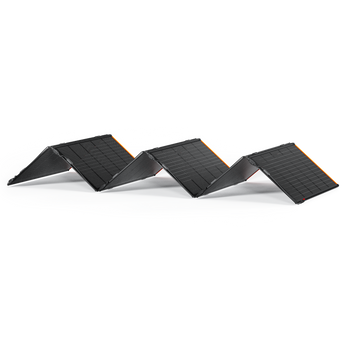
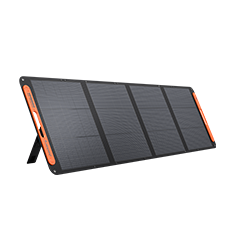
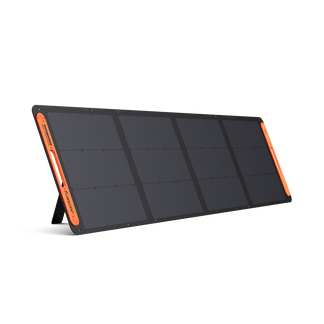
Not all the Jackery SolarSaga Solar Panels are compatible with all the Jackery Portable Power Stations. You need to carefully check if the solar panels are compatible with your power station to start charging and prevent any issues. You can read the detailed guide to understand which Jackery Solar Panels you should buy for your power station.
Why is My Jackery Not Charging from My Car Outlet?
Car charging behaves very differently from wall or solar charging. A car outlet does not provide continuous, high-capacity power. It supplies a limited, fluctuating voltage that depends entirely on the vehicle’s electrical system. Because of this, car charging is slower by design and more sensitive to interruptions. When a Jackery Portable Power Station fails to charge in a car, it’s usually reacting to unstable or insufficient input rather than malfunctioning.
What Car Charging Settings Should I Verify First?
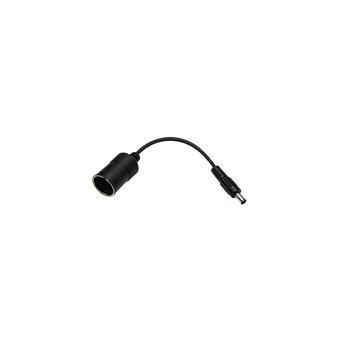
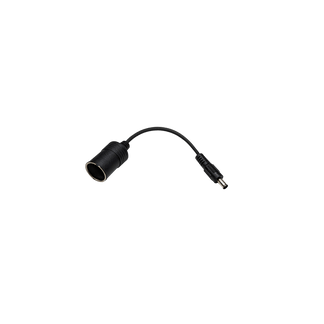
First, check whether your vehicle requires the engine or ignition to be on for the 12V outlet to work. Many cars cut power to the cigarette lighter when the engine is off. If the outlet isn’t supplying power, the Jackery Portable Power Station cannot charge.
Next, confirm the car outlet itself is working. Plug in another device, such as a phone charger, to make sure the port actually delivers power. Some older or frequently used outlets become loose over time, causing intermittent contact. Finally, make sure the car charging cable is fully inserted on both ends. The connection should feel secure.

Can a Weak or Unstable Car Battery Stop the Jackery from Charging?
Yes, a weak or unstable car battery can stop the Jackery Portable Power Stations from charging. If the car battery is weak, the voltage supplied to the outlet may drop below the minimum level required for charging. When that happens, the power station will block the input to avoid draining the vehicle battery or damaging its own charging system.
Some common signs of this issue include charging starting and stopping repeatedly, input wattage appearing briefly and then dropping to zero, and charging only working while the engine is actively running. This behavior is normal and protective. It doesn’t mean the Jackery Portable Power Station is faulty. It means the vehicle’s electrical system cannot provide a stable input at that moment.
Here is the table revealing the common issues related to the charging issues of the Jackery Portable Power Station and how to resolve them.
|
Problem |
How to Resolve |
|
Jackery not charging from wall outlet |
Check the wall outlet, use the original Jackery AC adapter, and make sure the cable is firmly connected. |
|
Jackery not charging with solar panels |
Place solar panels in direct sunlight, remove any shade, and confirm the connectors are fully seated. |
|
Solar panel not compatible with Jackery model |
Verify the panel’s wattage, voltage range, and connector compatibility for your specific Jackery product. |
|
Jackery not charging from car outlet |
Turn the vehicle ignition on and ensure the 12V outlet and charging cable are working properly. |
|
Jackery still won’t charge after basic checks |
Reset the power station once, and if charging doesn’t resume, contact Jackery support team. |
What Do the Jackery Input Indicators and Display Icons Mean?
If you misread the display, you might misdiagnose the problem. Most “not charging” complaints come down to misunderstanding what the screen is actually showing.
- Input Wattage (W): Shows real-time power entering the Jackery Portable Power Station. Any number above 0W confirms active charging, while 0W means no usable power is being received.
- Battery Percentage: Indicates how much energy is stored in the battery and does not reflect whether charging is currently happening.
- Charging Icon: Appears only when the power station has accepted the input and charging is in progress.
The screen does not explain why charging is blocked. It only shows whether power is being accepted or rejected.
What Should I Do If My Jackery Still Won't Charge After Basic Troubleshooting?
If you have already checked wall power, solar input, car charging, cables, and display indicators, and the Jackery Portable Power Station still shows no input, you can consider resetting the power station.
How Do You Reset a Jackery that is Not Charging?
To reset a Jackery Portable Power Station that's not charging, try a soft reset by holding the Display Button for 10 seconds (or Display + USB button for some models) to reboot the system. If that fails, perform a hard reset by fully discharging the battery and charging it to full, or check your charger, cables, and input port for issues such as bad connections or error codes, as the problem might be physical. A reset helps clear minor firmware or system-state issues that can block charging. Here is how to reset the Jackery Portable Power Station:
- Power Off: Turn the Jackery Portable Power Stations completely off before doing anything else.
- Disconnect Everything: Unplug all input sources and all connected devices from the output ports.
- Hold Power Button: Press and hold the power button for several seconds to fully discharge residual system state.
- Reconnect One Input Only: Plug in a single charging source (wall, solar, or car) and power the battery backup back on.
- Check Input Wattage: Look at the Jackery Portable Power Stations display to see whether the incoming wattage appears.
When Should You Contact Jackery Customer Support?
If your Jackery Portable Power Station still doesn’t start, you can consider contacting the customer support team.
- 0W Input Persists: The display shows no input wattage across multiple verified power sources.
- Unusual Smell or Heat: You notice burning smells, excessive heat, or abnormal behavior during charging attempts.
- Battery Won’t Hold Charge: The battery reaches 100% but drains unusually fast under light or no load.
- Charging Never Starts After Reset: A reset makes no difference, and the battery consistently refuses input.
Contacting the customer support team can confirm whether the issue is adapter-related, internal, or covered by warranty.
FAQs
Why is my battery not charging even though it’s plugged in?
If the Jackery Portable Power Station is plugged in, it doesn’t guarantee usable input. If the display shows 0W input, the power station is not receiving power that it can safely accept. This usually points to a weak power source, loose connection, incompatible adapter, or poor solar conditions.
How do I reset a Jackery battery?
Turn the Jackery Portable Power Station off, unplug all input and output cables, hold the power button for several seconds, then reconnect a single charging source and power it back on. If charging starts after this, the issue was a temporary system state problem.
How do I fix my charger if it’s not charging?
First, confirm the wall outlet works and the cable isn’t damaged. If the adapter still produces no input wattage, it needs to be replaced with a compatible original charger from Jackery.
How do I tell if my Jackery is charging?
Check the Jackery Portable Power Station's display to see if it is charging. Active charging is confirmed by incoming wattage above 0W and a visible charging icon. If both are missing, charging is not happening, regardless of what’s connected.
Conclusion
In most cases, charging fails because the power source is unstable, the input doesn’t meet requirements, or the power station is doing its job by rejecting unsafe power. Once you understand how to read the display and isolate each charging method, troubleshooting becomes easier. If basic checks and a reset restore charging, the issue was temporary. If they don’t, the fastest and safest solution is to contact Jackery's customer support team with clear input readings and symptoms.