

































































































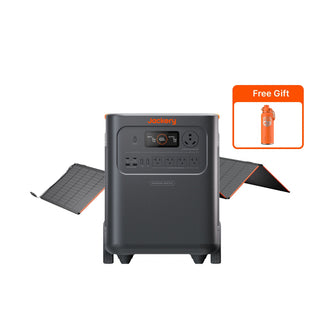




























![[Add-on] Jackery SolarSaga 500 X - Jackery](http://www.jackery.com/cdn/shop/files/add-on-jackery-solarsaga-500-x-1493607.webp?v=1786503068&width=324)





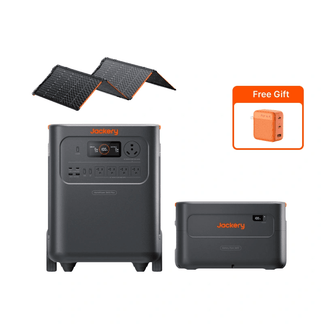
![[Add-on] Jackery Battery Pack 5000 Plus - Jackery](http://www.jackery.com/cdn/shop/files/add-on-jackery-battery-pack-5000-plus-6713401.webp?v=1786503068&width=324)


























































Quick Answer: To track a power outage in your area, start by reporting it to your utility via phone, app, or text, then use the company’s online outage map for real-time updates on cause, crew status, and estimated restoration time. Third-party sites like PowerOutage.us aggregate data from over 950 utilities across the U.S. for a broader view. For the most accurate timeline, check your provider’s app or text alerts every few hours.
Key Takeaways
- Utility outage maps are the most reliable source for real-time restoration updates — enter your zip code or address on your provider’s website to see crew status and estimated time of restoration.
- Text and app alerts let you receive push notifications on outage cause and progress without refreshing a page; enroll by texting “OUT” or “STAT” to your utility’s short code.
- Restoration times vary widely — routine faults take 2–8 hours, severe weather can extend to 12–48 hours, and major disasters may last days or weeks.
- Restoration updates are most reliable from your utility's outage map and alerts — enroll in text or app notifications so you're informed the moment crew status or ETR changes.
- Always verify the scope of the outage by checking your main breaker and asking neighbors before assuming a grid failure — a tripped breaker can mimic a blackout.
How to Find and Use Your Utility’s Outage Map
To find your utility’s outage map, visit your provider’s website and enter your zip code or address. You typically need a zip code, address, or account number to load personalized cause and restoration status. The map refreshes every 5–15 minutes and shows the number of affected customers, crew location, and an estimated time of restoration (ETR).
Enter your exact address for the most precise result. Map pins often represent a broader area, not your specific home. If your home sits just outside a flagged polygon, the outage may still affect you — always check the detailed list or use the address search.
For a county-level snapshot of current outages and trends, third-party aggregators like PowerOutage.us pull data from over 950 utilities nationwide. These tools give you a quick sense of how widespread the event is, but they cannot replace the utility-specific ETR that comes directly from your provider.
Utility mobile apps include the same map plus push notifications and one-tap reporting. If you haven’t already, download your provider’s app before the next storm.
How to Get Real-Time Updates via Text and App Alerts
Enroll in your utility’s outage alerts by texting commands like “OUT” to 444111 (NIPSCO) or “STAT” to 544487 (FirstEnergy) — it’s free and puts updates directly on your phone. Once enrolled, you receive push notifications on cause, ETR changes, and restoration confirmation — no page refreshing required.
Mobile apps from providers like Duke Energy, PG&E, or Con Edison add reporting tools and interactive maps on top of push alerts. These apps are the fastest way to get an ETR revision, because the utility pushes updates directly to your device as crews assess damage.
Third-party trackers like PowerOutage.us show statewide and county-level trends, but they can’t tell you when your specific home will be back online. Use them to gauge the overall situation, but rely on your utility’s alerts for your restoration timeline.
Keep your phone charged. During an extended outage, a portable power station lets you continue receiving alerts even if wall outlets are dead.
Understanding Estimated Time of Restoration (ETR)
An ETR is an initial guess based on historical data, weather patterns, and damage assessment. It becomes more accurate only after crews arrive on site and inspect the actual fault. Routine equipment failures often carry ETRs of 2–8 hours. Severe weather events can shift ETRs from 12 hours to 48 hours or more as new damage is discovered.
Restoration follows a priority sequence:
- Critical facilities — hospitals, water treatment plants, and emergency services — are restored first.
- Next, repairs that bring back the largest number of customers.
- Your individual ETR may extend if you’re on a smaller feeder that requires specialized equipment.
Damage assessors evaluate the full scope before crews begin repairs, which can delay the initial ETR publication. Check your ETR every 2–4 hours via the map or app. It updates whenever new damage is found or a repair milestone passes.
Factors That Affect How Quickly Power Is Restored
Several variables determine whether your outage lasts hours or days. The table below summarizes the main ones.
Factor |
Impact on Restoration Time |
Cause of outage |
Weather-related damage (fallen trees, ice) takes longer than simple equipment failure because crews must clear debris first. |
Scale of event |
A localized outage affecting a few homes may be fixed in hours; a storm knocking out thousands of customers can take days. |
Accessibility |
Damaged lines in remote areas, over rough terrain, or underground slow repair crews significantly. |
Crew availability |
Utilities call in mutual-aid crews from other states during large events, but mobilization takes 12–24 hours. |
Safety protocols |
Crews must de-energize lines, assess hazards, and comply with environmental rules before any repair begins. |
Safety always comes first. A “crew on site” status doesn’t mean work starts immediately — they may need to wait for a line to be de-energized or for tree crews to clear access.
How to Prepare Before and During an Extended Outage
Charge phones, laptops, and power stations fully as soon as a storm is forecast. A fully charged portable power station keeps your router and modem running so you can continue receiving outage map updates even if the grid is down.
Keep a battery-powered or hand-crank radio and a portable power station on hand. If cell networks go down, a radio becomes your primary source of information.
To be ready, take these steps:
- Store several days of water and non-perishable food, plus flashlights and spare batteries, following Ready.gov’s power-outage checklist.
- Note your utility’s outage-report number and enroll in text or app alerts in advance — reporting and tracking are much faster when you’ve already set up your account.
Refrigerated food stays safe for about 4 hours during an outage if you keep the door closed. Use a thermometer and follow FoodSafety.gov guidance. If the outage stretches beyond 4 hours, a portable power station can run your refrigerator intermittently to preserve food longer.
Limitations
An ETR is not a guarantee. You may see “crew on site” but still wait hours if the damage is more complex than initially assessed. Text and app alerts depend on your phone’s battery — without a backup power source, you lose the ability to receive updates after the first few hours.
Check your breaker first before reporting an outage. A tripped main breaker can mimic a blackout, and if a crew is dispatched unnecessarily, you may incur a service fee. Ask a neighbor — if they have power, the problem is likely inside your home.
Why doesn’t the map show my outage? Often, customer-owned equipment issues or “nested outages” — a localized problem that persists after area restoration — are the culprit. Report the outage anyway so the utility can verify.
Product Recommendation: Essential Home Backup Power
Staying connected during an outage means keeping your phone, router, and a few essential appliances running. A portable power station sized for your needs ensures you never lose access to outage maps and text alerts. Below are three Jackery setups that match different outage durations and household loads.
Model |
Capacity |
Output (Surge) |
Best For |
Jackery Solar Generator 5000 Plus + 2x SolarSaga 500X |
5,040 Wh |
7,200 W (14,400 W) |
Multi-day whole-family backup; runs refrigerator, lights, router, and more for 12–24 hours |
Jackery Solar Generator HomePower 3600 Plus + SolarSaga 500X |
3,584 Wh (expandable to 21.48 kWh) |
3,600 W (7,200 W) |
Medium-sized home essentials; refrigerator, freezer, Wi-Fi, and lights for 8–16 hours |
Jackery Explorer 2000 v2 |
2,042 Wh |
2,200 W (4,400 W) |
Apartment or short outages; keeps phones, router, and a refrigerator running for 3–6 hours |
Jackery Solar Generator 5000 Plus + 2x SolarSaga 500X
- Powers essential circuits for 12–24 hours with 5,040 Wh capacity and 7,200 W output (14,400 W surge), handling refrigerators, routers, and lights during extended outages.
- Keeps outage-tracking devices online with zero-emission indoor-safe operation and a 0 ms UPS switchover that seamlessly backs up your modem and router.
- Recharges via solar in 6.5 hours with the two included 500X panels, giving you multi-day off-grid power to maintain communication during extended blackouts.
Jackery Solar Generator HomePower 3600 Plus + SolarSaga 500X
- Sustains a medium-sized home’s essentials — 3,584 Wh capacity and 3,600 W output (7,200 W surge) runs your refrigerator, freezer, Wi-Fi, and lights so you can track restoration updates. Learn more about using the HomePower 3600 Plus for home, RV, and work.
- Powers phones and laptops for outage monitoring with whisper-quiet 30 dB operation and <20 ms UPS backup, ensuring no interruption to internet connectivity.
- Adapts to longer outages by expanding up to 21.48 kWh with additional battery packs, scaling your backup as grid restoration timelines extend. If you need a smaller home backup, the Jackery HomePower 3000 offers a compact alternative.
Jackery Explorer 2000 v2
- Runs a refrigerator for 3.2 hours continuously and keeps phones, routers, and laptops charged so you stay connected to outage maps and text alerts.
- Recharges from 0–100% in 1.7 hours via wall outlet, allowing rapid turnaround between rolling blackouts to maintain communication devices. For a lighter, grab-and-go backup, check out the Jackery Explorer 1000 v2.
- Portable and apartment-friendly at 39.5 lbs, providing essential backup you can take with you during evacuations or move room-to-room as needed. For more on using a portable power station like the Jackery Explorer 2000 Plus for home backup, see our detailed guide.
Frequently Asked Questions
- Why does my neighbor have power but I don’t? Your home may be on a different distribution circuit or have a localized issue like a tripped breaker or damaged service line.
- How do I know if my outage is weather-related or equipment failure? Check your utility’s outage map for the listed cause, which typically distinguishes between storm damage, vehicle accidents, and equipment malfunctions.
- Will my utility notify me when power is restored? Yes, if you enrolled in text or app alerts, you’ll receive automatic confirmation once your specific outage is resolved.
- Can I use my phone’s GPS to track repair crews near my home? Some utility maps show crew locations as general icons, but exact GPS tracking of individual crews is not publicly available for safety reasons.
- What happens if my outage lasts longer than the utility’s estimated time? Contact your utility to request an updated assessment, and rely on backup power to stay connected and comfortable until crews reach your area.


