








































































































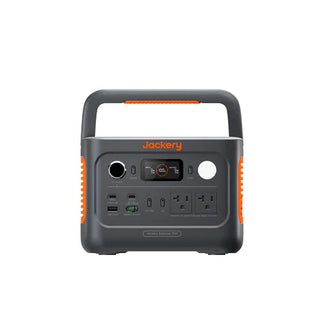

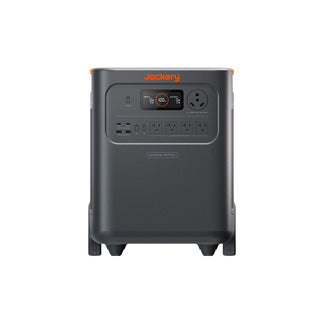


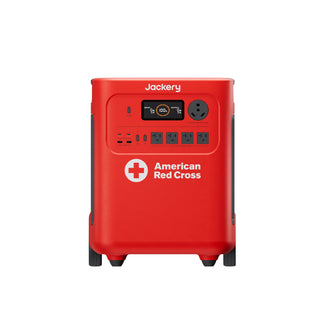













![[Add-on] Jackery SolarSaga 500 X - Jackery](http://www.jackery.com/cdn/shop/files/add-on-jackery-solarsaga-500-x-1493607.webp?v=1786503068&width=324)





![[Add-on] Jackery Battery Pack 5000 Plus - Jackery](http://www.jackery.com/cdn/shop/files/add-on-jackery-battery-pack-5000-plus-6713401.webp?v=1786503068&width=324)


























































The right 30A home backup outlet or 50A connection is the one that matches the rating, voltage, configuration, and connection method listed for both the backup source and the home-side equipment. A 30A label calls for a compatible 30A path; a 50A label calls for a compatible 50A path. Do not choose based on plug appearance, and do not assume that 50A means whole-home backup.
Start With the Labeled 30a Home Backup Outlet or 50a Connection
Start with the labels on the backup source, existing or planned home inlet, and transfer equipment. The source nameplate identifies key electrical ratings, but those values do not establish the complete connection on their own. Compare them with the home-side equipment and its documentation. Generator nameplate guidance provides background on starting with the source label, not a jurisdiction-specific code conclusion.
Connection Path Check Matrix
| What you find | What it means | What to do next |
|---|---|---|
| Home-side equipment is labeled 30A | Investigate a 30A connection path | Match the source rating, voltage, configuration, and documented connection method |
| Home-side equipment is labeled 50A | Investigate a 50A connection path | Confirm that the backup source and transfer equipment are also documented for that path |
| Labels conflict or omit key details | The correct home backup inlet type is not established | Stop before ordering and obtain the exact equipment documentation or a qualified evaluation |
Choose 30a When the Home-Side Label and Source Call for It
Choose a 30A path when the existing or planned home-side inlet or transfer component is labeled 30A and the backup source documentation supports the same rating and a compatible configuration. The voltage, configuration, intended loads, and connection method must also agree. A 30A label alone is not a universal outlet recommendation.
Jackery's Manual Transfer Switch is a product-specific example: its listed specifications identify a 120V, 30A unit with an L5-30 power inlet. Do not generalize that example to every 30A system or treat it as a 50A solution. If this is the relevant home-side component, review the 30A transfer switch details and compare them with the source equipment documentation.

Choose 50a When the Home-Side Label and Source Call for It
Choose a 50A path only when the installed or planned home-side equipment and the backup source are both documented for a compatible 50A configuration. A 50A backup connector is not automatically an upgrade for a 30A inlet, and a higher rating does not prove that the source can support broader home coverage.
The exact voltage, phase, connector standard, and pinout depend on the model. If the equipment documentation does not state those details, do not infer them from the plug shape. The practical 30A vs. 50A generator connection decision is therefore a label-and-documentation match, not a choice based on the larger number.
Verify the Outlet, Inlet, and Connector Match
Before buying a backup outlet or connector, verify the complete path from the backup source to the home-side equipment and intended load. Physical fit or a matching amperage is a reason to investigate, but neither proves electrical compatibility.
- Read the source label. Record the backup source's stated voltage, amperage, configuration, and any connection requirements in its manual or product documentation. Do not rely on a connector listing alone.
- Read the home-side label. Record the rating and configuration shown on the existing inlet, transfer equipment, or other home-side component. If there is no clear label, the home backup inlet type is not confirmed.
- Match amperage and voltage. A 30A source and 30A home-side component still need compatible voltage and configuration. The same applies to a 50A source and 50A home-side component.
- Confirm the plug or inlet configuration. Compare the exact equipment documentation, not just the number of contacts or the connector's shape. Do not assume that a 30A-to-50A adapter or interchangeability rule applies.
- Identify the connection method. Determine whether the plan is direct appliance-style use, a home inlet connected through transfer equipment, or another documented arrangement. These paths are not interchangeable.
- Check stated equipment compatibility. Product compatibility is model-specific. For example, Jackery lists its Connector as compatible with Explorer 2000 Plus and HomePower 3600 Plus. That limited statement supports checking backup connector compatibility, not treating the connector as a universal 30A or 50A home connector.

The source rating and the loads intended to run at the same time must also be considered together. Standby-source sizing guidance explains that the source needs adequate capacity for the equipment intended to operate simultaneously and that transfer equipment is part of the setup described there.
Stop when labels conflict, the voltage or configuration is missing, or the source-to-home pairing is not expressly documented. Before purchasing, resolve the exact model pairing with the equipment maker or a qualified electrician. The source, connector, inlet or transfer equipment, and intended connection method must work together as one path.
Choose the Connection Method That Fits Your Backup Goal
The best connection method depends first on what you want to power: one appliance, selected circuits, or a broader backup arrangement. The 30A or 50A rating helps describe the connection, but the source and transfer equipment determine the actual coverage.
For Direct Appliance-Style Backup
For a direct appliance-style connection, use only the method expressly supported by the backup equipment documentation for that appliance. This differs from connecting a source to a home inlet or transfer setup. If you are asking which outlet you need for home backup, first decide whether you need a direct appliance connection at all.
Do not substitute a home inlet or panel connection for a direct plug-in path based on physical fit. If the equipment documentation does not clearly support the proposed connection, stop and resolve the pairing before buying hardware.
For Selected-Circuit or Broader Backup
A transfer-switch setup may provide backup to selected branch circuits rather than the entire home, as explained in backup for selected circuits rather than the entire home. That means a 50A rating does not, by itself, establish whole-home coverage. Coverage depends on the source capability, transfer equipment, and loads intended to run.
For selected-circuit backup, match the source to the documented transfer path and the circuits the setup is intended to serve. For broader backup planning, require documentation that the source and transfer equipment support that arrangement. Do not turn the rating into an appliance count or coverage promise. Readers comparing limited-load needs can review critical-load backup options, but the collection is not evidence of electrical compatibility.
The next step is simple: photograph or transcribe every relevant source and home-side label, compare the complete path, and resolve any mismatch with the equipment maker or a qualified electrician before ordering.
Frequently Asked Questions
These answers address common decisions that remain after you identify the source, home-side equipment, and intended connection method.
How Do I Know Whether My Home Backup Setup Needs a 30a or 50a Outlet?
Use the rating and configuration marked on the home-side inlet or transfer equipment and compare them with the backup source documentation. If the labels disagree or omit voltage or configuration details, do not choose a connector based on appearance; confirm the exact equipment models first.
Can I Use a 30a Connector With a 50a Backup Inlet?
Do not assume that different-rated connectors can be mixed. The amperage, voltage, configuration, connection method, and equipment documentation must all agree, and physical fit is not enough. Treat the pairing as unresolved until the exact manuals support it.
What Should I Check Before Buying a 30a Home Backup Outlet or Connector?
Record the source label, home inlet or transfer-equipment label, amperage, voltage, configuration, and intended connection method. Then confirm that the connector documentation covers the exact source and home-side equipment pairing rather than only a similar-looking model.


