





























































































































![[Add-on] Jackery SolarSaga 500 X - Jackery](http://www.jackery.com/cdn/shop/files/add-on-jackery-solarsaga-500-x-1493607.webp?v=1786503068&width=324)





![[Add-on] Jackery Battery Pack 5000 Plus - Jackery](http://www.jackery.com/cdn/shop/files/add-on-jackery-battery-pack-5000-plus-6713401.webp?v=1786503068&width=324)


























































A Starlink system typically uses between 20 and 150 watts, depending on the dish model and how actively it's transmitting data. The Starlink Mini draws the least at 20–40 watts, the Standard dish uses 50–75 watts while actively connected, and the High Performance dish, built for larger coverage areas and harsher weather, draws 110–150 watts under active use. All three drop to a lower idle wattage once the connection is established and network activity slows, which matters for anyone trying to estimate daily energy use or size a power source to run Starlink off-grid.
Jackery Solar Generators are compact solar battery backup solutions that can keep your Starlink powered and connected for long hours or even days. This guide breaks down Starlink's power draw by dish model and activity level, explains what actually pushes that number up or down, and walks through the real cost of running it off a subscription-based home internet budget. It also covers how to safely connect a Starlink system to a portable power station, and matches its wattage against solar generators, from a lightweight travel setup to a full home-backup unit.
Key Takeaways
- Starlink wattage ranges from 20 watts (Mini, idle) to 150 watts (High Performance, active use).
- The Standard dish, which is the most common home setup, averages 50–75 watts while connected and active, dropping to about 20 watts when idle.
- Network activity, weather, and physical obstructions all increase how hard the dish works and how much power it draws.
- A Standard Starlink system running for 8 hours a day uses roughly 400–600 Wh, or about 12–18 kWh a month.
- Starlink's wattage is modest compared to most home appliances, which means even a compact solar generator can keep it running for many hours on a single charge.
How Many Watts Does Starlink Use?
Starlink's power draw depends first on which dish you own, and second on what the system is doing at any given moment. Actively streaming data to and from satellites draws noticeably more power than sitting idle with an established connection. Here's how the three current dish types compare, based on figures published by Starlink itself:
|
Starlink Dish |
Active Use |
Idle |
Daily Use (8 Hrs Active) |
|
Starlink Mini |
20–40W |
15W |
160–320Wh |
|
Standard |
50–75W |
20W |
400–600Wh |
|
Standard 4, Standard 4 X, & Starlink Enterprise |
75-100W |
20W |
600-800Wh |
|
High Performance |
110–150W |
45W |
880–1,200Wh |
Source: Starlink
The Starlink Mini is the most power-efficient hardware, designed for portability and built-in WiFi without a separate router, which is a natural fit for travelers and campers. The Standard dish is what most residential customers use, and its 50–75 watt active range makes it comparable in draw to a couple of LED light bulbs running continuously. The High Performance dish trades that efficiency for a wider field of view and better performance in extreme weather, which is why it's the heaviest draw of the three.
It's worth noting that all three models briefly draw more power during booting and initial satellite acquisition than they do once a stable connection is established. A short spike that doesn't meaningfully affect daily totals but is worth knowing about if a power station seems to dip briefly right after startup.
What Factors Affect Starlink's Power Consumption
Beyond the base dish model, a handful of real-world factors shift Starlink's wattage above or below its published range:
- Network Activity and Data Usage: More connected devices and more demanding uses like video streaming, large downloads, video calls, or online gaming all increase how much data the dish is sending and receiving, which raises power draw accordingly. A dish serving a single device checking email draws closer to its idle wattage than one serving a household streaming in 4K.
- Weather Conditions: Clear skies allow the dish to maintain a stable, low-effort connection to overhead satellites. Heavy precipitation, dense cloud cover, or extreme cold can force the dish to work harder. And in cold climates, the dish's built-in snow-melt heating function draws more power than normal operation does.
- Physical Obstructions: Trees, buildings, and hills that partially block the dish's view of the sky can cause it to repeatedly search for and re-establish satellite connections, which increases power consumption compared to an unobstructed installation.
- Router and Peripheral Load: The wattage figures above typically include the router, but additional connected hardware, such as mesh WiFi extenders, powered switches, or external antennas, adds to the total system draw beyond the dish and router alone.
- Ambient Temperature: In addition to snow-melt heating in cold weather, very high ambient temperatures can cause the dish's internal cooling systems to work harder, modestly increasing draw during hot conditions.
How to Calculate Starlink's Daily and Monthly Energy Cost
Once you know your dish type's approximate wattage, estimating cost follows the same formula used for any continuously running appliance:
Energy (Wh) = Wattage × Hours of use
For a Standard dish running 8 hours a day at an average of 62.5 watts (the midpoint of its 50–75W active range):
62.5 W × 8 hrs = 500 Wh per day
Over a 30-day month:
500 Wh × 30 days = 15,000 Wh (15 kWh) per month
At a national average residential electricity rate of roughly $0.1883 per kWh, that comes out to:
15 kWh × $0.1883 ≈ $2.75 per month in electricity. It is a modest add-on compared to the Starlink service subscription itself, which runs considerably higher depending on the plan.
|
Starlink Dish |
Daily Energy (Wh) |
Monthly Energy (kWh) |
Monthly Cost (@ $0.1883/kWh) |
|
Mini |
160–320Wh |
4.8–9.6kWh |
$0.87–$1.75 |
|
Standard |
400–600Wh |
12–18kWh |
$2.19–$3.29 |
|
Standard 4, Standard 4 X, & Starlink Enterprise |
600-800Wh |
18-24kWh |
$3.29–$4.39 |
|
High Performance |
880–1,200Wh |
26.4–36kWh |
$4.83–$6.59 |
For context, Starlink's own service plans run considerably more than the electricity cost of running the hardware.
How to Use Jackery with Starlink?
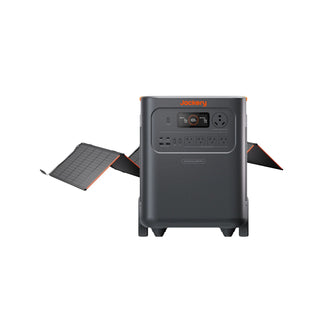
Jackery Solar Generators pair a Portable Power Station with SolarSaga Solar Panels, so the same unit powering a Starlink dish can also recharge from sunlight during the day. If you are wondering how to power Starlink off-grid, the quick answer is using solar generators. Setting one up to run Starlink is straightforward: unfold the solar panels in direct sunlight to generate DC electricity, let the power station's built-in inverter convert that to clean AC power, and plug the Starlink router directly into one of the unit's AC output ports.
One detail matters for a reliable connection: Jackery Portable Power Stations use a floating neutral output rather than a grounded neutral, while Starlink hardware is designed to expect a neutral-to-ground reference. Connecting a neutral-ground bonding plug between the power station and the Starlink router establishes that reference and avoids the intermittent connection issues that can otherwise show up when running Starlink from a portable inverter-based power source.
You can also check out our detailed guide to learn How Long Will a Jackery Run Starlink Mini.
Elon Musk tweeted on X that basic camping solar panels and a small battery can power a Starlink all day.
Basic camping solar panels plus a little battery will power Starlink all day https://t.co/hDK91prZwj
— Elon Musk (@elonmusk) October 11, 2024
For Richard Hart, a retired air traffic controller in Tampa, decades spent managing high-stakes systems taught him one core lesson: always have a backup plan, a mindset that only grew more important once Florida hurricane season became a recurring test of his home. When Hurricane Milton knocked out power for three straight days last year, Richard's Jackery setup kept the household connected, with the internet staying on throughout the outage so he and his wife could stay in touch with the outside world without missing a beat. Read more Jackery Stories to see how a Jackery setup helps keep connection and normal life running through outages.
Recommended Jackery Solar Generators for Starlink Off-Grid
Starlink's power draw is modest relative to most other household and outdoor equipment, meaning the deciding factor in choosing a solar generator is less about whether it can handle the dish's wattage and more about how long you need it to run per charge, and whether it's also covering other devices at the same time. Below are five Jackery Solar Generators sized for use cases ranging from a lightweight travel setup to an essential home battery backup system.
Jackery Solar Generator 240 v2
The Jackery Solar Generator 240 v2 is the most compact Starlink power supply source built for travelers and campers who mainly need to keep a Starlink Mini or Standard dish connected without carrying a large power station. It can comfortably run a Standard dish through several hours of active use, or a Mini dish for the better part of a day, while leaving enough capacity for a phone or a small light. Its light weight and small footprint make it easy to pack into a vehicle, boat, or backpack, and it recharges quickly enough from a single solar panel to be ready again the next morning. For anyone whose main off-grid power need is simply staying connected, it's sized appropriately without unnecessary bulk.
Here is the list of Starlink models and their running time when they are charged by the Jackery Solar Generator 240 v2:
- Standard (Active) 50 - 75W = 2.5 - 3.5H
- Standard (Idle) 20W = 7.0H
- Mini (Average) 20 - 40W = 4.2 - 7.0H
- Mini (Idle) 15W = 8.4H
- High Performance (Active) 110 - 150W = 1.3 - 1.7H
- High Performance (Idle) 45W = 3.8H
Who Should Buy This
The Jackery Solar Generator 240 v2 is ideal for solo travelers and campers running a Starlink Mini or Standard dish who need a lightweight, easy-to-pack power source rather than extended multi-day runtime.

Customer Review
Used for a weekend camping trip. powered air mattresses, charged 2 phones, and powered a projector to watch a movie all at an unpowered site. lasted the entire weekend with no recharge.
Tyler C.
Jackery Solar Generator 600 v2
The Jackery Solar Generator 600 v2 gives a Standard Starlink dish enough runway to stay connected through a full day of active use on a single charge, with room left over for a laptop or a few small devices. It's a good fit for remote workers who need dependable connectivity for a full workday rather than just a few hours, and its still-portable size means this Starlink solar power source moves easily between a vehicle, cabin, or campsite. With the pass-through charging feature, it can recharge from a solar panel while simultaneously powering the dish, which is useful for longer stretches away from grid power where the connection needs to stay alive through the afternoon and into the evening.
Here is the list of the Statlink Internet appliances that you can run with the Jackery Solar Generator 600 v2, including their running times:
- Standard (Active) 50 - 75W = 6.2 - 8.7H
- Standard (Idle) 20W = 17.5H
- Mini (Average) 20 - 40W = 10.5 - 17.5H
- Mini (Idle) 15W = 21.0H
- High Performance (Active) 110 - 150W = 3.3 - 4.4H
- High Performance (Idle) 45W = 9.5H
Who Should Buy This
The Jackery Solar Generator 600 v2 is suitable for remote workers and full-time travelers who need a Standard Starlink dish to stay connected through an entire workday, plus enough spare capacity for a laptop or small devices.

Customer Review
Great investment worth the money spent on it. Great for outdoor activities, especially to light up the night. Recommend this product...is a must have specially if you are a vendor doing night events or just out camping.
— Adrian M.
Jackery Solar Generator 1000 v2
The Jackery Solar Generator 1000 v2 offers enough capacity and output to run a Standard dish for well over half a day of continuous active use, or comfortably power a High Performance dish for several hours. That extra capacity also means it can support Starlink alongside other equipment, such as a router, a monitor, or small office electronics, making it well-suited to a small home office or a mobile workstation that depends on a stable connection. Its LiFePO4 battery handles daily charge cycles well, so it holds up to regular use rather than occasional weekend trips.
Here is the list of Starlink models and their running time when they are charged by the Jackery Solar Generator 1000 v2:
- Standard (Active) 50 - 75W = 12.1 - 18.1H
- Standard (Idle) 20W = 45.4H
- Mini (Average) 20 - 40W = 22.7 - 45.4H
- Mini (Idle) 15W = 60.6H
- High Performance (Active) 110 - 150W = 6.0 - 8.2H
- High Performance (Idle) 45W = 20.2H
Who Should Buy This
If you have a small home office and wish to keep Starlink Internet, printers, scanners, computers, and other home appliances running, then the Jackery Solar Generator 1000 v2 is a reliable choice.

Customer Review
It surpassed all of my expectations. It does exactly what I need to do and it's small enough that I can take it with me.
— L.H.
Jackery Solar Generator HomePower 3000
The Jackery Solar Generator HomePower 3000 is the essential home backup solution that can not only power Starlink Internet but also other appliances, such as refrigerators, lights, computers, printers, etc. If you have a home office and don't want your work to be interrupted, you can consider this Jackery Solar Generator HomePower 3000. It has dual-sided handles, so you can easily transport the solar generator from your home office to the kitchen or living room.
Here is the list of Starlink Internet appliances that you can run with the Jackery Solar Generator HomePower 3000, and for how long:
- Standard (Active) 50 - 75W = 26.9 - 36.3H
- Standard (Idle) 20W = 62.2H
- Mini (Average) 20 - 40W = 42.1 - 62.2H
- Mini (Idle) 15W = 70.6H
- High Performance (Active) 110 - 150W = 15.2 - 19.8H
- High Performance (Idle) 45W = 39.0H
Who Should Buy This
If you live in an area that experiences frequent power outages or blackouts and want to keep your work appliances powered, this Jackery Solar Generator HomePower 3000 is the ideal solution.

Customer Review
I love my Jackery and recently used it on a fishing trip in the mountains, where I could not recharge my electric trolling motor on the boat easily. I took my jackery down the boat dock and recharged the battery after each day of fishing. The Jackery was quiet, charged the boat up quickly, and I was able to spend more time on the water!
— Will H.
Jackery Solar Generator HomePower 3600 Plus
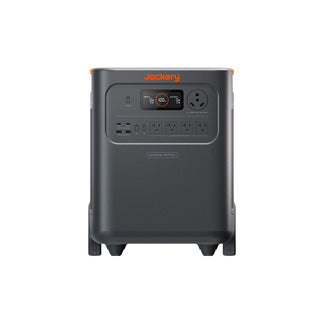
The Jackery Solar Generator HomePower 3600 Plus is a powerful, essential home backup solution that can run most appliances, such as Starlink Internet, refrigerators, space heaters, etc. If you need an uninterrupted power supply for Starlink in remote locations or when outages happen for long hours, you can consider going ahead with this solar generator. It has a telescoping handle and wheels, so you can roll this home battery backup anywhere you go.
Here is the list of the Statlink Internet appliances that you can run with the Jackery Solar Generator HomePower 3600 Plus, including their running times:
- Standard (Active) 50 - 75W = 31.4 - 42.3H
- Standard (Idle) 20W = 72.5H
- Mini (Average) 20 - 40W = 49.1 - 72.5H
- Mini (Idle) 15W = 82.3H
- High Performance (Active) 110 - 150W = 17.7 - 23.1H
- High Performance (Idle) 45W = 45.5H
Who Should Buy This
If you want a powerful, essential home backup solution that can run most household appliances during multi-day outages, you can consider the Jackery Solar Generator HomePower 3600 Plus.

Customer Review
Very easy to set up, solar charge, great support! Going to buy more batteries!
— Mike Palmer.
FAQs
How many watts does a Starlink dish use?
Most Starlink dishes use between 20 and 150 watts, depending on the model and activity level. The Standard dish, the most common residential option, averages 50–75 watts during active use.
Does Starlink use more power in cold weather?
Yes. In freezing conditions, the dish's built-in snow-melt heating function activates to clear the surface, which draws more power than standard operation does.
Can a small solar generator run a Starlink Mini?
Yes. The Starlink Mini's low 20–40-watt active draw makes it one of the easier devices to run off a compact power station. Even a 256Wh solar generator like the Jackery Solar Generator 240 v2 can run Starlink Mini for several hours on a single charge.
How much does it cost to run Starlink for a month?
A Starlink Standard dish running 8 hours a day typically uses 12–18 kWh a month, costing roughly $2.19–$3.29 at a national average electricity rate of 0.1833 cents per kWh. The cost is a small fraction of the Starlink service subscription itself.
Why does Starlink need a neutral-ground bonding plug with a portable power station?
Jackery Portable Power Stations output floating-neutral AC power, while Starlink hardware expects a neutral-to-ground reference. A bonding plug creates that reference, which prevents the intermittent connection issues that can otherwise occur when powering Starlink from an inverter-based power source.
Does more internet usage increase Starlink's power draw?
Yes. More connected devices and more demanding activities, such as streaming, large downloads, video calls, or gaming, increase the amount of data the dish sends and receives, which raises its power consumption above idle levels.
Conclusion
Starlink's power draw runs from as little as 20 watts for an idle Mini dish up to 150 watts for a High Performance dish under active use, with the Standard dish most households use averaging 50–75 watts. That modest wattage, spread across a full day of use, adds up to a manageable energy cost, which is typically just a few dollars a month regardless of dish type. Matching a solar generator to that need comes down to how long you need to stay connected and what else the unit needs to power. For example, the Jackery Solar Generator 240 v2 and Jackery Solar Generator 600 v2 suit travelers and remote workers who need portability, and the Jackery Solar Generator HomePower 3600 Plus provides the runway needed for multi-day outages or full off-grid living.


