






























































































































![[Add-on] Jackery SolarSaga 500 X - Jackery](http://www.jackery.com/cdn/shop/files/add-on-jackery-solarsaga-500-x-1493607.webp?v=1786503068&width=324)





![[Add-on] Jackery Battery Pack 5000 Plus - Jackery](http://www.jackery.com/cdn/shop/files/add-on-jackery-battery-pack-5000-plus-6713401.webp?v=1786503068&width=324)


























































A summer power outage is a double blow: it threatens your family's safety with sweltering heat, and it risks spoiling hundreds of dollars in groceries. Even worse, if your utility company uses Time-of-Use pricing, peak rates between 4:00 PM and 9:00 PM can cause your monthly bills to skyrocket.
Surviving a summer blackout and avoiding predatory peak rates requires a smart, layered strategy. By mastering passive heat blocking, direct body cooling, off-peak task scheduling, and right-sized battery backup, you can keep your home safe, your food cold, and your utility bills low. This guide walks you through the ultimate playbook to save energy and outlast the hottest summer blackouts.
Blocking Heat: The Lowest-Cost Way to Survive a Hot Blackout
According to the U.S. Department of Energy, blocking radiant solar heat before it enters your home is your first and most effective defense against sweltering indoor temperatures:
- Blackout Curtains and Reflective Films: Drawing heavy blackout curtains or applying reflective window films can block up to 75% of solar heat gain. Ensure you close south- and west-facing windows and curtains before 9:00 AM to trap the cooler night air inside.
- DIY Emergency Window Insulation: Taping aluminum foil, cardboard, or bubble wrap directly to sun-exposed windows is a highly effective, zero-cost way to lower indoor temperatures by 5 to 10 degrees Fahrenheit. Always use painter's tape to avoid leaving residue on your frames.
- Attic and Wall Insulation: Long-term, increasing your attic insulation to R-38 or higher slashes heat transfer through your ceiling, keeping your home cooler and permanently lowering your monthly energy bills.
- Deciduous Shade Trees: Planting leafy trees on the south and west sides of your property blocks harsh summer sunlight while allowing warm winter light to filter through after the leaves drop.
Cooling People, Not Houses: Strategic Air Movement
When the grid goes down, trying to keep your entire house cold is highly inefficient. Instead, focus entirely on cooling your body directly:
- USB and Battery-Powered Fans: A high-quality rechargeable fan is an essential emergency purchase. Because these fans draw minimal wattage, they can run for days on a small battery, moving air across your skin to amplify natural evaporative cooling.
- The DIY Swamp Cooler: Place a frozen water bottle directly in front of your battery-powered fan to create an instant, refreshing cooling breeze.
- Direct Thermal Relief: Place cold, damp cloths on your neck, forehead, and wrists to quickly lower your core body temperature. Stay hydrated with cold drinks and strictly avoid strenuous physical activity.
- Find the Coolest Room: Basements and north-facing rooms stay 10 to 15 degrees Fahrenheit cooler than the rest of the house. Relocate your family to these areas during hot summer afternoons.
- Nighttime Ventilation: Open windows fully after sundown once the outdoor temperature drops below your indoor temperature to flush out stagnant heat. Be sure to close windows and blinds before 8:00 AM the next morning to seal the cool air inside.
Scheduling High-Energy Tasks for Off-Peak Hours
If your utility uses Time-of-Use (TOU) billing, shifting your heavy energy tasks to off-peak hours (typically 10:00 PM to 6:00 AM) can reduce your daily electricity costs by 30% to 50%:
- Cook Outdoors: Avoid using your indoor oven, which generates massive amounts of waste heat and forces your AC to work twice as hard. Cook on an outdoor grill instead.
- Delay Heavy Appliance Runs: Program your dishwasher and washing machine to run after 9:00 PM to escape peak utility pricing.
- Wash Clothes in Cold Water: Heating water accounts for 90% of a washing machine's total energy consumption. Switching to cold water cycles immediately lowers your bills.
- Utilize Air-Drying: Hang clothes on drying racks to eliminate the massive energy draw and indoor heat buildup caused by electric clothes dryers.
Adopting these simple scheduling habits can help you discover how to cut your electric bill by 75 percent during peak summer months.
Tackling Phantom Power and Standby Waste
Phantom loads—the electricity drawn by devices that are plugged in but turned "off"—account for 5% to 10% of your home's total electricity use. If you have ever wondered, "why is my electric bill so high?" standby power is a highly likely culprit.
- Identify the Standby Vampires: Unplug television media centers, gaming consoles, and phone chargers when they are not in use.
- Use Smart Power Strips: These specialized strips automatically cut electrical current to peripheral devices (like printers or soundbars) when the primary device is turned off.
- Adjust Major Appliance Settings: Keep essential major appliances like your refrigerator plugged in, but ensure they are set to their dedicated "energy-saver" modes to optimize compressor runtimes.
Managing Refrigeration and Preventing Food Spoilage
Keeping food safe during a prolonged summer blackout requires strict temperature management. If you are using a compact cooling unit, consult our mini fridge guide to plan your power needs:
- Keep the Doors Closed: During an outage, a closed refrigerator will keep food safe for only about 4 hours. A completely full freezer can hold its temperature for up to 48 hours, while a half-full freezer lasts for 24 hours.
- Freeze Backup Thermal Mass: Keep pre-frozen water bottles and reusable ice packs in your freezer. During an outage, these act like blocks of ice, helping to hold cold temperatures inside the cabinet.
- Use an Appliance Thermometer: Keep a dedicated thermometer inside your fridge. If the internal temperature rises above 40 degrees Fahrenheit for more than two hours, perishable food is no longer safe to consume.
- Transfer to a Cooler: If a blackout is projected to exceed 4 hours, immediately transfer your critical perishables (like meat, dairy, and medication) into an insulated cooler packed tightly with ice.

Backup Power for Essentials: Starting Small and Practical
While passive strategies are highly effective, integrating a portable battery backup provides the ultimate layer of protection during an outage. If you are caught in an emergency, knowing exactly what to do when the power goes out is crucial to keep your family safe and comfortable.
For most standard households, trying to back up your entire home with a massive combustion generator is unnecessary and cost-prohibitive. Starting with a compact, rechargeable battery power station allows you to run emergency fans, keep communication devices charged, and keep your refrigerator cold during short-term outages. Sizing your backup system perfectly is explained in our guide to essential home backup power.
Premium Jackery Backup Solutions
Three high-performance systems from Jackery allow you to store cheap grid power during off-peak hours and run your appliances safely indoors when the grid fails:
Jackery Solar Generator HomePower 3600 Plus
- Capacity & Output: Packs a 3,584Wh capacity and a 3,600W output (7,200W surge) to run a standard 80W refrigerator for up to 38 hours or a Wi-Fi router for 300 hours.
- Off-Peak Solar Harvest: Includes a highly efficient 500W SolarSaga solar panel that recharges the system using free daylight, allowing you to bypass peak utility rates entirely.
- Silent Operation: Operates at an ultra-low 30 dB with zero toxic emissions, making it completely safe for indoor use directly next to your appliances.
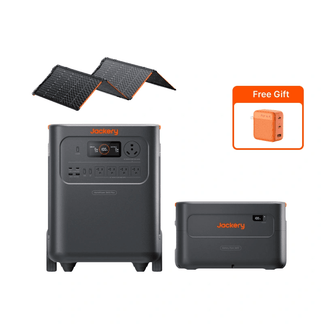
Jackery Solar Generator 5000 Plus
- Heavy-Duty Backup: Starts at 5,040Wh of base capacity and scales up to an incredible 60 kWh to provide multiple days of continuous off-grid autonomy.
- Split-Phase Support: Features 120V/240V dual-voltage output to power heavy 240V appliances (like well pumps and central AC compressors) through a manual transfer switch.
- Solar Charging: Includes two SolarSaga 500X panels to deliver up to 1,000W of solar input, fully recharging the unit in approximately 6.5 hours of full sunlight.
Jackery Explorer 2000 v2 Portable Power Station
- Portable Protection: Packs a 2,042Wh capacity into a lightweight, 39.5-pound frame that can be easily moved to any room in your house.
- Fast Charging: Features a 1.7-hour AC Emergency Super Charge, allowing you to fully top off your battery from a standard wall outlet before a forecasted storm hits.
Frequently Asked Questions
Should I leave my AC on all day or turn it off when I am away?
Always turn your air conditioner off when you are away. Running your AC continuously when no one is home wastes substantial energy, whereas cooling the house down when you return is far more efficient.
Does unplugging appliances really save money?
Yes. Standby "phantom" loads from TVs, computers, game consoles, and chargers can silently add $100 to $200 annually to your utility bills. Unplugging these devices when they are not in use is a simple way to lower your costs.
What are the cheapest hours to use electricity?
While off-peak hours vary depending on your specific utility company, the cheapest electricity is typically available between 10:00 PM and 6:00 AM. Check your provider's website to verify your exact Time-of-Use windows.
How can I keep my food safe without power?
Keep your refrigerator and freezer doors closed as much as possible. A closed fridge stays cold for only about 4 hours. If the outage exceeds this window, transfer your critical perishables to an insulated cooler packed tightly with pre-frozen ice packs.
What is the lowest-cost way to survive a hot blackout?
Block direct sunlight by drawing drapes or taping aluminum foil to windows, stay in the coolest room of your house (like the basement), use a battery-powered fan placed behind a frozen water bottle, and apply cold, damp cloths to your neck and wrists.
Should I buy a generator or a power station first?
Always start with a rechargeable fan and a compact portable battery power station. These are silent, safe for indoor use, and require zero fuel. Upgrade to a larger standby generator only if you have heavy, long-term essential home backup needs.


