






















































































































![[Add-on] Jackery SolarSaga 500 X - Jackery](http://www.jackery.com/cdn/shop/files/add-on-jackery-solarsaga-500-x-1493607.webp?v=1786503068&width=324)





![[Add-on] Jackery Battery Pack 5000 Plus - Jackery](http://www.jackery.com/cdn/shop/files/add-on-jackery-battery-pack-5000-plus-6713401.webp?v=1786503068&width=324)


























































Quick Answer:
Solar units refer to watts (W), kilowatts (kW), and kilowatt-hours (kWh) used to size a solar system. To size correctly, first calculate daily energy consumption in kWh, then factor in local peak sun hours and panel efficiency.
A typical U.S. home uses about 28.5 kWh per day, requiring a 6–8 kW solar array with roughly 15–20 panels depending on wattage. [1]
Key Takeaways
- Watts and kilowatt-hours are distinct measures — watts measure instantaneous power while kilowatt-hours measure total energy consumed over time.
- Accurate daily load calculation (wattage × hours for every appliance) is the foundation for sizing both panels and battery storage.
- Seasonal underestimation is a common pitfall — sizing based on average monthly usage leads to insufficient generation during peak winter or summer months.
- Peak sun hours vary by region from 3 to 6 hours per day in the U.S., directly determining how many panels you need to meet your energy goal.
- Battery storage should cover at least one day of critical loads or 2–3 days for extended backup, with usable capacity limited by depth of discharge.
Understanding Solar Units: Key Metrics for Sizing
Watt (W) and kilowatt (kW) describe instantaneous power — the rate at which electricity is generated or consumed. 1 kW equals 1,000 W. Solar panels are rated in watts (typically 380–420 W per panel in 2026), while inverters and power stations are rated in kW.
Kilowatt-hour (kWh) is energy over time. A 1 kW appliance running for one hour consumes 1 kWh. This is the unit on your electricity bill and the foundation for sizing any solar system.
When planning a system, keep these critical distinctions in mind:
- DC vs. AC: A “12 kW system” refers to the total DC wattage of the solar panels, not the actual AC electricity produced annually. Real‑world AC output is typically 15–25% lower due to inverter losses, wiring, and panel inefficiencies.
- Peak sun hours: The equivalent number of hours per day when solar irradiance averages 1,000 W/m². Most U.S. locations receive 3–6 peak sun hours annually. Phoenix averages around 6 hours, Seattle about 3.5 hours. This directly determines daily energy production.
- Production ratio (1.1–1.6): Accounts for real‑world system losses from inverter efficiency, shading, orientation, and temperature. A 1.2 ratio means a 1 kW DC array will produce about 1,200 kWh of AC electricity per year in that location. Higher ratios mean better solar resource.
How to Calculate Your Daily Energy Needs
Sizing begins with a thorough load audit — not a rough guess. Here’s the step‑by‑step approach:
- List every appliance you plan to power, noting its running wattage and average daily run time in hours.
- Multiply each wattage by hours to get daily watt‑hours (Wh).
- Sum all Wh and divide by 1,000 to get daily kWh.
Formula: (Running Watts × Hours Used) ÷ 1,000 = Daily kWh
Example: A refrigerator (520 W × 8 hours) + Wi‑Fi router (10 W × 24 hours) + five LED lights (10 W each × 5 hours) = 4,160 + 240 + 250 = 4,650 Wh, or 4.65 kWh per day.
A single day’s snapshot isn’t enough. To ensure accuracy:
- Review 12–24 months of utility bills to capture true annual consumption. U.S. households average about 10,400 kWh per year (roughly 28.5 kWh per day) per [1].
- Seasonal peaks (summer air conditioning, winter heating) can push daily usage far above that average.
- Always add a 20–30% buffer for future loads, inverter losses, and unpredictable sun patterns. If your calculated daily need is 20 kWh, size the system for at least 24–26 kWh.
For a deeper dive into matching a portable station to your daily load, see how to choose the right size solar generator.
Should I Size for Winter or Summer?
Key considerations for seasonal sizing:
- Base on highest consumption month, but avoid chasing an extreme outlier. Take your highest monthly kWh usage from the past two years and multiply it by 12 to annualize. If a single month (like a July heatwave with 24/7 AC) is 50% above the next‑highest month, sizing for that peak can yield an oversized, expensive system. Instead, size for the realistic high‑usage months — the 2–3 months that cluster near the top — and supplement with battery storage or grid power during the rare outlier.
- Winter sun hours can be half of summer’s. A location with 4 sun‑hours in summer might drop to 2 hours in December. For year‑round off‑grid reliability, use the lowest monthly peak sun hours when calculating panel count.
- Account for system losses. Inverter loss (10–15%), wiring loss (5–10%), and panel degradation (~10% over 25 years) lower the effective production ratio. A 1.2 ratio in Seattle means you’ll need more panels to hit the same annual kWh as a 1.5 ratio in Denver.
How Do I Calculate the Right Number of Panels?
Two straightforward methods give you a panel count:
- Method 1: Daily kWh and peak sun hours
Divide your target daily kWh by your location’s peak sun hours to get the required DC array size in kW, add the buffer, and divide by panel wattage.
Formula:
Array kW = Daily kWh ÷ Peak Sun Hours
Number of Panels = (Array kW × 1,000) ÷ Panel Wattage
Example: 10 kWh/day ÷ 4 sun hours = 2.5 kW. Add 20% buffer → 3.0 kW. 400 W panels: 3,000 W ÷ 400 W = 7.5 → round up to 8 panels.
- Method 2: Annual kWh and production ratio
Use your total annual kWh target and a known production ratio for your area.
Formula:
Number of Panels = Annual kWh ÷ (Production Ratio × Panel Wattage)
Example: 10,400 kWh/year ÷ (1.2 × 425 W) = 10,400 ÷ 510 = 20.4 → round up to 21 panels. This method automatically accounts for local solar resource and system losses.
Always round up. A 560 W need becomes a 600 W array — the extra margin handles cloudy days and future expansion.
Sizing Battery Storage and Inverter Capacity
Properly sizing storage and inverter requires attention to several factors:
- Battery capacity (kWh): Match to backup goals. Minimum: one day of critical loads (refrigerator, lights, router, phone charging). For multi‑day outages, aim for 2–3 days of autonomy.
- Usable vs. rated capacity: LiFePO4 batteries (standard in 2026) allow 80–100% depth of discharge (DoD). A 5 kWh battery with 90% DoD delivers 4.5 kWh usable. Always calculate with usable kWh.
- Inverter sizing:
Continuous rating must exceed the total running watts of all appliances that could run simultaneously.
Surge rating handles startup spikes from motors (refrigerators, well pumps) — typically 2–3× the continuous load.
Example: Refrigerator (520 W running, 1,560 W surge), freezer (200 W running, 600 W surge), and lights (100 W) total 820 W running. An inverter with at least 1,000 W continuous and 2,500 W surge would handle this.
- System voltage (12 V, 24 V, 48 V): Higher voltage reduces current and resistive losses, which matters for larger arrays and longer wire runs. Most residential stationary systems use 48 V.
Common Sizing Mistakes and How to Avoid Them
- Mistake 1: Underestimating surge loads
Refrigerators and pumps can draw 3× their running watts for a few seconds during startup. An inverter that barely meets running wattage will trip offline. Always check the locked‑rotor amps or surge rating of motor‑driven appliances.
- Mistake 2: Ignoring seasonal sun variation
Winter sun hours may be half of summer. A system that works perfectly in June can fail in December. Size using the lowest monthly sun hours if you need year‑round reliability, or accept seasonal gaps and plan for generator or grid backup.
- Mistake 3: Overlooking inverter efficiency
Inverters lose 5–15% of the DC input as heat. A 1,000 W AC load draws roughly 1,100–1,180 W DC from the battery. Failing to account for this conversion loss leads to undersized battery capacity.
- Mistake 4: Sizing batteries only on watt‑hours
A 2,000 Wh battery with a 50% DoD (lead‑acid) gives only 1,000 Wh usable. LiFePO4 batteries typically allow 80–100% DoD, but even then, always calculate usable kWh, not rated capacity.
- Mistake 5: Neglecting temperature derating
Solar panels lose efficiency in high heat — roughly 0.3–0.5% per °C above 25°C (77°F). [2] On a 40°C (104°F) roof, a 400 W panel might produce only 370–380 W. Factor this into your production estimates, especially in hot climates.
For a complete walkthrough of these pitfalls, read common sizing mistakes when choosing a solar generator.
Limitations / What to Know Before
- Portable solar generators cannot power an entire home. They are designed for essential loads — refrigerator, lights, router, phone charging. Whole‑home backup requires a permanently installed stationary system with much larger capacity.
- Actual solar yield depends heavily on weather. Consecutive cloudy days can drop output 80% below peak capacity. Battery sizing must account for this variability.
- System sizing is only as accurate as your load audit. Skipping an appliance or misjudging run time leads to undersizing. Measure, don’t guess.
- Cost vs. benefit uncertainty. If your monthly electricity bill is under $200, the financial case for solar may be weak without significant self‑consumption. Equipment costs for residential battery storage run $800–$1,300 per usable kWh installed (EnergySage 2026 averages), and panels cost $2.50–$3.80 per watt installed. Payback depends on local electricity rates and sun hours.
- Roof and location limitations. Non‑ideal tilt, orientation, or shading can reduce output below theoretical averages. A site assessment is essential before committing to a permanent array.
For a broader perspective on home backup solutions, see electric generator options for home use.
Product Recommendation: Essential Home Backup with Jackery
Who It’s For
Homeowners seeking portable, plug‑and‑play backup for refrigerators, Wi‑Fi routers, lights, and small appliances during outages. Campers and RV users needing a lightweight solar generator for off‑grid weekends. Not ideal for whole‑home backup — these units cover critical loads only.
How to Choose
- Match total daily kWh needs to battery capacity: 1–2 days of critical loads for short outages, more for extended backup.
- Consider recharge speed — panel wattage and local sun hours determine how quickly you replenish stored energy.
- Look for surge capacity to handle startup spikes from motors in refrigerators or pumps.
Recommended Jackery Products
Product |
Battery Capacity |
Continuous Output |
Surge |
AC Recharge Time |
Solar Recharge Time |
Key Details |
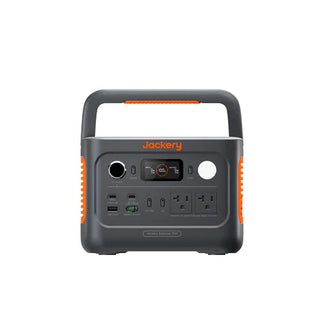
Explorer 2000 v2 |
2,042 Wh LiFePO4 |
2,200 W |
4,400 W |
1.7 hrs (Emergency Super Charge) |
7.5 hrs (4× 100 W panels) |
Runs a 520 W refrigerator ~3.2 hrs plus lights & router |
SolarSaga 500X |
– |
– |
– |
– |
– |
500 W bifacial panel, 25% efficiency (TOPCon), 22 lbs, IP68, −40°F to 185°F; compatible with Explorer 5000 Plus, 2000 Plus, 1000 Plus, 1000 v2 via MC4 connector |
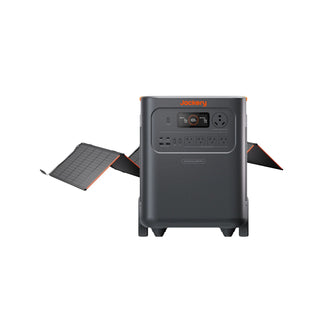
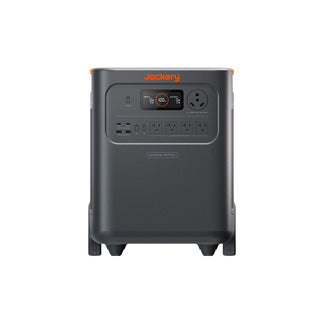
Solar Generator 5000 Plus + 2× SolarSaga 500X |
5,040 Wh (expandable to 60 kWh) |
7,200 W |
14,400 W |
– |
~6.5 hrs (1,000 W solar input) |
Multi‑day backup; powers fridge, freezer, well pump, office simultaneously |
Curious whether a Jackery can handle an air conditioner? See the load requirements here.
Decision Table: Matching Load to Jackery Setup
Essential Loads |
Total Running Watts |
Recommended Jackery Setup |
Estimated Runtime |
Refrigerator (520 W), Wi‑Fi router (10 W), 5 LED lights (50 W) |
580 W |
Explorer 2000 v2 |
~2.9 hours |
Refrigerator, freezer, well pump (1,200 W surge), lights, home office |
1,500 W running, 3,600 W surge |
Solar Generator 5000 Plus |
~3.3 hours (5,040 Wh) |
Extended critical backup (multi‑day) |
1,000–2,000 W |
Solar Generator 5000 Plus with expansion batteries |
1–3 days depending on solar input |
Frequently Asked Questions (FAQ)
How long do solar panels last before needing replacement?
Most solar panels have a performance warranty for 25–30 years and often continue generating power at reduced efficiency for decades beyond that.
What maintenance do solar panels require over time?
Panels need periodic cleaning to remove dust, debris, and snow, plus an annual check of wiring and mounting hardware for corrosion or loosening.
How do I size a portable power station to my daily load?
Add up the watt‑hours of the appliances you want to back up (wattage × hours of use), then choose a power station whose usable capacity in Wh comfortably exceeds that total.
How does partial shading affect my solar system’s output?
Shade on one panel can disproportionately reduce output for the entire string in series‑wired systems, so microinverters or power optimizers are recommended for shaded roofs.
How much capacity do I need for essential backup?
For essential loads like a refrigerator, lights, Wi‑Fi, and phone charging, roughly 1–2 kWh (1,000–2,000 Wh) of usable battery covers a short outage; add more capacity or solar input for multi‑day backup.
Sources & References
[1] U.S. Energy Information Administration, “How much electricity does an American home use?” FAQ — eia.gov/tools/faqs/faq.php?id=97&t=3 (accessed June 25, 2026).
[2] U.S. Department of Energy, “Solar Performance and Efficiency” — energy.gov/eere/solar/solar-performance-and-efficiency (accessed June 25, 2026).


