






























































































































![[Add-on] Jackery Battery Pack 5000 Plus - Jackery](http://www.jackery.com/cdn/shop/files/add-on-jackery-battery-pack-5000-plus-6713401.webp?v=1786503068&width=324)

























































Your computer is probably the one appliance in your house you never think to check. But between a desktop tower, a couple of monitors, and whatever else is plugged into your desk, that quiet little setup adds up over a year. On average, running a 200W computer for 8 hours a day costs somewhere between $0.21 and $0.84 a day, $6.29 to $25.31 a month, and $76.56 to $307.99 a year in the US, depending on where you live and what you are running.
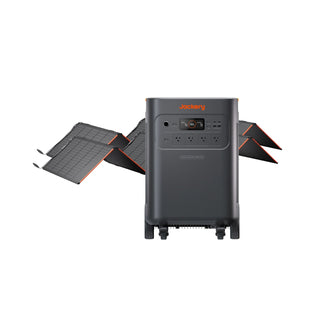
If you work from home, though, the electricity bill is only half the problem. The bigger risk is a power outage affecting your session mid-project or corrupting a file you haven't saved yet. That's where a solar generator is a reliable solution. Jackery Solar Generators with near-instant UPS backup switches from grid power to battery in a fraction of a second, so your laptop or desktop never notices the outage happened. Beyond emergency backup, running your home office off stored solar power during peak-rate hours is also a straightforward way to reduce monthly bills.
Key Takeaways
- Laptops typically draw 30–100W, desktops run 200–500W, and gaming or workstation-grade PCs can spike past 800W under load.
- A standard 200W desktop run 8 hours a day costs about $0.29 daily, $8.80 monthly, and $107.06 yearly at the US average electricity rate.
- Your actual cost depends on three things only: your computer's wattage, how many hours a day it runs, and your local electricity rate.
- Jackery Solar Generators with UPS functionality keep computers, routers, and monitors powered through outages while reducing how much you pull from the grid.
How Many Watts Does a Computer Actually Use?
The cost to run a computer depends heavily on what you are running, and this is where a lot of online calculators oversimplify things. A slim laptop doing email and spreadsheets might draw as little as 30W. A mid-range desktop tower handling everyday work, such as browsers, video calls, a handful of tabs you forgot to close, sits closer to 200W. Gaming, video rendering, or running multiple monitors off a discrete graphics card uses 500–800W.
A single 24-inch monitor adds another 20–40W on top of the computer itself, and if you are running dual monitors for work, that is an extra 40–80W running the whole time your computer is on. This is often left out of "how much does my computer cost" estimates entirely.
The other overlooked factor is idle power. A desktop sitting awake but untouched (not sleeping) still pulls a meaningful chunk of its active wattage. For a deeper breakdown by device type, our guide on how many watts does a computer use covers specific configurations in more detail.
How to Calculate Your Own Computer's Running Cost
Before diving into example numbers, here's the formula so you can plug in your own device instead of relying on an average that may not match your setup:
- Find the Wattage: Check the label on your power supply, a manufacturer spec sheet, or measure the wattage directly with a plug-in watt meter. It is the most accurate option, since real-world draw often differs from the rated max.
- Convert to Kilowatt-Hours: Watts ÷ 1,000 = Kilowatts. Multiply the wattage by the hours you use it per day to get kWh/day.
- Multiply by Your Electricity Rate: Your utility bill lists your rate in cents per kWh. You need to multiply your daily kWh by that rate (converted to dollars) to get your daily cost.
So if your laptop draws 65W and you use it 6 hours a day at the US average rate of 15.95 cents/kWh:
- 65W ÷ 1,000 = 0.065 kW
- 0.065 kW × 6 hours = 0.39 kWh/day
- 0.39 kWh × $0.1834 = $0.071/day, or roughly $2.14/month and $25.74/year
Swap in your own numbers and you'll get a far more accurate picture than any single "average computer" figure can give you, especially since your local rate alone can differ the final cost by 3–4x.
How Much Does It Cost to Run a Computer by Type
The cost to run a computer or laptop varies based on wattage, usage duration, and local electricity rate. Let's calculate the estimated cost by computer type:
Standard Desktop (200W, 8 hours/day)
At the US average rate of 18.34 cents per kWh:
- Power used: 200W × 8 hours = 1,600Wh = 1.6 kWh/day
- Daily cost: 1.6 kWh × $0.1834 = $0.29
- Monthly cost: $0.29 × 30 = $8.80
- Yearly cost: $8.80 × 12 = $105.63
High-Performance Setup (800W, 5 hours/day)
Gaming rigs, dual-monitor workstations, and rendering machines consume closer to 800W under sustained load:
- Power used: 800W × 5 hours = 4,000Wh = 4 kWh/day
- Daily cost: 4 kWh × $0.1834 = $0.73
- Monthly cost: $0.73 × 30 = $22.00
- Yearly cost: $22.00 × 12 = $264.09
If either of these machines runs closer to 24/7, which happens more often than people admit, especially with home servers, always-on rendering queues, or remote-desktop setups, you can expect those numbers to roughly triple.
Quick Comparison: Laptop vs. Desktop vs. Gaming PC
Here is the same math applied across the three most common setups, all running 8 hours a day at the US average rate:
|
Device Type |
Avg. Wattage |
Daily Cost |
Monthly Cost |
Yearly Cost |
|
Laptop |
50W |
$0.07 |
$2.20 |
$26.40 |
|
Standard Desktop |
200W |
$0.29 |
$8.80 |
$107.06 |
|
Gaming PC / Workstation |
500W |
$0.73 |
$22.00 |
$264.09 |
How Much It Costs to Run a Computer (200W) Across the US
Electricity rates vary enormously by state, which means the same computer running the same hours can cost nearly 4x more depending on your ZIP code:
|
Wattage |
Usage (Hrs/Day) |
State |
Rate (¢/kWh) |
Daily Cost |
Monthly Cost |
Yearly Cost |
|
200W |
8H |
New Jersey |
24.95 |
$0.40 |
$11.98 |
$145.71 |
|
200W |
8H |
New York |
29.49 |
$0.47 |
$14.16 |
$172.32 |
|
200W |
8H |
Illinois |
19.89 |
$0.32 |
$9.55 |
$116.16 |
|
200W |
8H |
Ohio |
19.19 |
$0.31 |
$9.21 |
$112.07 |
|
200W |
8H |
North Dakota |
14.12 |
$0.23 |
$6.78 |
$82.46 |
|
200W |
8H |
South Dakota |
15.36 |
$0.25 |
$7.37 |
$89.70 |
|
200W |
8H |
Florida |
15.10 |
$0.24 |
$7.25 |
$88.18 |
|
200W |
8H |
Georgia |
16.36 |
$0.26 |
$7.85 |
$95.54 |
|
200W |
8H |
North Carolina |
14.74 |
$0.24 |
$7.08 |
$86.08 |
|
200W |
8H |
South Carolina |
15.55 |
$0.25 |
$7.46 |
$90.81 |
|
200W |
8H |
Texas |
15.94 |
$0.26 |
$7.65 |
$93.09 |
|
200W |
8H |
Montana |
15.14 |
$0.24 |
$7.27 |
$88.42 |
|
200W |
8H |
Nevada |
13.11 |
$0.21 |
$6.29 |
$76.56 |
|
200W |
8H |
New Mexico |
15.06 |
$0.24 |
$7.23 |
$87.95 |
|
200W |
8H |
Utah |
13.37 |
$0.21 |
$6.42 |
$78.08 |
|
200W |
8H |
Wyoming |
15.24 |
$0.24 |
$7.32 |
$89.00 |
|
200W |
8H |
California |
34.74 |
$0.56 |
$16.68 |
$202.88 |
|
200W |
8H |
Oregon |
16.32 |
$0.26 |
$7.83 |
$95.31 |
|
200W |
8H |
Alaska |
28.21 |
$0.45 |
$13.54 |
$164.75 |
|
200W |
8H |
Hawaii |
52.72 |
$0.84 |
$25.31 |
$307.99 |
|
200W |
8H |
US Average |
18.34 |
$0.29 |
$8.80 |
$107.06 |
Source: Electric Power Monthly – US Energy Information Administration (EIA)
Official Tips to Reduce the Cost to Run a Computer
If you want to reduce the cost of running a computer, you can follow these simple tips from the Energy Star and the US Department of Energy:
- Switch to Energy Star-certified Computers: Desktop computers with the Energy Star label are energy efficient and consume 25%—40% less energy than conventional models.
- Turn On Sleep Mode: Whenever the computer is inactive, consider setting it to enter a low-power sleep mode, which can save nearly $15 per year. As a general thumb rule, you can enable the sleep mode if you want to keep the computer idle for 20 minutes.
- Turn Off the Computer When Not in Use: If you do not plan to use the computer for more than two hours, consider switching off both the CPU and monitor to save energy costs.
- Use Power Strip/Surge Protector: When printers, monitors, and other accessories are not in use for extended periods, switch off the power strip to prevent these components from drawing power even when they are shut off.
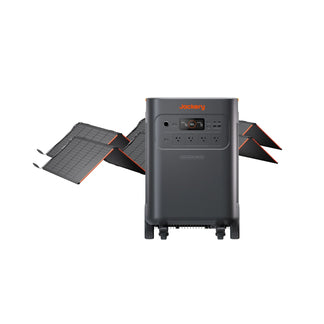
- Power Computers With a Solar Generator: The Jackery Solar Generators are essential home backup solutions that can power work-from-home setup appliances like computers, lights, printers, speakers, etc., to lower the reliance on the grid.
Richard Hart's decades in air traffic control taught him to always have a backup plan, and after retiring to Tampa, he built that instinct into a full Jackery system at home. Alongside the Explorer 1000, Explorer 2000, and dual Explorer 5000 Plus units keeping the house running, an Explorer 600 Plus works as a dedicated UPS for his office computer, switching over so seamlessly that Richard says he forgets it is even there until he needs it. "It's seamless," he says. "Totally silent." That quiet reliability means outages no longer interrupt his work, just as they no longer interrupt his sleep. For more on how Jackery owners keep their home offices running through storms, there's a growing library of Jackery Stories to explore.
Backing Up Your Home Office With Jackery Solar Generators
For anyone whose paycheck depends on a stable internet connection and a computer that doesn't randomly shut off, an outage is lost work and sometimes lost files. This is exactly the gap Jackery Solar Generators are built to close, using near-instant UPS switching that switches from grid to battery power before your computer even registers the interruption. Here are some of the ideal battery backups for computers.
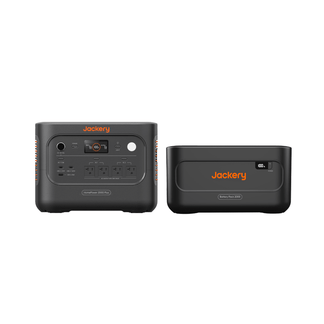
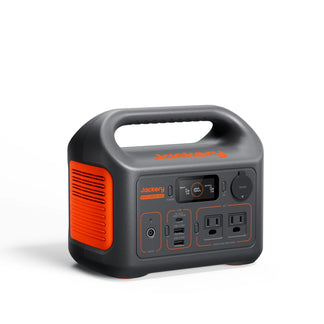
Jackery Solar Generator 600 v2
The Jackery Solar Generator 600 v2 is built for people whose "office" fits on one desk with a laptop, a router, maybe a small desk lamp. It packs a 640Wh battery into the lightest and smallest 600Wh LiFePO4 power station for home office so you can keep working through any outage. Its UPS switchover speed of ≤0.01 seconds is fast enough that even a sensitive laptop battery never registers the power loss. It has six output ports including dual USB-C.
Appliances Running Time
- Computer (200W) = 2.5H
- LCD Monitor (100W) = 4.8H
- Printer (50W) = 8.7H
- Speaker (200W) = 2.5H
- Paper Shredder (150W) = 3.3H
Who Should Buy This
The Jackery Solar Generator 600 v2 is ideal for freelancers, students, and remote workers running a single laptop-and-router setup, especially in an apartment or small space where a full-size power station doesn't make sense. If your outage risk is losing WiFi and laptop charge for a few hours, this is the right size.

Customer Review
The Jackery 600 v2 was tested on something small such as a 34 in TV, a router and a PS4 from a surge protector plugin with minimal game play mostly YouTube just to see power consumption. At just a little bit over 100 volts the Jackery 600 v2 lasted 6 hours, and charged in 2 1/2 hours. Even at a full drain to 0% with another test also charged in 2 1/2 hours from a wall outlet.
— Forever G.
Jackery Solar Generator HomePower 1000 v2
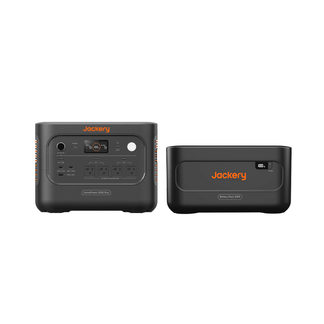
If your setup involves a desktop tower, a monitor, or a home office that needs power for more than a few hours, the Jackery Solar Generator HomePower 1000 v2 is an ideal pick. It features a sub-10-millisecond switchover, which delivers roughly 100x the backup runtime of a traditional desktop UPS and matters more if you run long batch jobs or simply cannot afford to lose power. It also includes Jackery's Priority Routing™ feature, which lets you rank which devices matter most, such as your desktop and router ahead of a lamp, so that as the battery drains, it automatically cuts less critical devices first and keeps your essentials running longer.
Appliances Running Time
- Computer (200W) = 4.0H
- LCD Monitor (100W) = 7.0H
- Printer (50W) = 13.0H
- Speaker (200W) = 4.0H
- Paper Shredder (150W) = 5.0H
Who Should Buy This
The Jackery Solar Generator HomePower 1000 v2 is ideal for anyone running a desktop computer plus a monitor and networking gear who wants backup that lasts through a real outage.

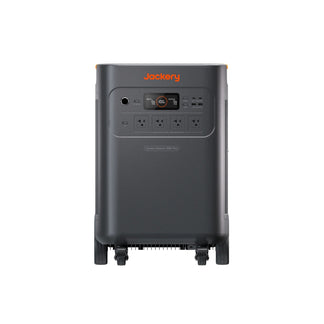
Jackery Solar Generator 2000 v2
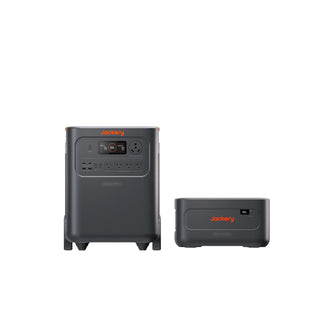
If your setup includes a desktop tower, dual monitors, external drives, and a printer or if you want one unit that can back up your work-from-home corner plus the fridge and WiFi during a longer outage, the Jackery Solar Generator 2000 v2 is the one to reach for. It can run a demanding workstation without any issues. The UPS switchover happens ≤20ms, still well under the threshold that would cause a modern computer to reboot or lose an active session. It can achieve a full charge in about 1.7 hours using Emergency Fast Charge mode, which is useful if a storm is rolling in and you want it recharged before the power actually drops.
Appliances Running Time
- Computer (200W) = 7.7H
- LCD Monitor (100W) = 14.2H
- Printer (50W) = 24.6H
- Speaker (200W) = 7.7H
- Paper Shredder (150W) = 10.0H
Who Should Buy This
The Jackery Solar Generator 2000 v2 is ideal for power users, small business owners running a full desktop setup, or anyone who wants their computer backup to double as whole-room or partial-home backup during longer outages.

Customer Review
Replaces a Jackery Explorer as power for my cabin. This is the perfect all-weekend solution for a cabin, camper or RV. Ditto, certainly will get used for large group cookouts and campouts. We have a plug-in generator which powers the essentials in a blackout - this will power all the “fun-to-have” amenities or just the deepfreeze if needed. Build is great, solar panels easy to use, quiet.
— Christian M.
Frequently Asked Questions
How much does it cost to run a computer 24/7?
The answer to how much it costs to run a computer 24/7 depends on the appliance's power consumption and the cost of electricity in your area. For instance, a typical desktop (200W) running 24/7 in the USA will cost $0.87 daily, $26.40 monthly, and $321.18 yearly in the US. It is roughly three times the cost of running it 8 hours a day, since you are simply tripling the hours.
How much does it cost to run a gaming computer?
A gaming PC pulling 500W during a 4-hour session costs about $0.36 daily, $11.00 monthly, and $132.04 yearly. If you stretch those sessions to 8 hours instead of 4, the number is roughly double those figures.
How much does it cost to run a 700W computer?
At the US average rate of 18.34 cents per kWh, a 700W computer running 8 hours a day costs about $1.02 daily and $30.81 monthly. You can apply the formula from earlier in this article to any wattage to get the exact cost.
Does running two monitors add much to the cost?
Yes, a single monitor typically draws 20–40W, so two monitors running alongside a 200W desktop for 8 hours a day adds roughly 0.32–0.64 kWh/day. It's not dramatic on its own, but combined with a desktop tower and a printer, a fully-equipped home office can pull noticeably more than the "just the computer" estimate most calculators assume.
How much does it cost to run a computer fan?
Standalone computer fans typically use just 0.6–2 watts. Even running 24/7, that only adds up to about $0.07–$0.26 a month. It is genuinely negligible compared to the computer itself.
Conclusion
Running a computer, even a power-hungry gaming rig, rarely impacts the monthly electricity bill. Instead, it's the accumulation of monitors, peripherals, and standby draw that quietly pushes home office energy use higher than expected. The real risk is what happens the moment the power actually cuts out mid-task. Jackery Solar Generators with near-instant UPS backup solves both problems at once: it lowers your reliance on grid power day-to-day, and it makes sure your desktop, monitor, router, and other devices on your desk keeps running the instant the lights go out.


![How Many Watts Does a Laptop Use: MacBook, Dell, Asus and More [With Data Table]](http://www.jackery.com/cdn/shop/files/how-many-watts-does-a-laptop-use-macbook-dell-asus-and-more-with-data-table-9282157.jpg?v=1786014598&width=90)


