
























































































































![[Add-on] Jackery SolarSaga 500 X - Jackery](http://www.jackery.com/cdn/shop/files/add-on-jackery-solarsaga-500-x-1493607.webp?v=1786503068&width=324)





![[Add-on] Jackery Battery Pack 5000 Plus - Jackery](http://www.jackery.com/cdn/shop/files/add-on-jackery-battery-pack-5000-plus-6713401.webp?v=1786503068&width=324)


























































Start with your essential home electricity load, not a panel count. Multiply each essential device’s wattage by its expected daily runtime to get a one-day recovery target in watt-hours (Wh). Then compare that target with the usable solar energy your location, season, charging window, and backup system can realistically support. There is no universal panel wattage for every home: the right solar input sizing result is a daily energy target paired with a compatible input configuration.
What Solar Input Sizing Target Covers One Day of Essential Electricity?
A practical starting target is the amount of essential home electricity you need to restore in one day, expressed in Wh or kWh. The solar input must then be sized to deliver that recoverable energy during your actual charging window, after accounting for site and system conditions.
Use this calculation sequence:
- List only essential loads. Include the devices you expect to use during an outage, such as refrigeration, lighting, communications, and other equipment that is genuinely part of your backup plan. Do not default to whole-home consumption.
- Record each device’s running watts and expected daily runtime. Use a label, manufacturer specification, or measured value when available. If a value is unknown, use a clearly labeled planning assumption rather than an unsupported household average.
-
Calculate each device’s daily energy. Use
watts × hours per day = watt-hours per day. For example, a 60W device used for 4 hours contributes60W × 4h = 240Wh. -
Add the device totals. If your illustrative load includes 240Wh from one device, 500Wh from another, and 260Wh from a third, the daily target is
240Wh + 500Wh + 260Wh = 1,000Wh, or1kWh. -
Carry that result into solar comparisons. In this example, your planning target is 1kWh of energy restored during the available charging window. The required average recovery rate is
1,000Wh ÷ charging-window hours, but a panel’s rated wattage does not guarantee that many usable watt-hours per day.
This is the core of solar input sizing: calculate the energy that must be replaced, then test whether the expected usable harvest can meet it. A battery with enough stored energy for the target does not automatically have enough solar input to refill in one day. For a broader calculation walkthrough, use this solar panel calculation guide or battery charge time calculator as follow-up reading.

How Do Sunlight and Charging Losses Change the Practical Target?
The practical target becomes harder to meet when the available charging window is short or unreliable. Convert your daily Wh target into an expected usable solar harvest for the intended location and season instead of treating a panel’s nameplate wattage as its daily energy output.
A location-specific PVWatts estimate can help you estimate PV energy for a chosen site and system configuration. Use its output for planning, not as a guaranteed result for a portable backup battery. Your recovery test should reflect the season and the hours when the panels can actually be used.
Solar production varies with location-specific availability and weather patterns, as explained by the Department of Energy’s guidance on solar production. Panel orientation, tilt, and shading also affect delivered energy, as described in the DOE consumer guide to solar electricity. Module age, temperature, conversion behavior, and the backup system’s own charging limit can further affect how much energy reaches the battery.
Use the result to make one of three bounded decisions. If the estimated usable harvest meets the daily recovery target, the planned charging window may be workable. If it falls short, you may need more compatible solar input, a smaller essential-load target, or a recovery period longer than one day. Do not add a fixed loss percentage unless the system documentation or your own planning method supports it.

This is where solar input sizing becomes a charging-window problem. A battery can hold the required energy while the available solar window remains the bottleneck. If your site has frequent cloud cover, shade, seasonal changes, or limited placement options, run the estimate for the relevant season rather than relying on a single ideal-day assumption. A peak sun hours guide can provide additional background, but do not apply one universal sun-hour value to every US location.
Should You Use One Panel or a Compatible Multi-Panel Setup?
Choose one compatible panel when its estimated usable harvest can meet the recovery target within the available window. Consider a compatible multi-panel arrangement when one panel cannot meet that target, but first confirm the backup system’s electrical limits and approved configuration in its documentation.
| Reader situation | Likely configuration direction | Verification needed |
|---|---|---|
| Smaller essential-load target and a longer, reliable charging window | One compatible panel may be sufficient if expected usable harvest meets the Wh target | Compare estimated harvest with the target and confirm that the system accepts the panel |
| Larger target or short charging window | Consider compatible parallel input, or plan to restore less energy or take more than one day | Check total accepted input, voltage, current, connectors, and approved panel arrangement |
| Cloudy, shaded, seasonal, or poorly oriented site | Do not decide from rated watts alone; use a location- and season-aware estimate | Compare realistic usable harvest with the target and respect the system input ceiling |
Parallel panels are not automatically better. Adding input helps only when the backup system can accept the arrangement and the site can provide the expected energy. For the exact model, check its documented voltage and current limits, total accepted input, connectors, and approved arrangement in the current Jackery User Guide; do not transfer limits from another power station.
For a narrow product example, the SolarSaga 200W panel is listed as a 200W panel with conversion-efficiency features. That product description does not establish compatibility with a particular backup model, a multi-panel arrangement, or a recharge time. Treat it as an option only after matching it to the exact system limits.
How Do You Verify the Solar Input Will Refill the Backup System?
The plan is feasible only when five items align: the daily essential-load target, usable stored energy, accepted solar-input range, approved panel configuration, and realistic charging window. Product capacity alone cannot prove that one day of essential home electricity will be restored in one day.
As a planning rule, compare the energy you expect to have available from storage with the exact model’s documented solar-input range, connectors, and approved panel arrangement. Then compare the location- and season-specific expected harvest with the Wh target. If the documentation does not provide enough information for that comparison, stop at a compatibility check instead of treating the setup as a guaranteed one-day recharge solution.
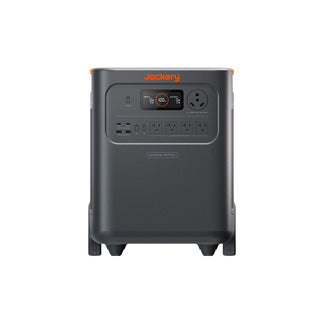
For context, the HomePower 3600 Plus is supplied with a 3,600W output rating and 3,584Wh capacity. Those figures describe output and storage context, not solar recharge performance. The Solar Generator 1000 Plus (100 Mini) likewise should not be judged for one-day recovery without its exact solar-input specifications and your measured essential-load target. Readers comparing systems can review home backup power options, but the collection cannot replace model-specific documentation.
Your next action is to write down each essential device, calculate its daily Wh, identify the intended charging window and season, estimate location-specific solar production, and compare that result with the exact backup system’s accepted input and approved panel configuration. That comparison, rather than a universal panel count, is the final solar input sizing decision.
Frequently Asked Questions
Is battery capacity the same as the solar input needed for one day of backup?
No. Battery capacity is the amount of energy the system can store, while solar input describes the energy source and delivery rate used to restore it. A battery may hold enough energy for your calculated load, yet the available solar window may not provide enough usable harvest to refill it in one day. Compare storage and recharge capability as separate purchase checks.
How should I size solar input when sunlight is cloudy or the charging window is short?
Use a location- and season-specific estimate, then choose among three bounded responses: add compatible solar input if the system allows it, reduce the essential-load target, or accept recovery over more than one day. Cloudy or shaded conditions do not support a universal loss percentage, so avoid presenting an ideal-day estimate as a dependable refill result.
When do I need multiple solar panels to recharge a home backup battery?
Multiple panels deserve consideration when one compatible panel cannot provide the required usable harvest during the available charging window. The backup system must explicitly support the combined voltage, current, total input, connectors, and arrangement. If it does not, a larger panel count is not a valid solution even when the theoretical energy target is higher.
What should I verify before buying panels for a portable home backup system?
Verify your daily essential-load Wh, the system’s usable battery energy, its accepted solar-input range, the approved panel arrangement, and the connectors. Then compare expected charging behavior for the intended location, season, and window. If any model-specific input limit is missing, consult the current official guide before placing the order rather than assuming general panel compatibility applies.


