





























































































































![[Add-on] Jackery SolarSaga 500 X - Jackery](http://www.jackery.com/cdn/shop/files/add-on-jackery-solarsaga-500-x-1493607.webp?v=1786503068&width=324)





![[Add-on] Jackery Battery Pack 5000 Plus - Jackery](http://www.jackery.com/cdn/shop/files/add-on-jackery-battery-pack-5000-plus-6713401.webp?v=1786503068&width=324)


























































If you are a Houston resident watching your electricity bills climb higher every month, taking control of your energy costs starts with a single, crucial tool: the CenterPoint Energy login.
This online portal is your gateway to the critical data that separates non-negotiable delivery fees from the retail supply charges that rooftop solar can actually slash. Without this data-driven breakdown, you are essentially flying blind—paying bills you don't fully understand while missing the exact consumption metrics needed to calculate solar payback or dispute costly billing errors.
How Can You Master the CenterPoint Energy Login for Bill Management?
The online dashboard behind your CenterPoint Energy login is a powerful tool to manage your household energy budget. Settle your billing questions by utilizing these core portal features:
- Detailed Billing Breakdown: Access your historical statements to separate CenterPoint's fixed delivery charges from your Retail Electric Provider's (REP) energy supply fees.
- Usage History Review: Review your 15-minute interval data to confirm if high bills stem from actual household consumption or estimated meter reads.
- AutoPay and Paperless Settings: Avoid late fees by enrolling in AutoPay, and set up paperless billing to receive your eBill immediately, letting you spot consumption spikes before payment is drafted.
- Multi-Account Management: Toggle between different meters easily from a single dashboard—highly useful for landlords or homeowners monitoring a separate solar generation meter.
- Outage Map Integration: Track real-time local grid failures directly through the portal, which integrates with the live CenterPoint outage map.
- High-Usage Alerts: Program automated energy alerts to notify you when your daily consumption exceeds 150% of your historic average, catching AC overuse before the monthly bill arrives.
- Secure Profile Management: Enable two-factor authentication to protect your billing and contact details, ensuring you receive important service restoration texts during an emergency.
How Do You Decode Your CenterPoint Bill: Delivery vs. Supply Charges?
Your monthly utility statement consists of two entirely separate charges. Confusing them can lead you to vastly overestimate how much money solar can save you on your average electric bill in Houston:
- TDU Delivery Charges (CenterPoint): These fees cover the physical poles, wires, meters, and maintenance crews. They typically account for **40% to 50% of your total bill** and are non-negotiable, regulated by the Public Utility Commission of Texas (PUCT). Solar panels *cannot* eliminate these fees, meaning CenterPoint will still charge you $25 to $35 monthly just to stay connected.
- Supply Charges (Your Chosen REP): This is the charge for the actual electricity you consume. This is the portion of your bill that solar energy directly offsets. If you generate more power than you consume, your chosen Retail Electric Provider (REP) will credit your account based on your solar buyback plan.
- The Sizing Trap: Sizing a solar system to offset 100% of your energy use will not result in a $0 utility bill. You will still pay CenterPoint's fixed monthly delivery charges, meaning your ROI calculations should treat delivery and supply costs as two separate financial problems.
How Do You Track Solar Generation and Usage with Smart Meter Texas?
Your CenterPoint smart meter records both the energy you draw from the grid and the excess solar power you export. To verify that your REP is crediting you accurately, monitor your net generation registers directly:
- Monitor Register 029: This specific register on your physical smart meter displays your cumulative net excess solar generation. Compare this number against your monthly REP statement to catch any billing errors.
- Download 15-Minute Interval Data: Register at SmartMeterTexas.com using your ESI ID and meter number (found on your CenterPoint bill) to download your raw interval data. This spreadsheet is your true solar payback calculator, letting you track exactly when you are drawing from the grid versus exporting.
- Utilize Green Button Standards: Smart Meter Texas supports the Green Button data standard, allowing you to securely share your raw consumption CSV files with third-party home energy apps to analyze your usage patterns.
How Do Experienced Homeowners Plan Solar Payback?
Do not rely on the optimistic sales pitches of solar installers. To build a realistic, accurate payback spreadsheet, follow these guidelines:
- Analyze a Full Year of Usage: Do not base your system size on a single month. Sizing a system in March will not account for peak August AC loads, which are often triple spring baselines.
- Run PVWatts Calculations: Use the National Renewable Energy Laboratory's (NREL) PVWatts calculator to estimate your system's monthly kWh production based on your specific roof pitch, direction, and regional climate.
- Factor in Rollover Policies: Texas does not mandate 1:1 net metering. Research different REPs and always read the Electricity Facts Label (EFL) to verify if your credits roll over monthly, annually, or cash-out at lower wholesale rates. You can find active rebates in our guide to Texas solar incentives.
- Account for Panel Degradation: Standard silicon solar panels degrade by roughly 0.5% per year, meaning your system will produce about 88% of its original output in year 25.
- Include Inverter Replacement Costs: Standard string inverters typically require replacement between years 10 and 15. Ensure your financial model includes a one-time replacement cost of $1,500 to $3,000.
What are the Most Practical Ways to Lower Your Home Energy Consumption?
Before investing in solar, implementing simple, low-cost energy efficiency measures can lower both your TDU delivery charges and your REP supply fees, delivering a much faster return on your investment:
- Smart Thermostats and Filters: Programming your thermostat to let the temperature rise 7 degrees when you are away can cut annual cooling costs by 10%. Additionally, replace HVAC air filters monthly during peak summer to prevent a 15% increase in fan energy.
- Seal Air Gaps: Use weatherstripping and silicone caulk to seal drafts around doors and window sills. This inexpensive step prevents conditioned air from escaping, reducing your cooling workload.
- Lower Water Heater Temperatures: Set your water heater to 120 degrees Fahrenheit. Since water heating accounts for roughly 18% of household energy, this single adjustment reduces standby heat loss significantly.
- Upgrade Attic Insulation: Increasing your attic insulation from R-11 to R-38 can cut your summer cooling bills by up to 20% in hot Gulf Coast climates.
- Apply Solar window Films: Reflective window films block solar heat, reducing radiant heat gain by up to 30% on windows exposed to direct afternoon sun.

Which Backup Power Solutions Protect Your Home When the Grid Fails?
While energy efficiency measures and solar panels lower your utility bills, they provide zero protection when the fragile Texas grid fails during extreme weather. To keep your household safe, you must prepare a reliable, independent battery backup. Sizing your critical appliances is simple once you read our guide on essential home backup power:
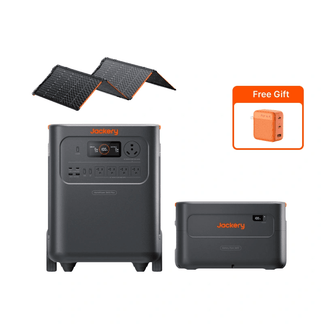
Jackery Solar Generator HomePower 3600 Plus
The high-capacity, silent backup designed to keep your essential household circuits running through extended storm cycles:
- Specs & Capacity: Packs a 3,584 Wh base capacity (expandable up to 43 kWh) to run a standard refrigerator for up to 38 hours or a home water pump for 50 hours on a single charge.
- Clean Output: Delivers 3,600W of continuous power and 7,200W of surge capacity, featuring a sub-20ms UPS bypass to protect sensitive modems and electronics from dirty grid transitions.
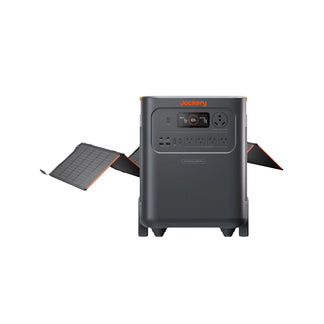
- Solar Recharge: Includes a Jackery SolarSaga 500 X Solar Panel to fully recharge the unit in 16 hours of direct sunlight.
Jackery Solar Generator 5000 Plus
The ultimate heavy-duty, split-phase backup system designed for essential home integration:
- High Power Output: Delivers 7,200W of continuous AC output and a massive 14,400W surge capacity to easily start heavy central air compressors, well pumps, and sump pumps.
- Dual-Voltage Support: Features 120V/240V split-phase output to connect directly to your home's manual transfer switch.
- 0ms Online UPS: True online UPS with 0ms transfer time, ensuring sensitive medical devices and servers never register a power flicker. You can also safely Texas power outage map for a hybrid backup setup.
Jackery Solar Generator 2000 v2
The compact, lightweight, and budget-friendly emergency backup station:
- Specs & Weight: Packs 2,042 Wh of capacity into a portable, 39.5-pound frame that can run a refrigerator for 3.2 hours or emergency lights and medical gear for days.
- Emergency Fast Charge: Recharges from empty to 100% in just 1.75 hours from a standard AC outlet between storm bands.
Jackery Sizing Matrix
|
Specification |
Jackery Solar Generator 2000 v2 |
Jackery Solar Generator HomePower 3600 Plus |
Jackery Solar Generator 5000 Plus |
|
Battery Capacity |
2,042 Wh |
3,584 Wh (expandable to 43 kWh) |
5,040 Wh (expandable to 60 kWh) |
|
Continuous AC Output |
2,200 W |
3,600 W |
7,200 W (14,400 W surge) |
|
UPS Switchover Speed |
Under 20 milliseconds |
Under 20 milliseconds |
0 milliseconds (Online UPS) |
|
Solar Charging Input |
Up to 400W solar input |
500W (SolarSaga 500X included) |
1,000W (2x SolarSaga 500X included) |
Frequently Asked Questions
How are excess solar generation credits handled in Houston?
While CenterPoint tracks your net excess generation on meter register 029, your chosen Retail Electric Provider (REP) dictates how those credits are applied. Review your plan's Electricity Facts Label (EFL) to see if they offer monthly rollovers, annual true-ups, or cash-outs at wholesale rates.
Can budget billing work with solar panels?
Yes, but use caution. Budget billing smooths out seasonal delivery charges to make your monthly bills predictable; it does not reduce your total annual costs. If your solar credits fluctuate, it can make your budget billing reconciliation highly unpredictable.
What are the steps to dispute an estimated CenterPoint bill?
First, log into Smart Meter Texas to download your raw interval data and confirm your actual usage. Then, contact CenterPoint customer service through your online account portal to submit your data and request a formal meter re-read or billing correction.
What is the difference between net metering and solar buyback?
Net metering credits your exported solar power at the full retail rate of electricity (which is rare in Texas). In contrast, standard REP buyback plans credit your excess generation at a lower, wholesale rate or as a simple bill offset.
Do I need a separate meter for my solar panels?
No. Your existing CenterPoint smart meter is bidirectional, meaning it automatically tracks both the energy you import from the grid and the excess solar energy you export, recording them on separate internal registers (such as register 029).


