
















































































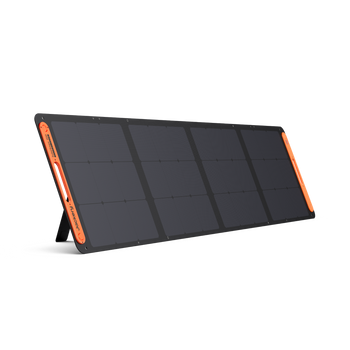




























![[Add-on] Jackery SolarSaga 500 X - Jackery](http://www.jackery.com/cdn/shop/files/add-on-jackery-solarsaga-500-x-1493607.webp?v=1786503068&width=324)





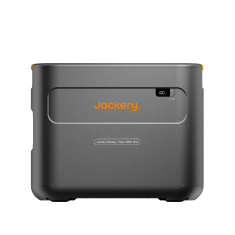
![[Add-on] Jackery Battery Pack 5000 Plus - Jackery](http://www.jackery.com/cdn/shop/files/add-on-jackery-battery-pack-5000-plus-6713401.webp?v=1786503068&width=324)


















































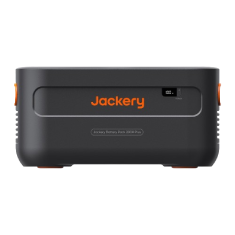
![[Add - on] SolarSaga 200W - Jackery](http://www.jackery.com/cdn/shop/files/add-on-solarsaga-200w-4834329.png?v=1754016915&width=324)






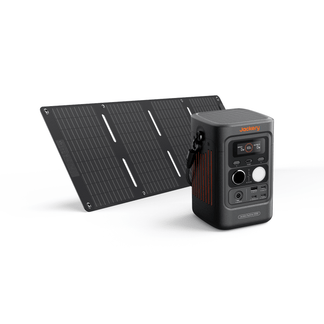


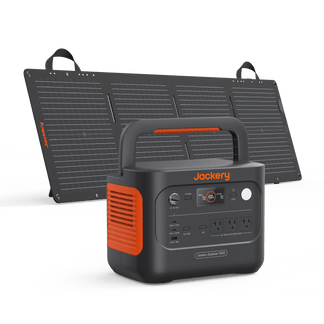
Setting up a Jackery Solar Generator for the first time takes less than 15 minutes, and once it's done, you have clean, silent power ready to go, whether you are at home, at a campsite, or anywhere in between.
This guide walks you through everything: what's in the box, how to charge the power station for the first time, how to set up your Jackery SolarSaga Solar Panels correctly, and how to avoid the most common mistakes new users make.
Follow these steps in order, and your solar generator will be fully operational and calibrated correctly before you ever need to rely on it.
Key Takeaways
- Charge your power station to 100% via an AC wall outlet before first use to calibrate the battery display accurately.
- Connect the solar panel cable to the power station before the panel faces direct sunlight to protect the connectors.
- Match your appliance's wattage to the correct output port, such as AC outlets for household appliances and USB ports for devices.
- Never store your power station at 0% or 100% for extended periods. Generally, around 30–80% is the ideal storage charge range.
- You can download the Jackery app before setup to monitor input, output, and battery status in real time.
What Comes in the Box and What Do You Need Before You Start?
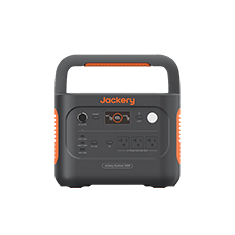
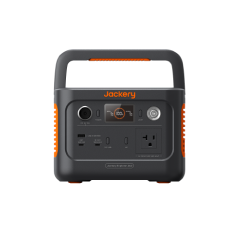
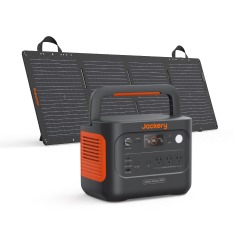
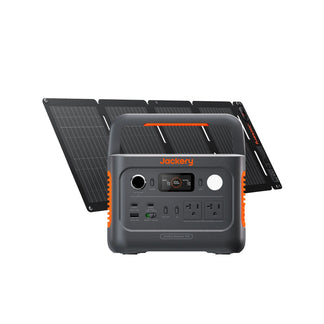
When you purchase a Jackery Portable Power Station, the box typically contains the power station, an AC wall charging cable, a car charging cable, and a user manual. A standard Jackery Solar Generator bundle includes the portable power station (the battery/inverter unit), one or more solar panels, and all the necessary cables to connect, charge, and operate your devices right out of the box.
For detailed information, you can check our guide: what's in the box Jackery.
How Do You Set Up a Jackery Solar Generator for the First Time?
Setting up a Jackery Solar Generator for the first time requires three main steps: unpacking and doing an initial 100% charge from a wall outlet, connecting and angling your solar panels in direct sunlight, and connecting your devices after powering on the generator's outputs.
The Jackery app (available on iOS and Android) lets you monitor real-time solar input, battery level, and power output from your phone. Download the Jackery app before you start and have it open during setup. It immediately shows whether your solar panel connection is live and how quickly the battery is charging.
How Do You Charge the Power Station Before Using It?
The Jackery setup process has three stages: charging the power station first, connecting your solar panels, and then connecting your appliances. Here's how to charge the Jackery Portable Power Station:
AC Wall Charging (Recommended for First Charge)
Plug the included AC charging cable into the power station's AC input port, then plug the other end into a standard household wall outlet. Switch the input on if your model has a dedicated charging switch. The display will show the current battery percentage and the estimated time to full. Charge to 100% before your first use.
Solar Panel Charging
Connect the solar panel to the portable power station using the included cables. The solar panel end connects to the panel's output cable, and the power station end plugs into the solar input port (labeled MPPT or DC Input on most models). Once connected, turn on the power station's input and check the display for the incoming watts.
Car Charging (12V)
Plug the included car charging cable into your vehicle's 12V cigarette lighter port, then into the power station's car input port. This method is slower than wall charging but useful for recharging the battery while driving between destinations.
You can also charge the Jackery Portable Power Station with the help of a gas or diesel generator. For additional information, you can read our blog: Can I Charge My Jackery with a Generator.

Why Charge to 100% Before First Use?
LiFePO4 batteries (used in all current Jackery Solar Generators) benefit from a full initial charge cycle. This calibrates the battery management system's state-of-charge display, so the percentage reading you see on screen accurately reflects how much power you actually have.
Here are a few Jackery model-specific guides that you can read to understand how to charge the power station:
- How to Charge Jackery 100 Plus
- How to Charge the Jackery Explorer 300D via Wall Outlet, Solar Panels, and Car Adapter
- How to Charge Jackery 240 v2
- How to Charge the Jackery 1500 Ultra
- How to Charge the Jackery HomePower 3600 Plus
- How to Charge the Jackery Explorer 5000 Plus via Different Methods
How Do You Connect Solar Panels to a Jackery Power Station?
To connect solar panels to a Jackery Portable Power Station, ensure you have the correct charging cables and place the solar panels in direct, unobstructed sunlight. Then, align the solar cable's connector with the corresponding DC input port on the power station and check the built-in LCD screen for a charging indicator. Here’s how to connect solar panels to the Jackery Portable Power Station:
- Lay the panel flat first. Before the panel faces direct sunlight, place it flat on the ground or a surface. This prevents the panel from generating voltage before the connection is made, which protects the connectors.
- Connect the cable before tilting toward the sun. Plug the panel's output cable into the power station's solar input port. You need to make sure the connection clicks firmly into place.
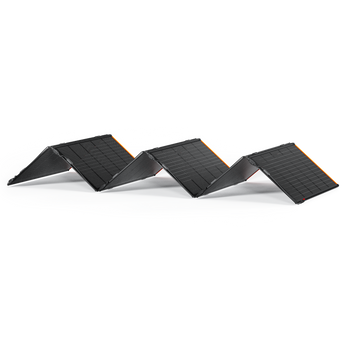
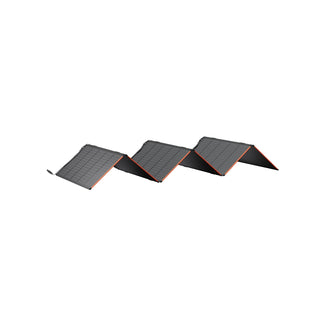
- Tilt the panel toward the sun at 30–45°. Use the panel's built-in kickstand to angle it. Direct the panel face toward the sun, ideally south-facing in the northern hemisphere. Avoid shadows from trees, buildings, or other objects on any part of the panel surface.
- Check the display for input confirmation. On the power station's screen, you should see incoming watts appear within a few seconds of the panel facing direct sunlight. In the Jackery app, this shows as a live solar input reading. If the display shows 0W, check the connection and ensure the panel is unshaded.
- Reposition mid-day if needed as the sun moves. On a stationary campsite setup, re-angling the panel once or twice during the day (tracking the sun roughly east to west) can add 15–25% more daily harvest compared to a fixed morning angle.
Most Jackery Solar Generators support multiple panels via parallel connection. Adding panels increases your solar input watts and reduces charge time, particularly useful on cloudy days or in winter when sunlight is less intense. Check your model's maximum solar input rating before adding panels, as exceeding it won't damage the unit, but any excess input above the limit will simply be unused.

How Do You Plug Appliances into the Right Output Port?
Jackery Solar Generators have multiple output port types. Using the right port for each device ensures safe, efficient power delivery and prevents tripped outputs.
|
Port Type |
Best For |
Notes |
|
AC Outlet |
Refrigerators, fans, laptops (via brick), coffee makers, power tools |
Check your appliance's wattage against the station's rated output before plugging in. Enable AC output via the button on the station. |
|
USB-A |
Phones, tablets, earbuds, cameras |
Standard charging speed. No need to enable it because it is always active when the unit is on. |
|
USB-C (PD) |
Laptops, tablets, newer phones |
Supports fast charging on compatible devices. Check your device's PD wattage requirement. |
|
DC / Car Port (12V) |
Car-style accessories, 12V coolers, air pumps |
Outputs 12V DC and only for devices designed for car/12V power. |
Every Jackery Solar Generator has a rated continuous output (measured in watts). Before connecting an appliance, check its wattage label (usually on the back or bottom) and compare it to your unit's output rating. Running appliances that exceed the continuous output will trip the overload protection. The power station will shut off the AC output automatically to protect itself.
What are the Most Common Setup Mistakes and How Do You Avoid Them?
The most common setup mistakes for a Jackery Solar Generator include panel shading, ignoring device wattage limits, and incorrect input voltage chaining. Avoid these errors by checking the LCD input readouts, matching cable ratings to your specific Jackery model, and placing panels in unshaded, direct sunlight. Here are some other common Jackery Solar Generator setup mistakes and how to avoid them:
|
Mistake |
What Happens |
How to Avoid It |
|
Laying panels flat on the ground |
Output drops by 40–60% vs. an angled panel |
Always use the kickstand and aim for 30–45° facing the sun |
|
Connecting panel after it's already in direct sun |
Can cause arcing at the connector and accelerated wear |
Connect cable first, then angle panel toward sun |
|
Plugging in appliances without checking wattage |
Overload protection trips, AC output shuts off |
Check the appliance wattage label before connecting |
|
Skipping the first full AC charge |
Battery percentage display may read inaccurately |
Charge to 100% via wall outlet before first field use |
|
Storing the unit at 0% for weeks or months |
Deep discharge can permanently reduce battery capacity |
Store at 30–80% charge. Top up every 3 months if not in use |
|
Storing at 100% charge long-term |
Keeping LiFePO4 at 100% for extended periods adds minor stress |
If storing for 30+ days, discharge to ~60–80% first |
Jackery Solar Generators produce zero emissions and are completely safe to use inside your home, RV, tent, or any enclosed space. Unlike gas generators, there is no risk of carbon monoxide. This is one of the most important practical advantages for emergency home backup, indoor camping, and van life use.
What Should You Do After Your Jackery is Set Up?
Once your Jackery Portable Power Station is charged and you've confirmed the solar connection is live, a few final steps will ensure your Jackery setup is ready when you need it.
Test Every Output Port
Before you rely on the power station in the field, test each port with the appliances you plan to run. Plug your refrigerator into the AC outlet and confirm it starts. Charge your phone via USB-C. Check that the wattage readings on the display or app match what you expect. A five-minute test at home is far better than discovering a problem at a campsite or during a power outage.
Set Up the Jackery App
Pair your power station with the Jackery app via Bluetooth or WiFi. The app gives you a real-time dashboard showing battery percentage, solar input watts, AC/DC output watts, and estimated runtime at your current usage level. It also lets you set charging schedules and receive low-battery notifications, which is useful for overnight setups where you want to know if something is draining faster than expected.
Run a Full Discharge-Recharge Cycle
After your initial full charge, consider running the battery down to 20 - 30% under normal load, then recharging to 100%. This second full cycle further calibrates the battery management system and gives you a realistic sense of how long the power station runs your specific appliances before needing a recharge. From this point forward, regular use is the best thing you can do for battery longevity, and LiFePO4 batteries perform best when cycled regularly rather than left sitting.
Store Correctly When Not in Use
- Short-Term Storage (up to 1 month): Leave the power station at its current charge level.
- Medium-Term Storage (1–3 months): Discharge or charge to 60–80% before storing. Keep in a cool, dry location away from direct sunlight.
- Long-Term Storage (3+ months): Charge to 60–80%, then recharge to that range every 3 months to prevent deep discharge. Check the display when you return to it. If it reads 0%, charge immediately via the AC wall outlet before use.
FAQs
How long does it take to set up a Jackery Solar Generator for the first time?
The physical setup, including unboxing, connecting the solar panel, and plugging in, takes about 10–15 minutes. The first AC charge to 100% takes 1–3 hours, depending on your power station’s capacity. You don't need to monitor the power station during charging, so total hands-on time is under 20 minutes.
Do I need any tools or technical knowledge to set up a Jackery?
No. All connections use plug-and-play connectors, so you don’t have to deal with wiring, tools, or any electrical knowledge to set up a Jackery Solar Generator.
How do I know if my solar panel is working after I connect it?
Check the power station's display for an incoming wattage reading. If the screen shows a positive solar input number (e.g., 120W, 200W), the connection is live and charging. In the Jackery app, the solar input appears on the main dashboard. If the reading shows 0W in direct sunlight, check that the cable is fully seated and that no part of the panel is shaded.
Can I use the Jackery while it's charging from solar panels?
Yes, you can use the Jackery Portable Power Station while it is charging from compatible solar panels, and this is called pass-through charging. You can run appliances from the AC or USB outputs while the solar panels recharge the battery simultaneously. In good sunlight, the solar input may fully offset your usage, effectively running your devices for free while the battery stays recharged.
What does it mean when the Jackery display shows 0W solar input on a sunny day?
The most common causes are: the AC or DC input isn't switched on (press the input button), the solar cable isn't fully connected (disconnect and reconnect firmly), the panel is shaded by even a small object, or the panel is lying flat instead of angled toward the sun.
Can I connect more than one solar panel to my Jackery?
Yes, you can connect multiple compatible solar panels to most Jackery Portable Power Stations to charge them faster. You can connect panels using parallel, series, or a combination of cables, depending on your specific model. However, you should always match the voltage and current limits in your user manual to avoid damaging the power station.
How should I store my Jackery when I'm not using it?
Store at 30–80% charge in a cool, dry location away from direct sunlight and extreme temperatures. If storing for more than 3 months, check the charge level every 3 months and recharge up to 60–80% if needed. You should never store at 0% because deep discharge is the fastest way to reduce a LiFePO4 battery's long-term capacity.
Is it safe to use a Jackery solar generator indoors?
Yes. Jackery Solar Generators are battery-powered and produce zero emissions. They are completely safe to use indoors, in an RV, in a tent, or in any enclosed space. This is one of the key advantages over gas generators, which must always be used outdoors.
Conclusion
Learning how to set up a Jackery Solar Generator is genuinely straightforward and takes just a few minutes. The only step that requires patience is the initial AC charge, and that runs in the background while you do something else.
What matters most for long-term performance is the habits you build from day one: charge to 100% before first use, connect your solar panels before they face the sun, match your appliances to the right ports, and store the power station at the right charge level when it's not in use.
If anything in the setup process looks different from what's described here, check your specific model's manual because port locations and button layouts vary slightly between units. The Jackery app is also a reliable resource: its live display takes the guesswork out of confirming that everything is connected and working correctly.


