



























































































































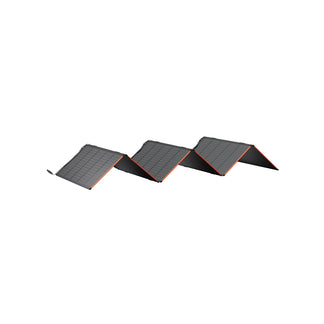





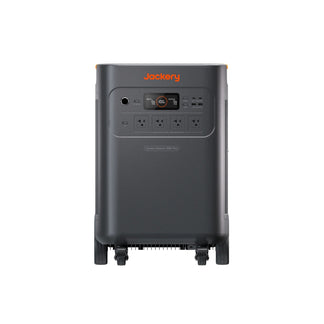
![[Add-on] Jackery Battery Pack 5000 Plus - Jackery](http://www.jackery.com/cdn/shop/files/add-on-jackery-battery-pack-5000-plus-6713401.webp?v=1786503068&width=324)


























































A typical home internet modem uses between 5 and 15 watts, with 10 watts being a common average for modern, combined modem/router gateways. Standalone modems often use less (5–10W), while advanced or high-performance models may draw up to 20–35 watts. Unlike high-demand appliances, a modem runs continuously, meaning its total monthly energy use depends more on uptime than peak power draw. While the wattage is modest, the fact that the modem operates 24/7 makes understanding its consumption important for long-term energy planning.
Maintaining internet connectivity during unexpected power outages has become essential for remote work, communication, and security systems. Since modems require very little electricity, Jackery Solar Generators can keep them powered for extended periods without significant battery drain. This makes them a practical solar generator solution for preserving connectivity when grid power fails, especially in homes that rely heavily on stable internet access. Once you understand how many watts a modem uses, you can calculate the right backup power solution.
Key Takeaways
- Most modems use 5–15 watts, depending on features and performance level.
- Even with a low-wattage modem, continuous operation increases total monthly energy use.
- Running a modem on grid electricity is inexpensive, typically costing only a few dollars per month.
- Jackery Solar Generators can power modems for long durations during outages due to their minimal energy demand.
How Many Watts Does A Modem Use?
A modem typically uses 5 to 15 watts, depending on the model and features. Basic standalone modems usually fall on the lower end of this range, while combination modem-router units or models supporting higher internet speeds may draw slightly more power. The modem runs continuously, and even small differences in wattage can affect total monthly energy consumption over time.
Average Modem Wattage:
The usual power of a modem is 5 to 15 watts. Different models, technologies, and features of modems may result in somewhat different specific wattages. In order to evaluate the modem's energy efficiency and environmental effect, knowing the average wattage is essential.
Wattage of Different Types of Modems:
Many variables, like the purpose, functionality, and general design, may affect the wattage of various modem types, including internet modems and cable modems. In broad strokes, here it is:
Cable Modems:
How many watts does a cable modem use? Cable modems, which use cable TV lines to connect to the internet, often have 5–15 watts. The modem's processing power, built-in routers, and data transfer efficiency may all impact its wattage.
DSL Modems:
Broadband connections using telephone lines, known as digital subscriber line (DSL) modems, often fall within the same wattage range as cable modems, which is 5 to 15 watts. Data transmission speed and built-in technologies for increased performance are two modem characteristics that could impact the wattage.
Optical Fiber Modems:
Internet modems that are specifically made for fiber optic connections often fall within the same wattage range. One possible detrimental impact of the cutting-edge technology used by fiber optic modems is its reputation for lightning-fast data transfer.
Integrated Modem-Router Devices:
You may get modems that can operate as routers. The combined modem and router functions could cause these devices to use a little more power, usually between 10 and 20 watts.
Modem Watt-Hour:
If you take a 20-watt modem and use it for one hour, it will use 20Wh or 0.020 kWh. Idle or standby modes, often called vampire or standby power, may cause certain modems to use less power. Even when the gadget is not actively sending data, it still consumes power.
For accurate long-term consumption analysis and smart energy conservation choices, knowing a modem's hourly watts is crucial. You may get more exact information about the power consumption of the device by reading the specifications given by the manufacturer of the modem.
Modem Electricity Usage:
If you are wondering how many watts does an internet modem use? Here is a simple table and some calculations to figure it out.
|
Wi-Fi Router Wattage |
Hours per Year Run |
Yearly kWh of Electricity |
|
5W |
8760 Hours |
43.8 kWh |
|
10W |
8760 Hours |
86.7 kWh |
|
15W |
8760 Hours |
131.4 kWh |
|
20W |
8760 Hours |
175.2 kWh |
Calculate the Electricity Usage of the Modem:
Check the Wattage:
To discover the wattage rating, see the modem's specs or user handbook. In most cases, the manufacturer will provide this data.
Calculate Per Day Use:
Calculate an approximation of the daily active use time of the modem. As an example, consider your daily use if it runs for 8 hours each Day.
Do a Watt-hour calculation Every Day:
To get the daily operating hours of the modem, multiply its wattage by that amount. The modem's daily watt-hour consumption may be found here.
Watt-hours per Day = Device Wattage x No. of Hours
Find the Annual Use:
To get the annual watt-hour consumption, multiply the number of days the modem is used by the daily watt-hours.
Watt-hours per Year = Watt-hours per Day x 365
Find the kWh value:
If you know the electricity usage of your modem, getting a kWh value is simple. Do your calculation, and when you get the wattage number, divide it by 1000 to get the value in kilo-watt-hours.
Electricity Usage in kWh = Watt-hours per Year/1000
Calculate Electricity Cost:
Start by checking the cost of electricity per kilowatt-hour in your region. You can create an estimate of the annual power cost of your modem by multiplying the yearly kWh by the cost per kWh at the time of calculation.
How Much Does It Cost to Run A Modem?
Running a standard home modem and router combo generally costs about $1.04 per month ($12-$15 per year) in electricity, based on average U.S. rates for 10 watts of constant, 24/7 power consumption.
While power usage varies between 5 and 35 watts, the modem is generally inexpensive to operate continuously. Most modems use 5-15 watts. A 10-watt device running 24/7 is used approximately daily.
The costs vary by region, ranging from $0.76 to $1.65 per month.
Like Jerrett Shephard, many rural homeowners discover that unreliable grid power affects both livelihood and family life at the same time. After years of depending on loud gas generators, he installed a Jackery Solar Generator that now keeps his lights, refrigerator, freezer, TV, and his WiFi running when storms roll through upstate New York. That steady internet connection ensures his wife can receive hospital calls, clients can reach him, and the household stays connected even when the grid fails. Read more such Jackery Stories to see how people use reliable battery backup solutions.
|
State |
Average Electricity Rate |
Cost per Month |
Cost per Year |
|
Washington |
$0.10 / kWh |
$1.04 |
$9.09 |
|
Maryland |
$0.14 / kWh |
$0.76 |
$12.68 |
|
New Jersey |
$0.16 / kWh |
$1.06 |
$14.19 |
|
Virginia |
$0.12 / kWh |
$1.18 |
$11.02 |
|
Florida |
$0.12 / kWh |
$0.92 |
$10.70 |
|
Massachusetts |
$0.22 / kWh |
$0.89 |
$19.79 |
|
Texas |
$0.12 / kWh |
$0.92 |
$11.00 |
|
New York |
$0.20 / kWh |
$1.50 |
$18.04 |
|
California |
$0.22 / kWh |
$1.61 |
$19.27 |
|
US Average |
$0.14 / kWh |
$1.04 |
$12. |
The cost of operating a modem is calculated by calculating power usage by cost per unit. Steps and a formula for cost calculation:
- Determine Modem Power Consumption
- Estimate Daily Energy Use
- Calculate Monthly Energy Use
- Check the Electricity Price
Multiply monthly kWh usage by cost per kWh. Monthly Cost = Monthly Energy Consumption x kWh Cost.
Formula Summary:
Modem Power Rating (kW) = W / 1000
Daily Energy Consumption (kWh) = Modem Power Rating (kW) x Hours On Monthly Energy Consumption (kWh) = Daily kWh x Days in Month Monthly Cost = Monthly kWh x Cost per kWh
Example:
Say your 10-watt modem runs 24/7. Consider $0.12 per kWh:
Modem Power Rating = 10 W/1000 = 0.01 kW
Daily energy consumption = 0.01 kW x 24 hours = 0.24 kWh
Monthly Energy Consumption = 0.24 kWh x 30 days = 7.2 kWh
Monthly Cost = 7.2 kWh x $0.12 = $0.864
Thus, this modem's projected monthly cost is $0.864.
Jackery Solar Generators for Modems
Maintaining internet access during a power outage or at a remote site often requires very little electricity, but it requires dependable runtime. Jackery manufactures solar generators, portable power stations, and solar panels for essential home backup and outdoor power needs.
Jackery Solar Generators provide compact battery backup solutions that can keep essential connectivity equipment running for hours without noise or fuel. Since networking devices draw minimal power, even smaller-capacity battery backups for routers and modems can deliver extended backup support when matched correctly to runtime needs.
For more information, you can check out: Can Jackery Power WiFi Router & Modem? Which Model & How Long It Can Run.
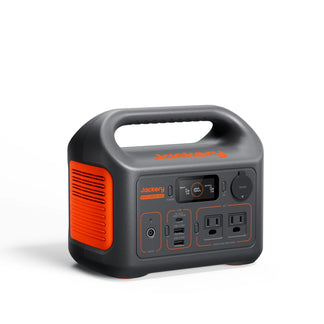
Jackery Solar Generator 240 v2
Jackery Solar Generator 240 v2 is a small battery backup solution that is well-suited for keeping basic home internet equipment powered during short outages. Its compact design and foldable handle make it ideal for apartments, small homes, or emergency kits where preserving connectivity for work calls, messaging, or security systems is the priority. It works ideally when the goal is to maintain online access for several hours without powering additional high-demand devices.
Appliances Running Time
- Modem (10W) = 10.5H
- TV (100W) = 1.9H
- WiFi (10W) = 10.5H
- Light (20W) = 7.0H
- Laptop (150W) = 1.3H
Who Should Buy This
If your primary concern is maintaining internet connectivity during brief outages, this Jackery Solar Generator 240 v2 provides efficient and reliable backup.

Customer Review
Used for a weekend camping trip. powered air mattresses, charged 2 phones, and powered a projector to watch a movie, all at an unpowered site. lasted the entire weekend with no recharge.
— Tyler C.
Jackery Solar Generator 600 v2
Jackery Solar Generator 600 v2 is the world's lightest 600Wh LFP solar generator that offers greater runtime flexibility for longer outages, where uninterrupted connectivity supports remote work or home-based operations. It can maintain internet equipment alongside small accessories such as a laptop or desk lamp, making it suitable for extended work sessions without frequent recharging. Its 0.01s UPS allows you to keep the modem, computers, and data safe during outages.
Appliances Running Time
- Modem (10W) = 26.2H
- TV (100W) = 4.8H
- WiFi (10W) = 26.2H
- Light (20W) = 17.5H
- Laptop (150W) = 3.3H
Who Should Buy This
If you rely on consistent internet access for remote work during longer disruptions, the Jackery Solar Generator 600 v2 provides stronger runtime support.

Customer Review
Definitely a 5-star. This is our 4th jackery product. We have the 3000, 2000 plus, and the extra battery for the 2000, and now the 600 v2. We got this to power our lights, a radio, and charge our phones in our cabin. I would suggest the jackery solar generators, big or small. They arrive fast and work without fail.
— Karon O.
Jackery Solar Generator 1000 v2
Jackery Solar Generator 1000 v2 is another home battery backup solution designed for scenarios where connectivity must remain stable throughout extended outages. With a higher battery capacity, it supports continuous operation of networking equipment while also powering supporting devices such as routers, laptops, and charging stations. This makes it appropriate for households where maintaining online communication, monitoring systems, or business continuity is essential.
Appliances Running Time
- Modem (10W) = 35.1H
- TV (100W) = 7.6H
- WiFi (10W) = 35.1H
- Light (20W) = 25.1H
- Laptop (150W) = 5.3H
Who Should Buy This
If you need full-day or multi-device connectivity backup during extended outages, the Jackery Solar Generator 1000 v2 is a reliable battery backup solution.

Customer Review
So far, this has been a great product. I mainly purchased it for my longer road trips, but I am using it daily at home, basically for keeping multiple items charged from my cell phone, Bluetooth speakers, vacuum cleaner, and laptop. Basically, anything that uses batteries.
— Andreas M.
Wattage of Modem FAQs
Do modems and routers use more power on internet usage?
No, modems and routers consume a relatively low amount of power. Their energy usage is not significantly affected by internet usage.
Can I use a power station for the modem and router?
Yes, you can use a power station like Jackery Portable Power Stations to power your modem and router. They are designed for small electronic devices and are convenient for outdoor or backup power.
What size of generator do I need to run a modem?
You only need a small generator with at least 50–100 watts of output to run a modem. Most modems consume between 5 and 20 watts, so even a compact portable power station can handle the load easily. The more important factor is the battery capacity, especially if you want the modem to stay online for many hours during an outage.
To estimate how long a generator can power your modem, use the Running Time Calculator on the Jackery Buying Guide page. Simply enter your modem’s wattage and select a Jackery Solar Generator to see realistic runtime estimates based on battery capacity. This helps you choose a size that matches how long you need internet connectivity during outages.
How many watts is a TP-Link modem?
The power consumption of TP-Link modems can vary, but on average, they typically use around 10 to 15 watts.
How many watts does a 12V router use?
12V routers generally consume around 5 to 15 watts, depending on the specific model and features. It's advisable to check the router's specifications for accurate information.
Final Thoughts
Although a modem consumes relatively little power compared to major appliances, its constant operation makes it an essential part of household energy planning. Understanding how many watts a modem uses helps estimate ongoing costs and backup requirements. With a Jackery Solar Generator, you can easily maintain internet access during outages, allowing households to stay connected without relying solely on grid availability.


